Checked 17 October 2026 · LMRA employer service
Bahrain Golden Residency Work Permit Renewal Guide

First, check which permit route applies
This guide is for a Golden Residency holder who is already employed in Bahrain and needs the employer-linked work permit renewed. It does not renew the Golden Residency itself. The application is made by the employer or the employer's authorised representative through the Labour Market Regulatory Authority.
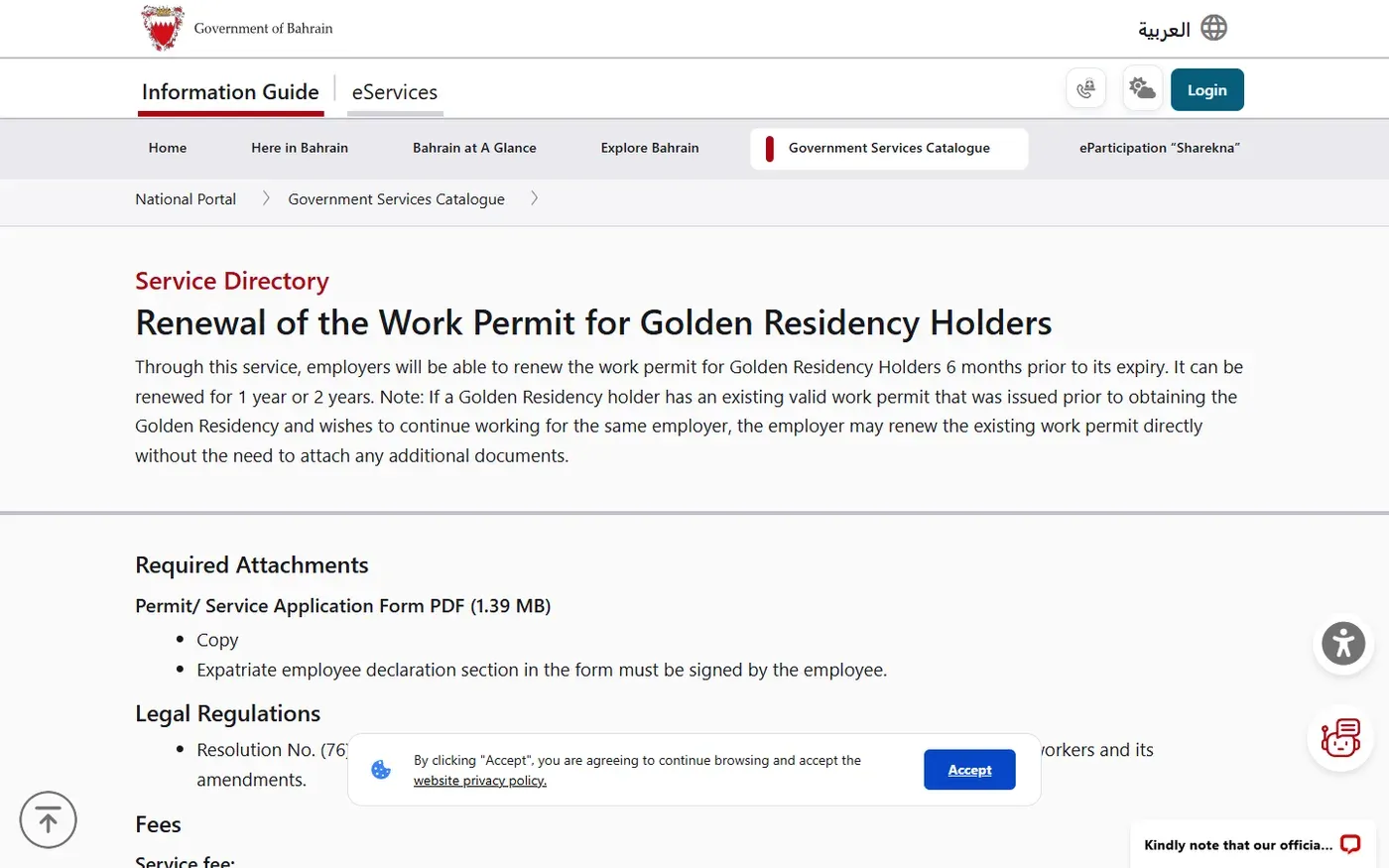
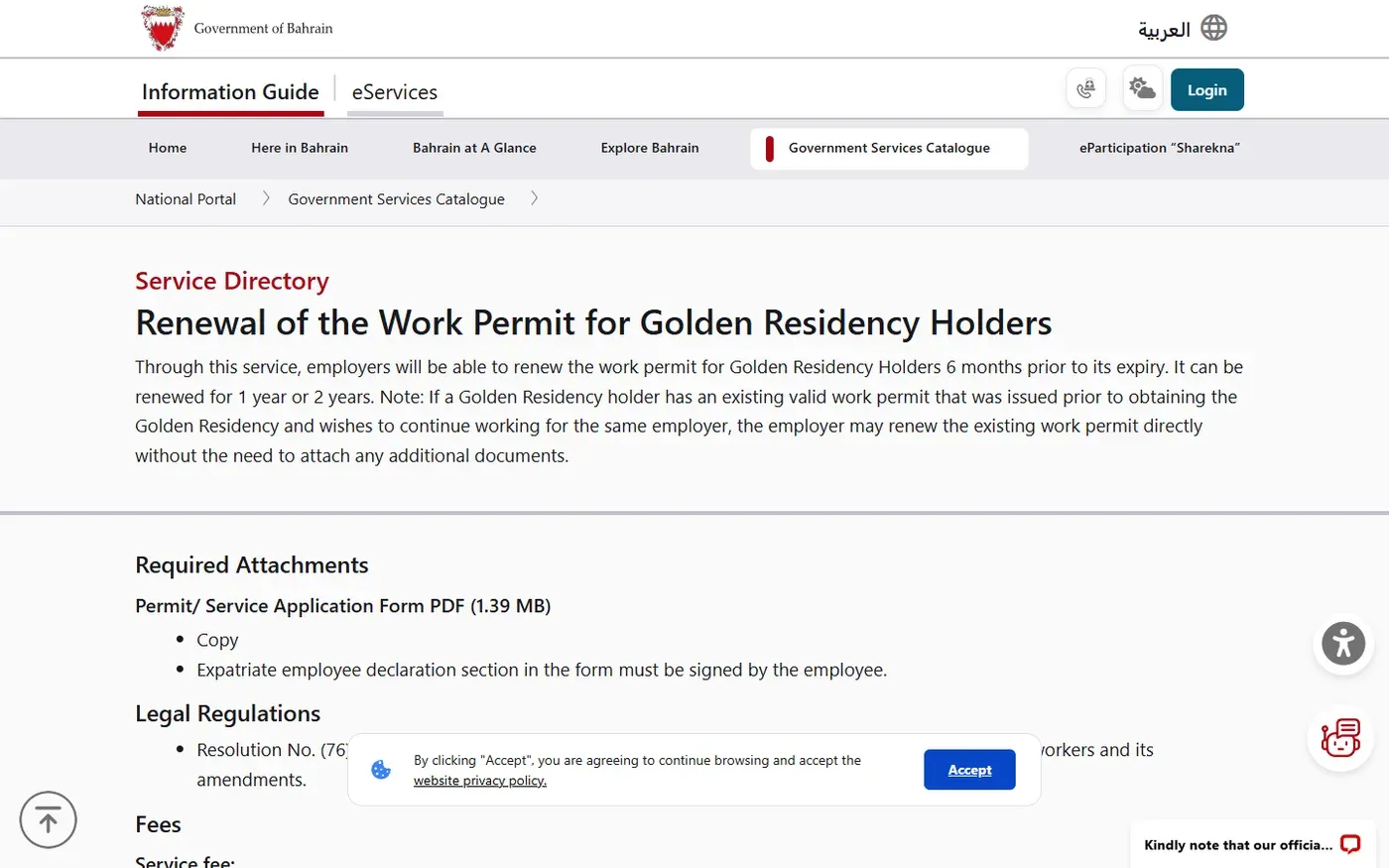
The National Portal renewal service says an employer may renew a valid work permit that was issued before the employee obtained Golden Residency when the employee continues with the same employer. In that situation, the page says the employer can renew directly without additional documents beyond the listed application form.
If the worker has changed employer, the existing permit has been cancelled, or the employment record needs to be created under the Golden Residency route, use the separate new work permit service for Golden Residency holders. That service explains the cancellation and new-permit route. Do not submit both services for the same worker.
Official fees and processing time
| Item | Published amount or time | What it means |
|---|---|---|
| 1-year work permit | BHD 195 | Work permit fee for one year |
| 2-year work permit | BHD 390 | Work permit fee for two years |
| Administrative fee | BHD 5 | Paid after the eSupport ticket reaches the payment stage |
| Processing time | 3 working days | The time published on the National Portal service page |
These figures were checked on 17 October 2026. The portal does not describe the BHD 5 fee as part of the BHD 195 or BHD 390 amount, so budget for it separately. Follow the amount shown in EMS at payment time and keep the receipt.
What to prepare before the employer submits
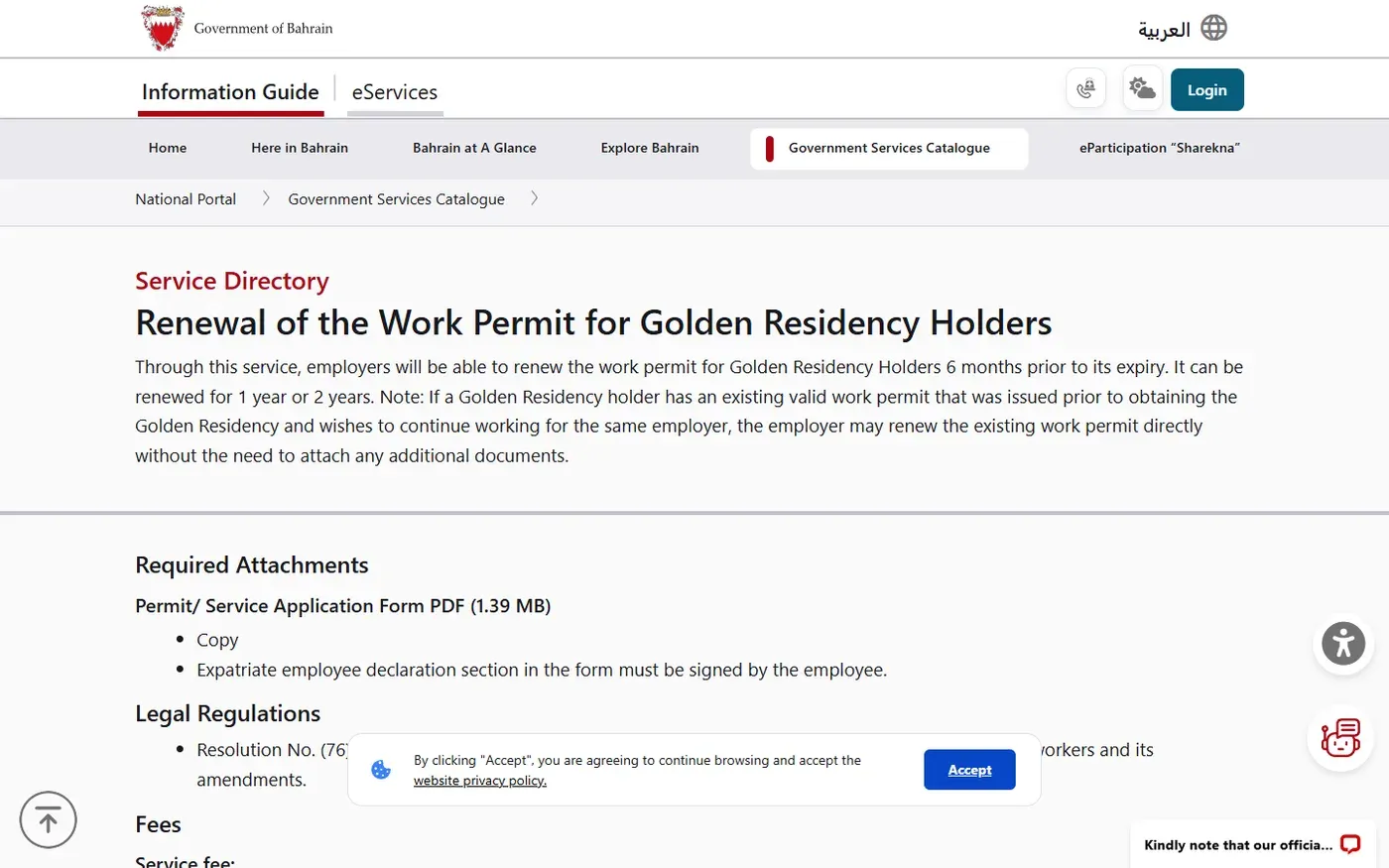
The renewal page lists one required attachment: the Permit or Service Application Form. Download the current form from the official service page rather than using an older copy saved by the company.
- Complete the form clearly.
- Make sure the expatriate employee declaration is signed by the employee.
- Have the employer's authorised person sign the application.
- Convert the completed form to a JPEG image.
- Keep the JPEG under 150 KB because that is the upload limit stated in the official eService instructions.
- Check that the passport, Golden Residency and employment records shown in the employer system are current before submission.
The service page does not list a passport copy, photograph or contract as a standard renewal attachment for the same-employer case. LMRA can still ask for clarification when the record does not match, so respond through the same eSupport ticket instead of opening a duplicate case.
How the employer renews the permit
Open the official renewal service
Start from the National Portal service page. Use its eService link to reach LMRA's Expatriate Management System. Confirm the service name before signing in.
Complete and sign the application
Download the Permit or Service Application Form. Enter the worker and employer details exactly as they appear in the official records. The employee signs the expatriate declaration, and the employer's authorised person signs the application.
Create an EMS eSupport ticket
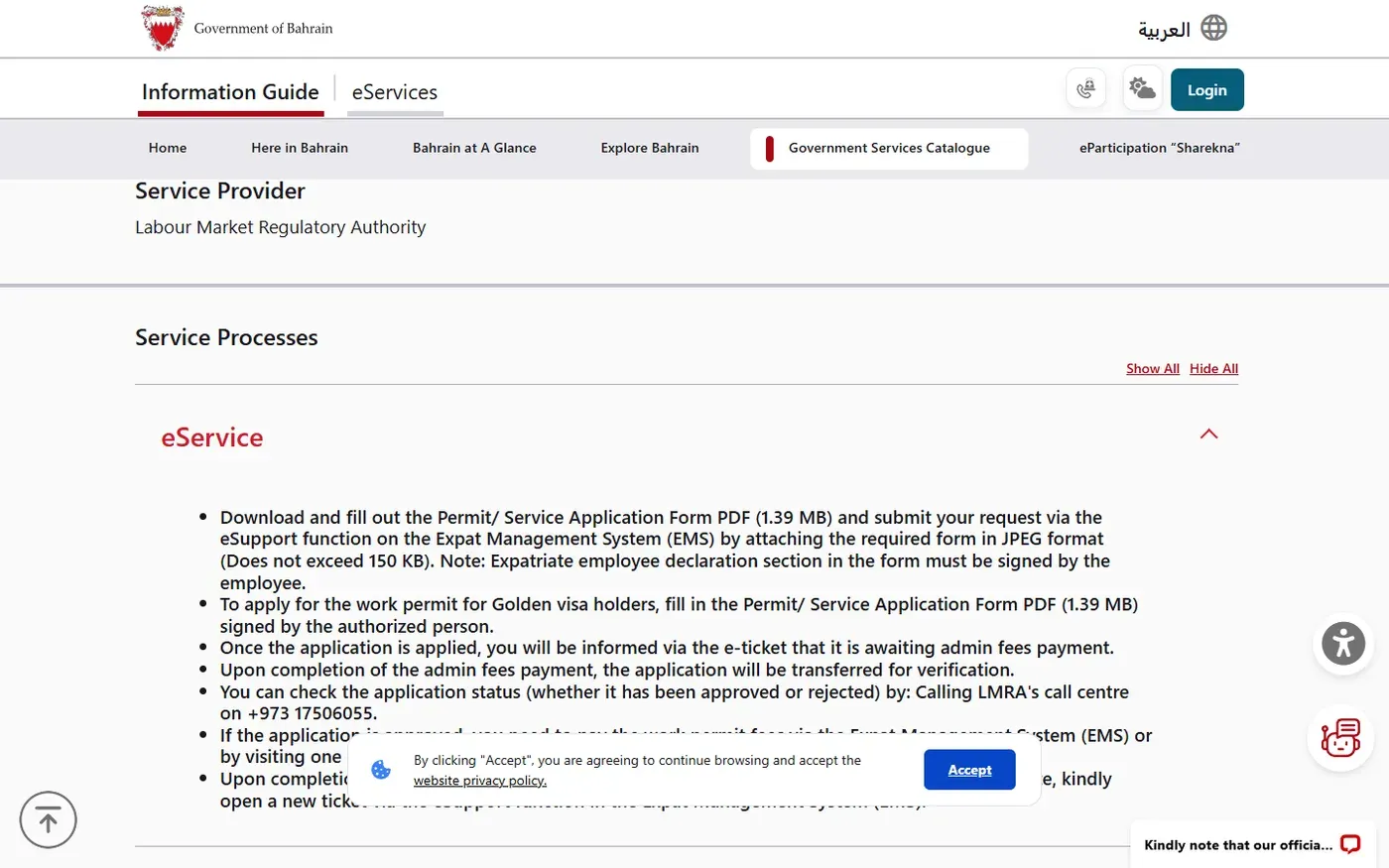
From the employer account, open EMS eSupport and choose the Golden Residency work permit renewal service. Attach the completed form as a JPEG under 150 KB. Use one ticket for one renewal so replies and payment requests stay together.
Pay the BHD 5 administrative fee
The official instructions say the ticket first waits for payment of the administrative fee. Pay it when EMS makes the payment step available. Save the transaction reference.
Wait for LMRA verification
LMRA checks the request. Track the ticket in eSupport. The National Portal also says the status can be checked through the LMRA Call Centre on +973 17506055.
Pay the work permit fee after approval
Once the request is approved, pay BHD 195 for one year or BHD 390 for two years through EMS or an accredited bank, according to the option approved in the system.
Request a certificate only if you need one
The service page says the employer can request the renewal certificate through a new eSupport ticket. The permit record itself should be checked in EMS after payment.
Login-only step: The worker should not share CPR or eKey credentials with a third party. The employer completes the private EMS portion. This guide uses only public government pages and does not reproduce a logged-in screen.
Why the official duration and timing statements differ
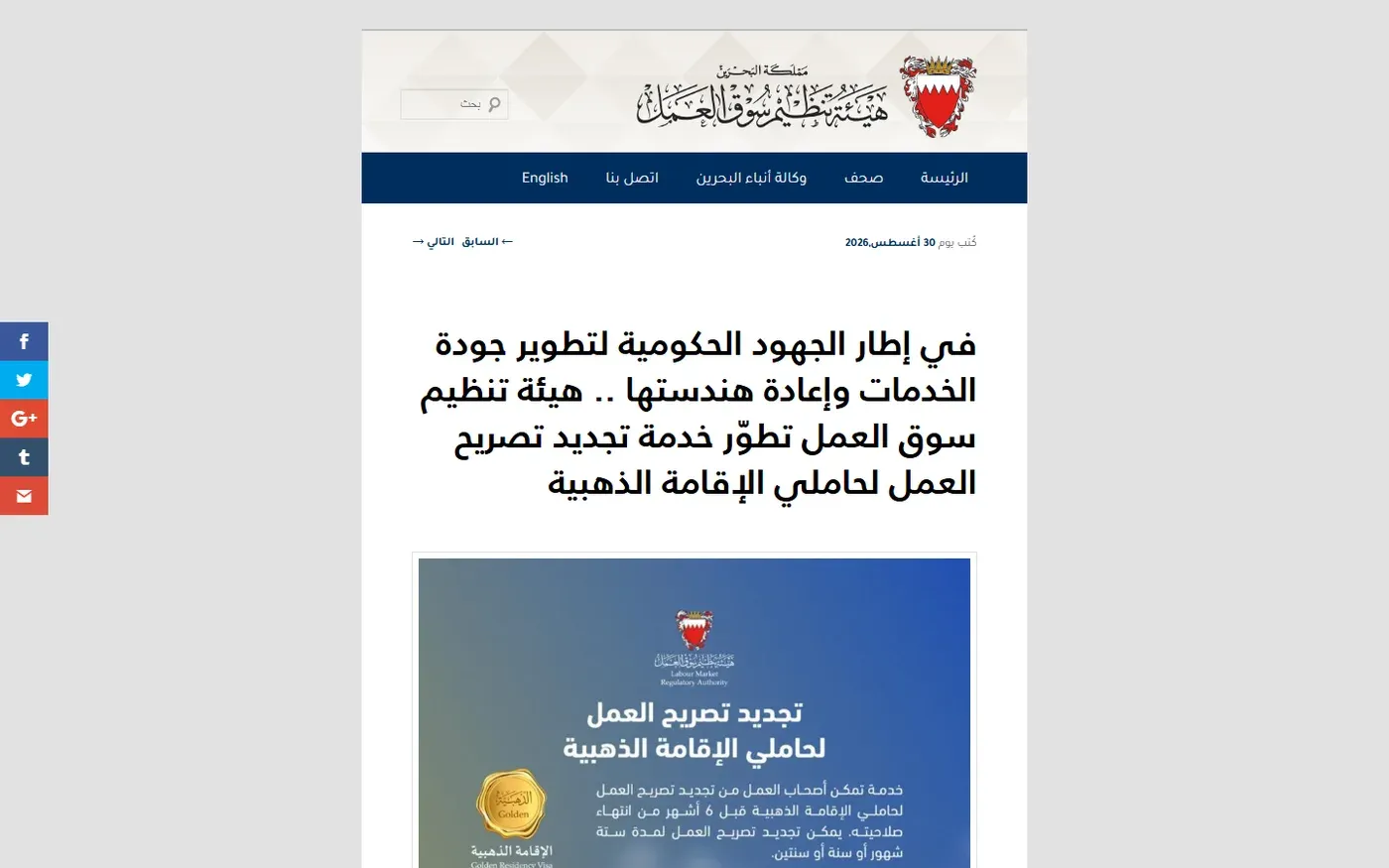
An LMRA announcement dated 30 August 2026 says the upgraded service became fully digital and automatic. It describes 6-month, 1-year and 2-year permits and says completion was reduced from 10 working days to immediate processing.
The current English National Portal renewal page, checked on 17 October 2026, lists only 1-year and 2-year permits and gives a processing time of 3 working days. These are both official sources, but they describe the live service differently.
For an actual application, treat the option displayed in EMS as controlling. If EMS shows a 6-month duration, the August announcement supports that option. If it does not, use the 1-year or 2-year options on the current National Portal page. For planning, allow the portal's published 3 working days unless EMS confirms immediate completion.
Common problems and the next action
The employer cannot see the renewal option
Check that the permit is within the 6-month renewal window and that the worker remains linked to the same employer. If either condition is not met, the separate new-permit route may apply. Use EMS eSupport or call LMRA rather than guessing from an old company checklist.
The JPEG is rejected
Confirm the file is JPEG format and under 150 KB. Make sure all signatures remain readable after compression. A blurred form can delay verification even when the file size is accepted.
The BHD 5 payment is not available
The official sequence says the ticket waits for the administrative payment step. Refresh the ticket status and follow the instruction shown there. Do not make an unrelated payment or submit another renewal.
The employer paid but the permit is not updated
Keep the payment reference, recheck the EMS ticket and contact LMRA at +973 17506055. Give the ticket number, not private credentials. The LMRA contact page has the current official channels.
The worker changed employer
Do not use this same-employer renewal flow. Review the new Golden Residency holder work permit service and follow the cancellation or new-permit instructions shown for the worker's record.
Frequently asked questions
Can the Golden Residency holder renew the work permit personally?
The renewal service is an employer service. The employer or its authorised representative submits it through LMRA EMS.
How early can the employer apply?
The official service page says the employer can apply up to 6 months before the existing work permit expires.
Does Golden Residency remove the need for a work permit?
No. A Golden Residency holder who works for an employer still needs the correct LMRA work permit record. Golden Residency and the employer-linked work permit serve different purposes.
How much does renewal cost?
As checked on 17 October 2026, the National Portal lists BHD 195 for one year or BHD 390 for two years, plus a BHD 5 administrative fee.
How long does it take?
The National Portal lists 3 working days. LMRA's August 2026 announcement described the upgraded service as immediate and automatic. Use the live EMS status for the individual application and allow the portal's 3 working days when planning.
Is a 6-month renewal available?
LMRA's August 2026 announcement says 6 months is supported, while the current English service page lists only one or two years. The duration shown in EMS is the practical answer for the application.
What is the official contact number?
The National Portal service instructions list the LMRA Call Centre at +973 17506055.
Official sources
- Bahrain National Portal: renewal of a work permit for Golden Residency holders
- Bahrain National Portal: new work permit for Golden Residency holders
- LMRA: Golden Residency work permit service upgrade announcement
- Bahrain National Portal: LMRA service catalogue
- LMRA Expatriate Management System
- LMRA contact information
Official services can change. Check the National Portal and the live EMS screen before paying.