AI for teachers: what to check before using it

Use AI to draft lesson ideas, questions and routine notes, then check the result yourself. Before you use a tool, read your school's policy. Keep student names and records out of an unapproved tool. Decide which thinking students must still do themselves.
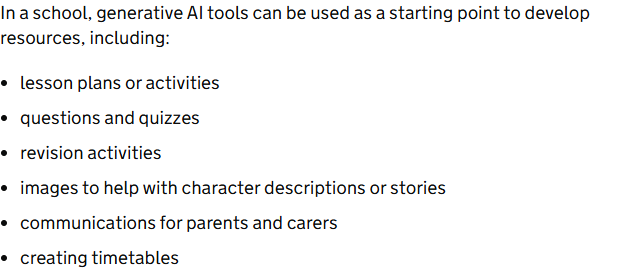
A teacher may ask for a first draft of a quiz in the evening. A polished draft can still contain a weak question or a wrong answer. Reject what does not work and bring a better activity to class. The UK Department for Education lists lesson plans, questions, revision activities and parent messages among possible starting points for AI drafts. It says the final material remains the educator's responsibility.
Start with the task, not a tool list
Teacher preparation is a good place to begin. The UK education department sees more immediate benefit and fewer risks in teacher-facing use than in pupil-facing use. That does not make every product suitable for every school. Ask what you want to prepare, what information the tool would need and who will check the result.
For a public topic, you could request three ways to introduce a lesson. You could ask for a short practice quiz, a reading explanation or a plain-language note to families. Treat each output as a draft. Compare it with the curriculum and with what your class has already learned.
| Task | Starting point | Teacher check, our advice | Guidance behind the choice |
|---|---|---|---|
| Lesson plan | Teacher preparation | Check curriculum fit and the examples before use. | England: Department for Education |
| Quiz | Teacher preparation | Solve each question and check its answer key. | England: Department for Education; Wisconsin guidance |
| Revision activity | Teacher preparation | Keep the intended learning and check the content. | England: Department for Education |
| Parent message | Teacher preparation, without personal information | Check school wording and the facts in the message. | England: Department for Education; Wisconsin guidance |
| Marking feedback | School rules first | Use only an approved route for identifiable student work; keep a teacher responsible. | Wisconsin guidance |
| Student-facing chatbot | School rules first | Check the permitted age group and approved purpose before student access. | New York City Public Schools |
These are choices for a teacher to consider, not permission for a particular app. Ask your school which tools and uses it has approved.
A small example you can adapt
Our original prompt example, using a fictional class only. This is a proposed request, not a tool test or classroom result.
I am preparing a practice quiz for a fictional class learning to compare fractions with unlike denominators. Write two short questions using invented examples. Include an answer key and one plausible wrong answer for each question. Explain the mistake behind each wrong answer. Use no student names, records or personal details.
Flawed draft line, our illustration, not a tool output:
Answer: 1/3 is larger than 1/2 because 3 is bigger than 2.
Teacher’s correction: 1/2 equals 3/6 and 1/3 equals 2/6. Therefore 1/2 is larger than 1/3; comparing the denominators alone gives the wrong answer.
Our teacher review: solve both questions on paper before using the key. If a draft compares only the denominators, replace that reasoning with equivalent fractions. Keep a wrong answer only as a clearly marked discussion example, never in the answer key.
Our edit: ask the learner to explain the comparison, not just choose a larger fraction. Rewrite unfamiliar wording and remove anything outside the lesson. Keep the teacher’s corrected key beside the final quiz.
Now compare the draft with your aim for the lesson. Will it show whether a student understands the idea, or just whether they can copy a method? Does it introduce a term you have not taught? Could a student explain the answer in their own words? Keep the useful piece and rewrite the rest.
Wisconsin's education department warns that AI can sound certain while giving an inaccurate answer. It tells educators to check important facts, quotations, calculations and sources. Check a neat-looking quiz as carefully as a long essay. Work every answer yourself before a student sees it.
Keep student information out of the prompt
Wisconsin tells teachers not to enter personally identifiable student information into unapproved AI tools. England's school data guidance says staff should check with their data protection or IT lead before choosing a tool.
If a task really needs a student's records, use the route your school has approved for that task. Do not assume an education label on a product means the school has approved its data handling. Centennial School District's published policy, for example, allows staff to use district-approved AI tools and bars confidential inputs. That is a rule for that district. Your own school's list may be different.
Try a fictional prompt when you want to test an idea. Replace a real child's name with an invented classroom situation. Describe the learning need in general terms, such as a shorter passage with the same main idea. If the result looks useful, the teacher still decides how to adapt it.
Teacher use and student use are different decisions
A tool that helps you prepare a lesson is not automatically ready for students to use. Student access raises questions about age, supervision and what the learner still needs to practise. In New York City, the school system uses a risk-based “traffic light” framework for AI decisions. Its public guidance places stronger limits on younger students and permits limited, guided use for older students.
England says a school may choose teacher-only or administrative use. UNESCO calls for human-centred, age-appropriate checks. Ask whether the use helps learning and who stays responsible.
Before assigning an AI activity, ask what students must produce themselves. If the goal is to practise writing a reasoned answer, a tool that writes the answer may remove the very work you want them to do. If the goal is to critique an example, comparing an AI draft with a trusted text may serve a different purpose. Set that purpose before students open a screen.
The US Department of Education's AI report says teachers and learners need to retain agency over decisions. In ordinary language, a person should be able to choose, explain and challenge the result.
Before sharing a draft
Here is a short routine you can repeat without turning every lesson into a technology project. Pick one teaching task before you open a tool. Read your school's current AI policy and choose a tool it approves. Keep student names and records out of your prompt. Check every fact, example and answer before sharing the draft.
- Pick one teaching task
- Choose a tool it approves
- Keep student names and records out of your prompt
- Check every fact, example and answer
If you are unsure about approval, ask a school leader or IT lead before using a real school account. If the tool's answer is weak, discard it. You can always teach from your own notes.
Assessment needs a separate rule
A draft practice question is different from deciding a student's grade. The teacher should make that decision and be able to explain it. Do not feed identifiable student work into an unapproved tool to speed up marking. Check your school's rules before using any system for assessment work.
The UK has published classroom resources for discussing AI in assessed work. Use that as a prompt for a clear class conversation: which help is allowed, what students must do themselves and how they should acknowledge AI use. Make the rule clear enough for students to repeat.
AI may still help a teacher see a different way to explain a concept or spot a confusing question. Keep that work in preparation and make judgments about a child yourself. England's guidance says the professional and organisation are responsible for the final document. Keep that responsibility visible when you edit a generated draft.
What to ask your school this week
Get these answers before choosing a product:
- May staff use AI for general lesson preparation?
- Are student-facing AI activities allowed?
- How does the school handle personal information in AI tools?
Ask also how students should describe AI help in coursework. Your school should set the local boundary.
Start with a small task on a public topic. Keep a copy of the draft you received and your edited version so you can see what you changed. If the tool saves no time or makes the lesson weaker, leave it out of the next lesson. The point is better teaching, not using AI for its own sake.
Frequently asked questions
Can AI write a lesson plan for me?
It can help draft a plan or questions. Check every example and answer against your curriculum before class, and use only a tool your school allows.
Can I paste student work into a chatbot?
Keep identifiable work out of an unapproved tool. Ask your school which approved system, if any, may handle that information.
Can students use AI in class?
Follow your school's current age and assignment rules. A tool approved for teacher preparation may not be approved for student use.
Should I trust an AI answer key?
No. Solve the questions yourself and check the key. AI can produce answers that sound confident but are wrong.
What is the first thing to try?
Pick one public lesson topic and ask for two opening questions. Review the result yourself before you put either question in front of students.
Last checked: 29 October 2026.
Sources
UK Department for Education: data protection in schools; UK Department for Education: generative AI in education; Wisconsin Department of Public Instruction: AI risks; Centennial School District: AI policy; New York City Public Schools: educator AI guidance; New York City Public Schools: student AI guidance; UNESCO: generative AI guidance; UNESCO: teacher AI framework; US Department of Education: teaching and learning report; UK government: AI coursework resources; Australian Government: AI in schools framework.
For wider background, see AI literacy.
Published · Updated