Google Pay in Bahrain: Cards and Setup Checks
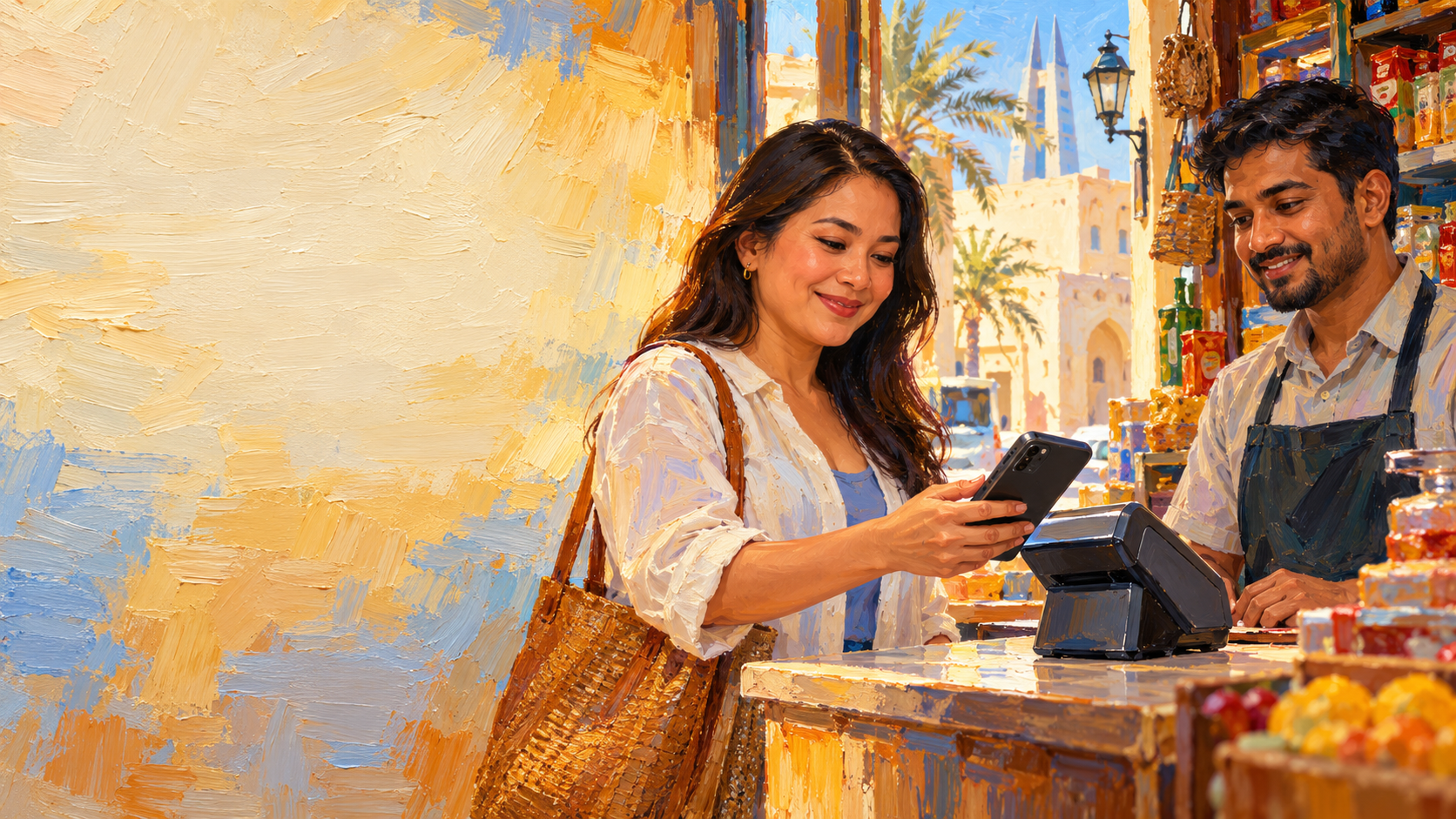
Yes, Google Wallet can work for contactless payments in Bahrain. Your Android phone needs NFC, and your card's issuer must allow the card in Wallet. Google's Bahrain payment-method list names BBK Visa debit cards, BEDE Mastercard prepaid cards and Foris GFS BH Mastercard prepaid cards. Check the card type as well as the bank name: Google says an issuer can restrict particular cards.
Use the issuer and card-type table below to decide whether to try setup. With a listed card, first turn on NFC. Set Google Wallet as the default contactless app. Add the card and complete any issuer confirmation. If your card is absent, plan another way to pay until its issuer confirms support.
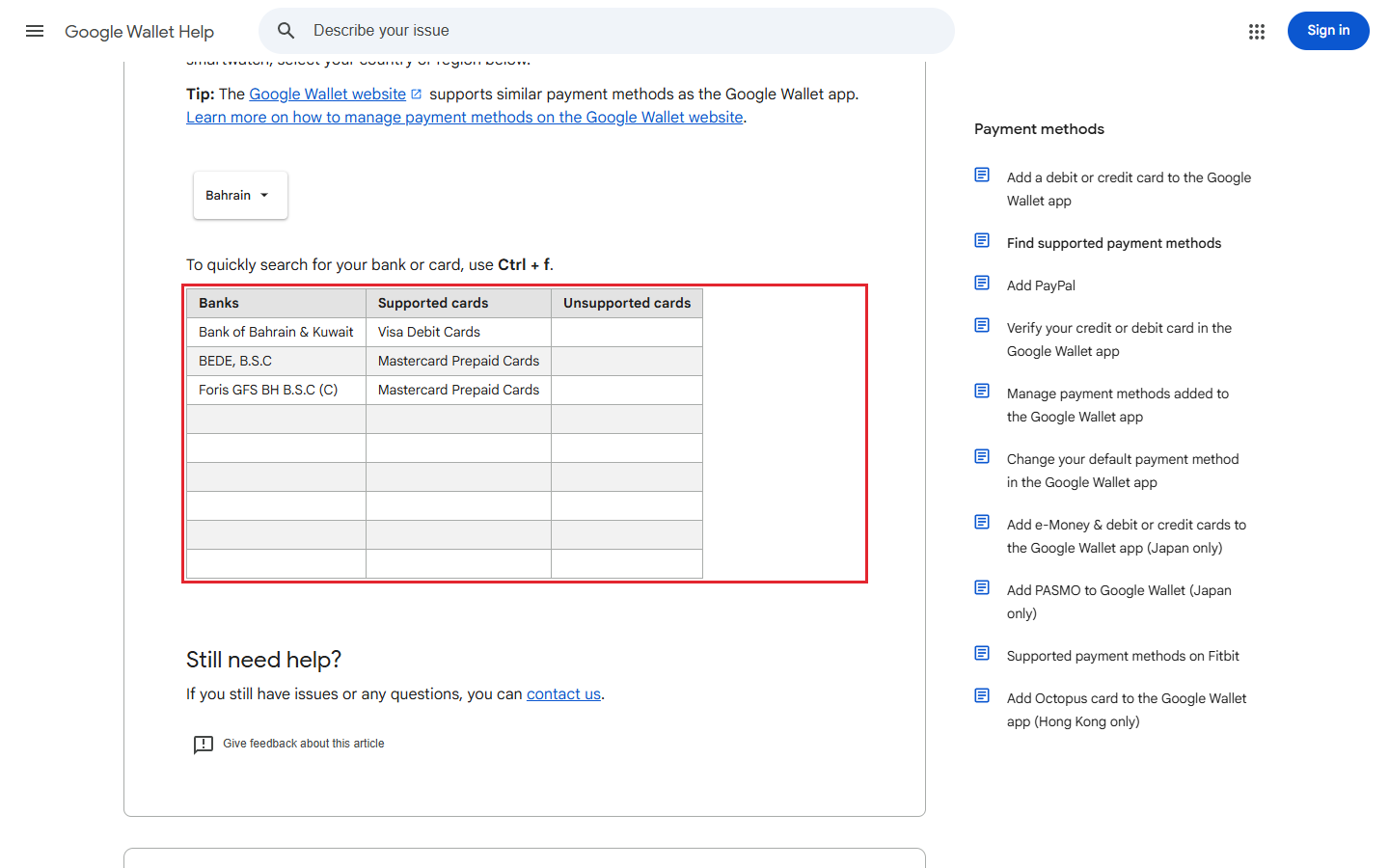
Cards on Google's Bahrain list
These are the issuer and card-type combinations shown on Google's Bahrain page. A matching issuer name by itself is not enough to establish that a different card product will work.
| Issuer shown by Google | Card type shown by Google |
|---|---|
| Bank of Bahrain & Kuwait (BBK) | Visa debit cards |
| BEDE, B.S.C | Mastercard prepaid cards |
| Foris GFS BH B.S.C (C) | Mastercard prepaid cards |
BBK's own Google Pay page says its service is available to BBK debit cardholders and gives a path through its mobile banking app. BEDE's card page says its prepaid card can be added to Google Pay, subject to device compatibility.
Step 1: Check your phone
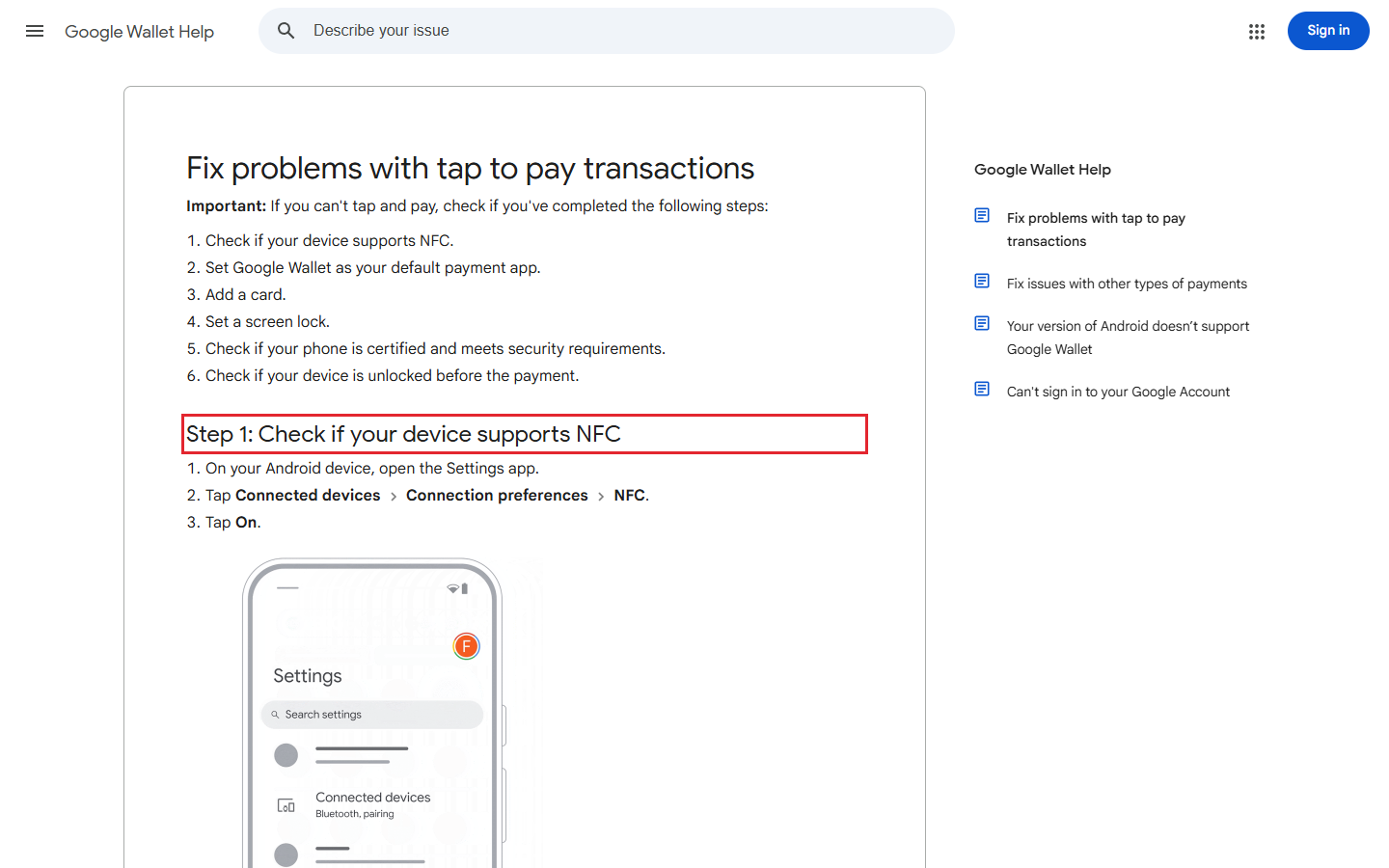
Start with an Android phone that has NFC. Google's tap-to-pay checklist says to open Settings > Connected devices > Connection preferences > NFC and turn NFC on. If your phone's menu names differ, search its Settings for NFC. If there is no NFC feature, the phone cannot make a Wallet contactless payment.
In the same NFC area, open Contactless payments and select Google Wallet as the default payment app. Set a screen lock on the phone: Google says you must confirm your identity with that lock before paying. If setup still fails, check Play Protect certification in Play Store > profile > Settings > About.
Step 2: Check the exact card
Look at the card's issuer and whether it is debit or prepaid, plus the Visa or Mastercard network. For example, Google's BBK entry is for Visa debit cards; it is not a blanket statement about BBK credit cards. Likewise, the BEDE and Foris entries are specifically for Mastercard prepaid cards.
If your issuer or card type does not appear, treat the card as unsupported for your payment plan until the issuer confirms otherwise. Google's page says the bank decides whether its cards work and may restrict individual cards. If a listed card is refused during setup, call the number on its back. Ask whether that particular card is enabled for mobile payments.
Step 3: Add the card and complete confirmation
In Google Wallet, tap Add to Wallet > Payment card > New credit or debit card. Scan the card or enter its details manually. If Google asks you to confirm the payment method, select an option from the list.
BBK also offers an app route for its debit cardholders. Sign in to its mobile banking app on your primary trusted Android device. Open Cards. Select your debit card. Tap Add to G Pay. BBK says its confirmation may involve a code sent to the registered contact number or a bank call. Use the route your bank presents on your own phone, and finish every confirmation it asks for.
When the first tap does not work
Before trying again, make sure NFC is on. Check that Google Wallet is the default contactless app. Unlock the phone and hold it near the reader's NFC area for a moment. BBK describes use at an NFC-enabled payment terminal.
If Wallet will not add the card at all, first compare it with Google's Bahrain card list, then contact the issuer. If the card was added but tapping still fails, revisit the screen lock and Play Protect checks on Google's troubleshooting page. These checks help separate a card eligibility problem from a phone or terminal problem.
Frequently asked questions
These answers cover the quick decisions people usually need before leaving a card at home.
Does every BBK card work with Google Wallet?
No, Google's Bahrain list specifies BBK Visa debit cards. BBK says its Google Pay service is available for its debit cardholders. Ask BBK about your exact card if its type differs or Wallet rejects it.
Can I use Google Wallet without NFC on my phone?
No, an Android phone needs NFC for contactless Google Wallet payments. Check the phone's NFC setting before trying to pay in a shop.
Why might a listed card fail to set up?
The issuer may restrict a particular card, or the phone may fail a required security check. Review the issuer's confirmation request, screen lock and Play Protect status; then contact the issuer if the card is still refused.
Is BEDE's prepaid card on the Bahrain list?
Yes, Google's Bahrain list names BEDE Mastercard prepaid cards, and BEDE says adding its card to Google Pay depends on device compatibility.