Firing a Snapchat Pixel SIGN_UP Event with Google Tag Manager
25 November 2026 | By Gaurav Agarwal
To fire a Snapchat Pixel SIGN_UP event in Google Tag Manager, create a Custom Event trigger for your form's success event in the dataLayer. Attach it to a Snap Pixel tag with Event Type Sign Up and the same pixel ID as your Page View tag. To confirm it, check the tr.snapchat.com/p request in the Network tab: you want one request with ev=SIGN_UP and your pid.
Which GTM trigger should fire a Snap SIGN_UP event?
Use a Custom Event trigger that listens for the form's own success event in the dataLayer. Attach it to a Snap Pixel tag with Event Type Sign Up.
We did this for an events agency that ran Snapchat ads for a trade fair registration form (we call the fair Example Fair 2027 here). The agency wanted Snap to optimise for sign-ups, so Snap needed a SIGN_UP event on every successful registration.
Snap's developer docs list SIGN_UP among the eligible pixel events. The event type in the tag must be that standard name. The trigger decides when it fires.
The trigger we chose listens for an exact event name, formComplete_abc123. The hosted registration platform pushes it only when the submission succeeds. An exact name is safer than a guess based on text in a page path.
Google's help page for this trigger type says you enter the event name and can tick "use regex matching" if you want a pattern. Leave regex off when you know the exact name.
Do I need a separate tag for Page View and Sign Up?
Yes. Keep one Snap Pixel tag for Page View and add a second one for Sign Up. Both use the same Snap Pixel template and the same Pixel ID.
In our container the Snap Pixel was already there as a single tag. Event Type was Page View, the trigger was All Pages, and Snap therefore saw page views only.
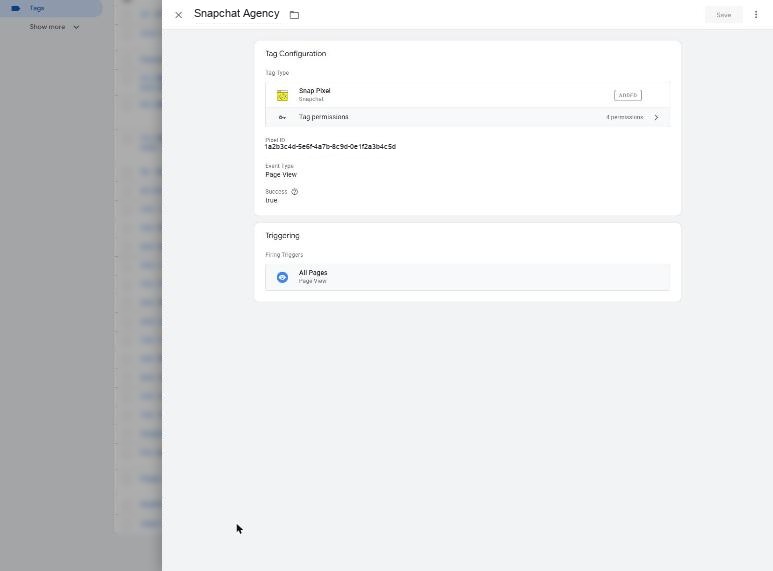
We left that tag untouched. The result is 2 Snap tags: Page View on All Pages, and Sign Up on the completion event. Each tag sends one event type, so keeping them apart keeps each trigger simple.
Snap's developer docs show the same split in code. The sample pixel code initialises the pixel and then calls snaptr('track', 'PAGE_VIEW'). A sign-up is a separate track call with a different event name.
Why does a thank-you URL trigger fail on a single-page form?
A thank-you URL trigger needs the address bar to change. On a single-page form it never does, so the trigger never fires.
The registration form was a single-page app. The URL was the same on every step and on the final "Thank you for registering" screen. A Page View trigger with a rule like "Page URL contains /thank-you" had nothing to match.
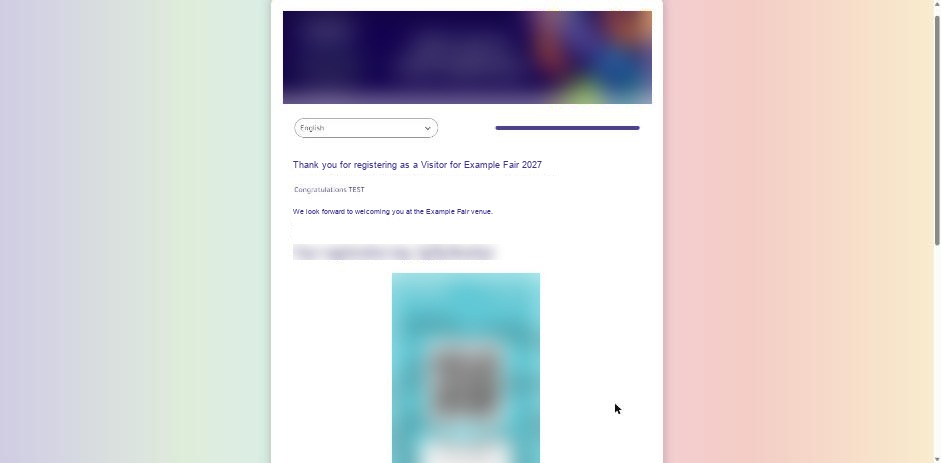
Check this on your own form first. Click through every step and watch the address bar. If it does not change, skip URL triggers and look at the dataLayer instead.
How do I find the success event in the dataLayer?
Open the browser console on the form, do one test registration, and read what lands in the dataLayer after each step. The success push is your trigger.
We filled the form once with the name "TEST" and a test email, then read dataLayer. On every step the platform pushed a virtual page view:
{ event: 'virtualPageview', formPagePath: '<event>/<form>/<step>' }On completion it pushed the same event with a path ending in /Complete, then a separate completion event:
{ event: 'virtualPageview', formPagePath: '.../Complete' }
{ event: 'formComplete_abc123' }
The form's own JavaScript bundle confirmed that formComplete_<id> is pushed only after a successful submission. The ID after the underscore is the form's own ID, so yours will differ.
We could have used a regex on formPagePath ending in "/Complete". We did not. A path text can change when someone renames a step. An event name that exists only on success is a cleaner signal.
How do I build the trigger and the tag?
Create one Custom Event trigger and one Snap Pixel tag, then save both without publishing.
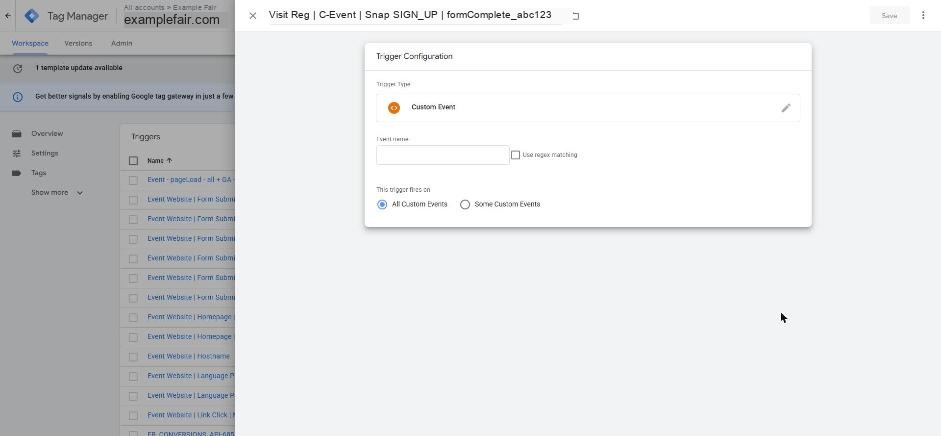
- In GTM go to Triggers, then New, then Trigger Configuration, and choose Custom Event.
- Set the event name to
formComplete_abc123. Leave "use regex matching" off. Keep "This trigger fires on" as All Custom Events. - Name it clearly, for example "Visit Reg | C-Event | Snap SIGN_UP | formComplete_abc123".
- Go to Tags, then New, then Tag Configuration, and choose Snap Pixel (the community template the Page View tag already uses).
- Enter the same Pixel ID as the Page View tag.
- Set Event Type to Sign Up. In our session the native select ignored a click. Typing "Sign" and pressing Enter selected it.
- Under Triggering, pick the custom event trigger from above and save.
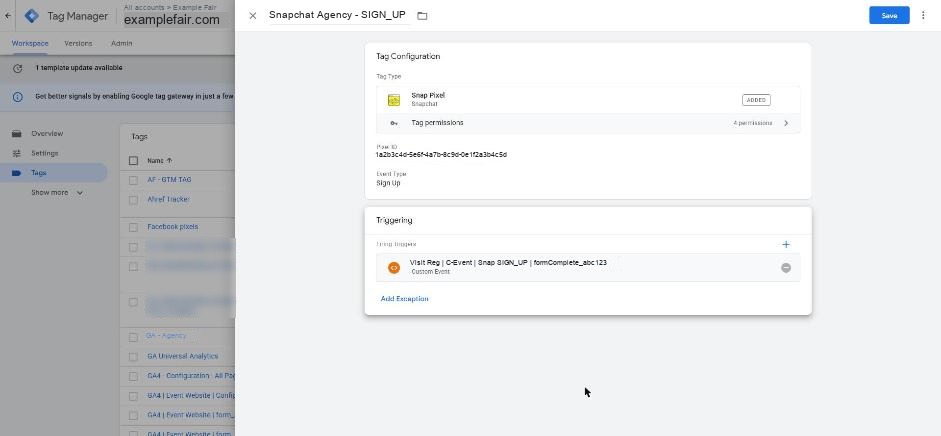
The workspace then showed "Workspace Changes: 2", one tag and one trigger.
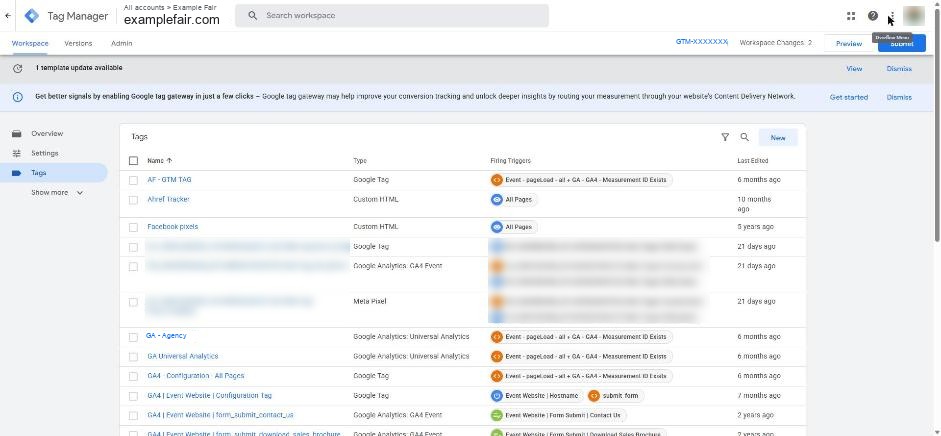
How do I test when Tag Assistant Preview will not connect?
Load the draft container by hand on a page of the same domain. This works even when the Preview window cannot be used.
In our job, Tag Assistant Preview showed "Connected" in its own tab, but the site window it opened was not usable. Opening the form with ?gtm_debug=x in another tab showed the badge "Tag Assistant Not Connected". That meant the live container ran, not our draft.
Google's Preview help says a connected site shows "Connected" at the bottom right, and the debug view appears only in the browser where preview was enabled. Google's Environments help adds that a preview link means you do not install a special snippet, but you must remember to enable preview mode.
Our workaround loaded the draft by hand:
- In the workspace, open the Preview link and copy its
gtm_authandgtm_previewvalues (ours looked like env-5). - Open a page on the same domain that does not load the live GTM. For us this was the registration platform's 404 page.
- Load the draft container from the console with this URL as a script source:
https://www.googletagmanager.com/gtm.js?id=GTM-XXXXXXX>m_auth=YOUR_AUTH>m_preview=env-5>m_cookies_win=xTwo signs told us the draft was running. The Snap PAGE_VIEW request went out, and the draft code contained the new SIGN_UP tag.
How can I confirm the Snap event fired once with the right pixel ID?
Count the requests to tr.snapchat.com/p and read the ev and pid parameters. You want one request with ev=SIGN_UP and your Pixel ID.
With the draft container loaded, we pushed events from the console. No real form was submitted. First, a step change:
dataLayer.push({event:'virtualPageview', formPagePath:'.../Page 2'});That produced no new Snap request, which is what we wanted. Then the completion pair:
dataLayer.push({event:'virtualPageview', formPagePath:'.../Complete'});
dataLayer.push({event:'formComplete_abc123'});
That produced exactly one new request to https://tr.snapchat.com/p. We listed the Snap requests with this snippet:
performance.getEntriesByType('resource')
  .filter(r => r.name.includes('snapchat.com/p'))
  .map(r => {
    const u = new URL(r.name);
    return { ev: u.searchParams.get('ev'), pid: u.searchParams.get('pid'), type: r.initiatorType };
  });
On page load the list showed ev=PAGE_VIEW. After the completion event it showed ev=SIGN_UP, and pid matched our pixel ID (1a2b3c4d-5e6f-4a7b-8c9d-0e1f2a3b4c5d in this write-up). The page-view request went out as an image request, followed by beacon calls.
The Network tab works too. Filter by snapchat.com/p, click the request and read the query string.
What is the snaptr hook pitfall?
Do not wrap window.snaptr to log calls. A wrapper can show the tag ran while no request is sent.
In our first attempt we wrapped snaptr, fetch, XHR and sendBeacon to log everything. The log looked fine. It showed snaptr('init', ...) and then snaptr('track', pixelId, 'SIGN_UP', {...}), with gtmTagId: 76 and integration: 'gtm' in the data.
But no network request followed. We reran the test on a clean page with no hooks, and the request went out normally.
The lesson is simple. Count real network requests on a clean page. A patched pixel function is not the pixel your visitors run.
What is the side effect of manual dataLayer pushes?
A manual push of the completion event fires every live tag that listens to it, not only your Snap tag. Test once, and tell the account owner.
In our container the same event also fired an ads "Submit Form" conversion tag. A console push on the live site would have counted a fake conversion there.
To reduce the risk, test on the draft container page only, as above. If you must test live, do it once, note the time, and tell whoever owns the other ad accounts.
What is left after go-live?
Publish with a clear version name, re-check live, then finish the checks that need account access.
We named the version "Snap SIGN_UP Example Fair" with a short note on the tag, the trigger and the test. After publishing, the live environment showed the new version, which was version 28 in our container.
We then re-checked on the normal registration page with no debug. Page load sent PAGE_VIEW. The Page 2 step sent nothing. The completion events sent exactly one ev=SIGN_UP request with the right pid.
Two things were still open when we handed over, and we say so plainly:
- Confirm the event in Snap Ads Manager, under Events Manager. We did not have that access.
- Delete the test registrations from the platform's visitor list.
FAQ
Does the Sign Up tag need its own pixel?
No. Use the same Pixel ID as your Page View tag. Only the Event Type changes.
Can I use a regex on the form path instead of a custom event?
You can, but an exact event name is safer. A path can change when a step is renamed. Google's help also warns to take care with broad regex such as .*, which matches every event.
Why does ?gtm_debug=x show Tag Assistant Not Connected?
Adding the parameter alone does not connect your draft. In our case the live container ran instead. Load the draft with the gtm.js URL shown above, or reconnect Preview from the workspace.
Will the Page View tag also fire on sign-up?
Only if its trigger matches. Ours uses All Pages, and the form never loads a new page, so it did not fire again at completion.
How do I know Snap counted the event?
The request proves the browser sent it. To see that Snap received it, open Events Manager in Snap Ads Manager. We did not have that access on this job.
Is a manual dataLayer push safe on a live site?
Not fully. Other live tags on the same event also fire. Test once on the draft page and tell the account owner.
Sources
- Google Tag Manager Help: Custom Event trigger (read 25 November 2026)
- Google Tag Manager Help: Preview and debug containers (read 25 November 2026)
- Google Tag Manager Help: Environments (read 25 November 2026)
- Snap developer docs: Snap Pixel (read 25 November 2026)
- Snap developer docs: Website events (eligible pixel events) (read 25 November 2026)
Published