Free public APIs: where to find them and check limits

Directories help you find candidate APIs; provider pages give the access, use, price and call limits. The public-apis list on GitHub is one place to look. Its entries are leads, not a promise that an API will suit your project.
Pick one candidate, read its access rules, then read its pricing and limit pages. Write the answers beside the API name. A “No” under Auth does not settle every question. NASA lets you explore without signing in but advises a key for heavy use. Open-Meteo limits its free API to non-commercial use.
Before you start
An API lets one app ask another service for data. A key is a code that identifies your app. CORS tells you whether a website can call that API directly from a visitor's browser. An uptime guarantee is a promise about how often the service will be available.
Have a project idea and a short note ready. If one answer is missing from the provider's page, leave that cell open. Do not turn a directory's “free” tag into a price promise.
| Write down | What to look for on the provider's site |
|---|---|
| Access | No sign-in, account, API key or another login method |
| Allowed use | Personal or commercial use, and any attribution rule |
| Cost | Free tier, paid plan, or a separate commercial licence |
| Limits | Calls per minute, hour, day or month, and what happens at the cap |
Step 1: Find one candidate, then leave the directory
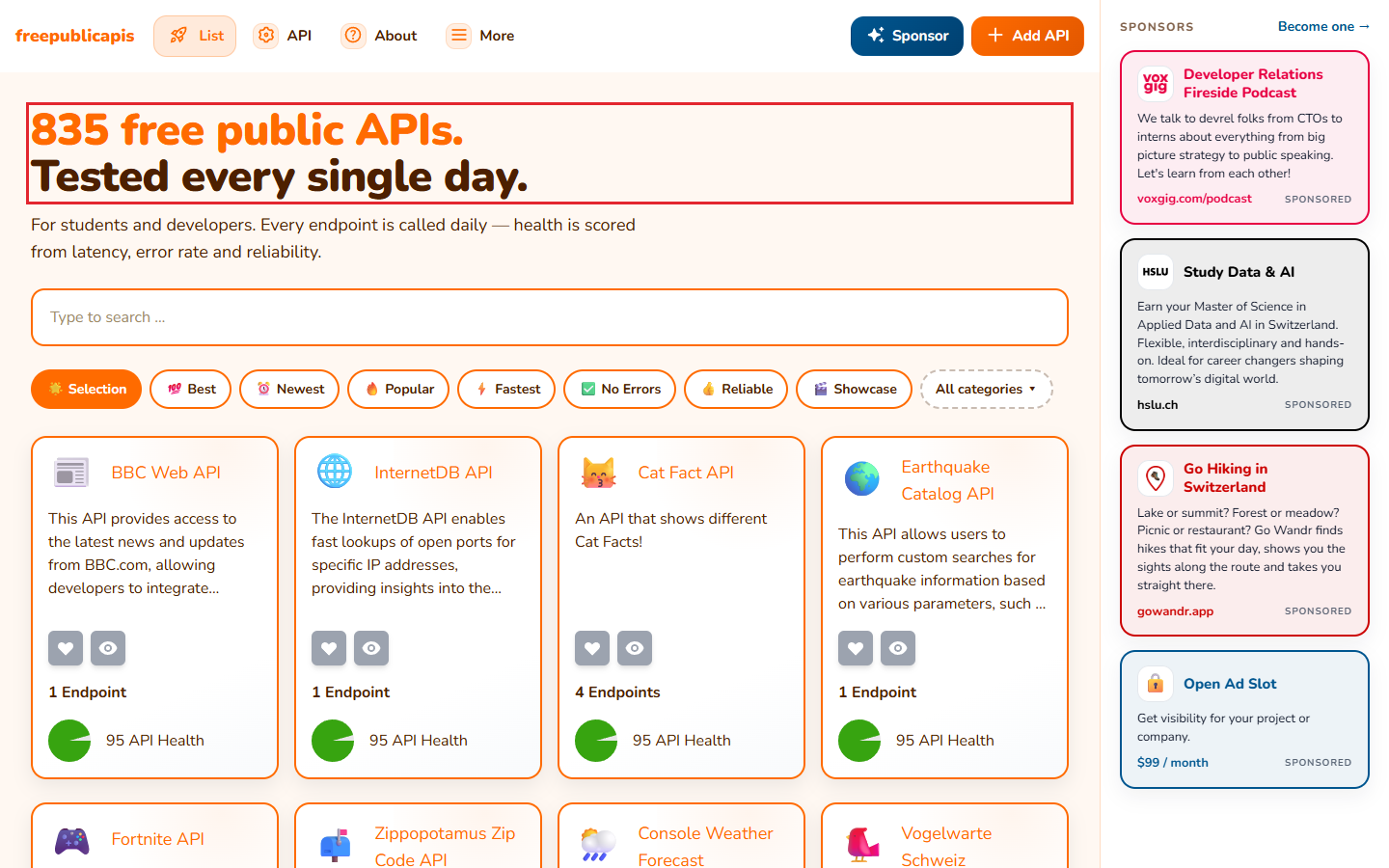
Search a subject in the public-apis GitHub list or browse Free Public APIs. The GitHub list sorts entries by subject and shows Auth, HTTPS and CORS fields. Its own rules say an entry must have full free access or at least a free tier. That makes the list useful for finding leads. It does not tell you all the terms of the provider's plan.
Choose a candidate that matches what your project needs, then open the provider's link. For example, the GitHub directory lists both NASA and Open-Meteo as “No” under Auth. NASA's own page gives a more useful detail: you can explore its data without signing in, but it advises a developer key for intensive use. Open-Meteo's pricing page adds a different condition: the free API is for non-commercial use.
If you are building a website that runs in a visitor's browser, notice the directory's CORS field too. The list's contributor guide says an API without proper CORS support can only be used from a server. Treat that field as a first clue, then check the provider's own docs for the API you picked.
Step 2: Check how to get access
On the provider's site, look for its getting-started or access page. Answer a simple question: can you try the API now, or do you need to register first? Do not confuse a shared demo key with your own key. If you will put the API inside a real app, check which form of access the provider expects for that use.
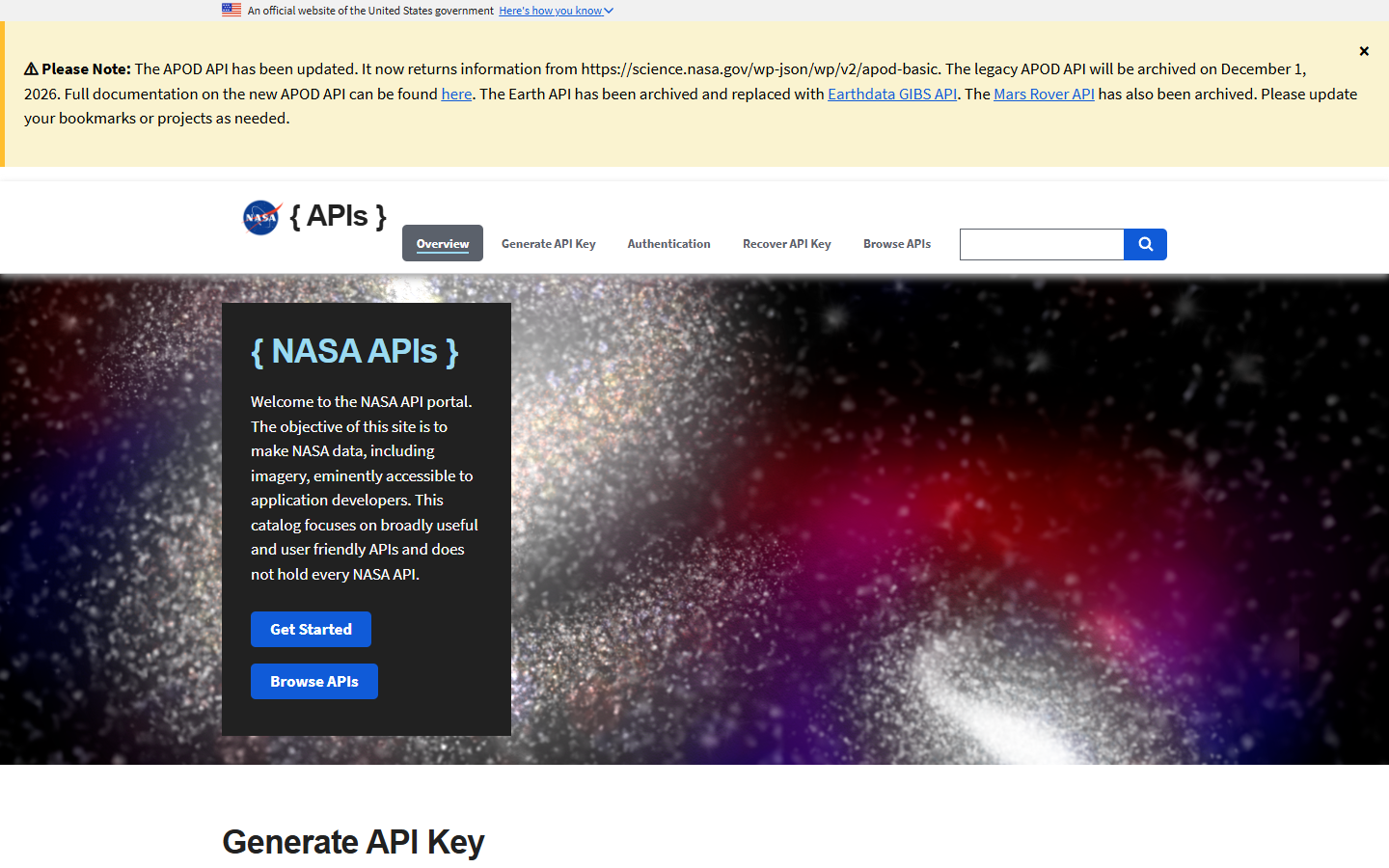
NASA's API portal is a useful example. It says you do not need to sign in to explore NASA data. It also says developers who use the APIs intensively should sign up for their own key. NASA's shared test key, called DEMO_KEY, permits 30 requests per IP address per hour and 50 per day. The usual default for your own key is 1,000 requests per hour, though NASA says a service can set a different limit.
For a small test app, you might start by exploring the public examples. For an app that calls NASA often, the published advice points you toward your own key. Write down which route you chose. The quota you read must match that route; a shared demo key and a personal key do not have the same cap.
Step 3: Read price, allowed use and every limit
Open the provider's pricing or terms page, even if a directory calls the API free. A free tier may restrict commercial use or the number of calls. Check each time window on the page. An hourly cap and a daily cap can both apply. Then read what happens when you hit one.
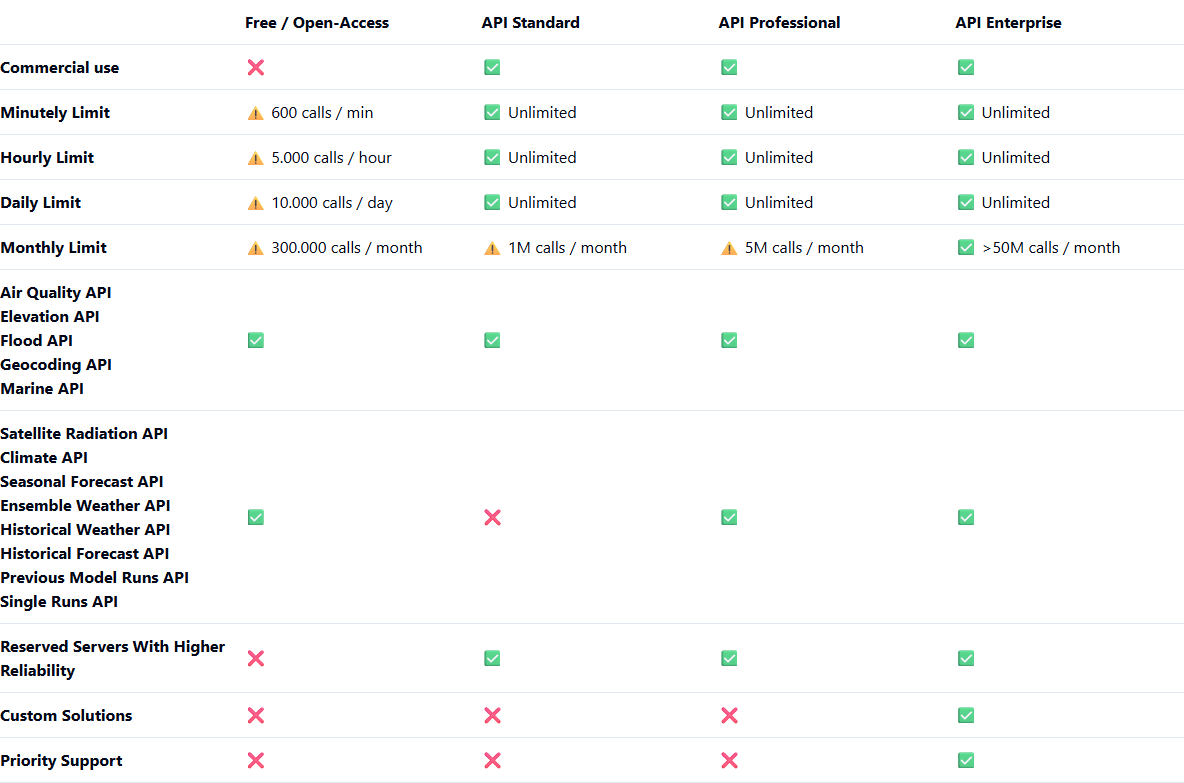
Open-Meteo's pricing page makes the distinction clear. Its free API is for non-commercial use, with a limit of 10,000 calls a day and no uptime guarantee. A paid subscription gives commercial-use permission and a key for a separate API address meant for paying customers. If your project earns money, do not assume its free tier covers that use merely because the directory marks Auth as “No”.
The same question changes the answer for other providers. GitHub's own API guide allows public-data requests without sign-in, but gives them a limit of 60 per hour. Requests made with a personal access token, a key tied to your GitHub account, count toward a personal limit of 5,000 per hour. These are GitHub's figures, not a general rule for free APIs. Copy the limits from the provider you plan to use.
A short decision note you can reuse
Put the source link and the date beside each answer so you know what you read. The completed comparison below shows the providers' published terms side by side.
| Provider | Access | Free-use rule or published limit |
|---|---|---|
| NASA Open APIs | Explore without sign-in; get a developer key for intensive use | DEMO_KEY: 30 calls per IP address per hour and 50 per day; usual personal-key default: 1,000 per hour |
| Open-Meteo | Free open-access tier; a paid subscription grants a customer key | Free tier is non-commercial, capped at 10,000 calls per day, with no uptime guarantee |
| GitHub data API | Public-data calls can be made without sign-in; your own account key has a different limit | Without sign-in: 60 per hour; with your own account key: 5,000 per hour |
The table shows why there is no single answer to “Is this API free?” For NASA, the first issue is which key you use. For Open-Meteo, the first issue is whether your project is commercial. For GitHub, sign-in changes the published rate limit. Make your own note from the current provider page, not from a list copied elsewhere.
Check the exact API before you build
NASA's portal says its old Astronomy Picture of the Day API will be archived on 1 December 2026. That notice matters if an older directory entry or code sample still points to the old service address. The aim is to find one API whose published rules fit the project you actually plan to make.
Sources
public-apis GitHub directory and its entry rules; Free Public APIs directory; NASA Open APIs; Open-Meteo pricing; GitHub REST API limits. Provider terms checked 25 October 2026.