YouTube Shorts ideas: choose a useful topic and plan the video
Start with one viewer question, compare it with the examples on this page, narrow the question with one limit, then write an opening line and shots that show the answer. Complete the exercise here first. Search your own topic after you have a draft plan.
Before you start: Bring a topic you know and somewhere to write. A shot plan is a short list of what the camera will show. Finish this page with one question, one opening line and a list of shots.
Step 1: Search for the broad topic
Begin with budget meal prep as the original example. The broad search shown here includes grocery-budget videos and shorter food clips. Pick a question behind one of those subjects. A possible viewer question is about packing lunch without an oven. Write that question down. Search the live results later if you want to adapt this method to another subject.
Source: YouTube
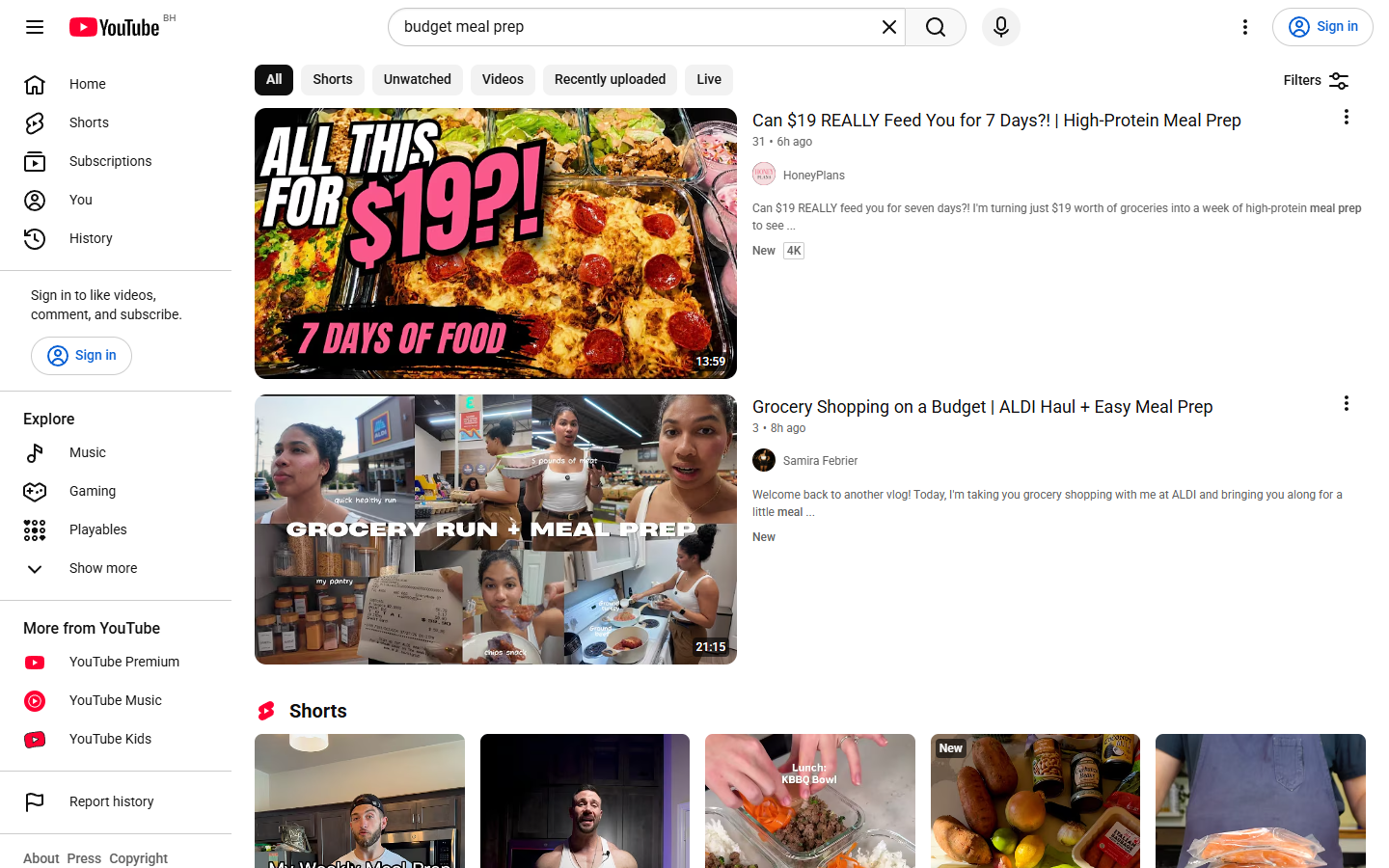
Result: Find one viewer question in a title. Write it down. If the results miss your topic, replace one broad word with a more specific one.
Step 2: Add one constraint
Add one limit that changes what you would show. For our example, choose budget meal prep without oven. The narrower results shown here include no-cook food clips and a longer video about food without a stove. Choose an answer that is more specific than those broad subjects. For example, show one packable lunch rather than a collection of meals. Do not copy a creator's footage, recipe or opening line.
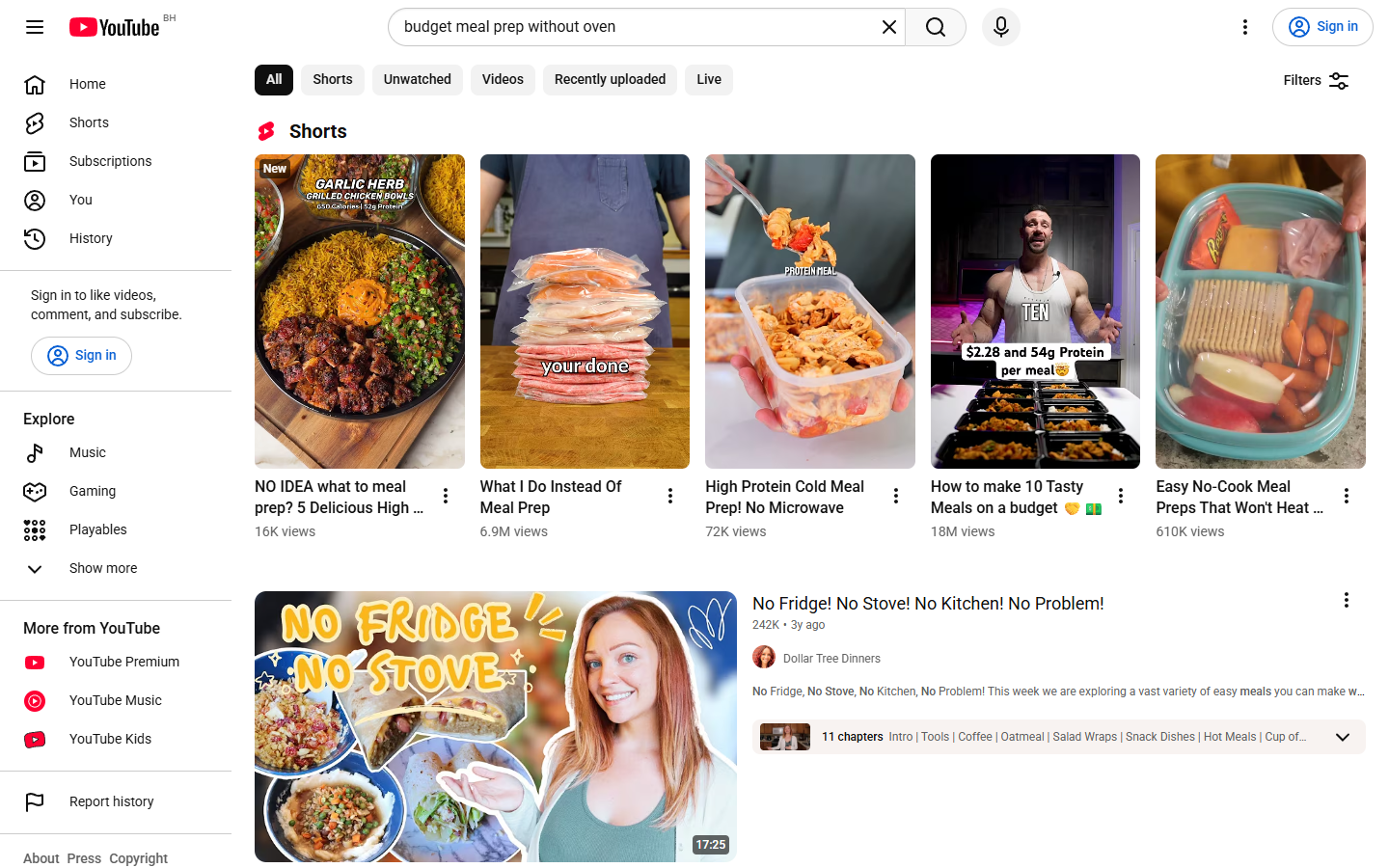
Result: State the difference in one line. If the line is merely a new title, change the question.
Practice with the examples above. Pick one visible limit, such as cooking without an oven, and write a question that fits your own knowledge. Other limits might be no fridge, one pan or one serving. Choose an example from your own experience.
Step 3: Plan what the viewer will see
Copy this original worksheet. Replace the lunch question with yours. List filmable actions. Read the opening line aloud, then compare its promise with your final shot. Remove promises your shots do not show.
Example shot plan: The viewer's question is a packable lunch without an oven. Open by promising one lunch idea. First, show the ingredients. Next, show the assembly. End by showing the packed lunch. Write your own answer beside each of those labels before recording.
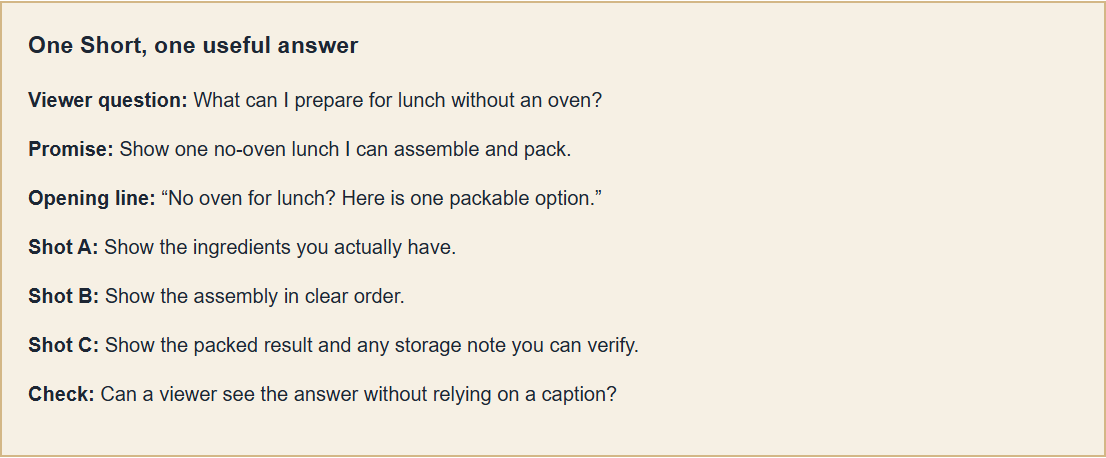
Result: Identify the question, opening line, demonstration and closing shot on your plan. Film a short test with the camera pointed at the action. Watch it without sound. Move closer or simplify any action that is hard to see.
Before you record the final version
Keep the question in view as you film. Show the answer before adding extra context. Cut repeated actions. Check any outside claim against a source or remove it. Keep invented results out of the hook.
Make a brief test recording of your planned shots. Use the time your demonstration needs, then cut repetition.
Study the opening of this optional public video for another format example. Return to your own viewer question before writing.
Frequently asked questions
Do I need a completely new topic?
No. Begin with a familiar topic. Narrow it to one filmable question, then search again before filming.
Should I use a popular opening line?
Use one only if the video delivers what it promises. Write your own line around a visible answer.
How many ideas should I plan at once?
Start with one. Record a test and use what you learn to plan another question.