How to Flip a Video
To flip a video, open it in your editor and choose Flip or Mirror. Use Photos on iPhone, Google Photos on Android, QuickTime Player on Mac, or Clipchamp on Windows.
If the words in your clip read backwards, a horizontal flip puts them right: it swaps the left and right sides of the picture.
Which app should I use?
iPhone
- Open the video in Photos and tap the Edit button
- Tap Flip
Android
- Open the video in the Google Photos app and tap Crop
- Then tap Mirror
Mac
- Open the movie in QuickTime Player
- Open the View menu and choose Show Clips
- Open the Edit menu and flip the clip horizontally or vertically
- Open the File menu, choose Export As and pick a size
Windows
- Put the clip on the timeline in Clipchamp
- Open the three-dot menu
- Point at Flip to show Flip horizontal and Flip vertical
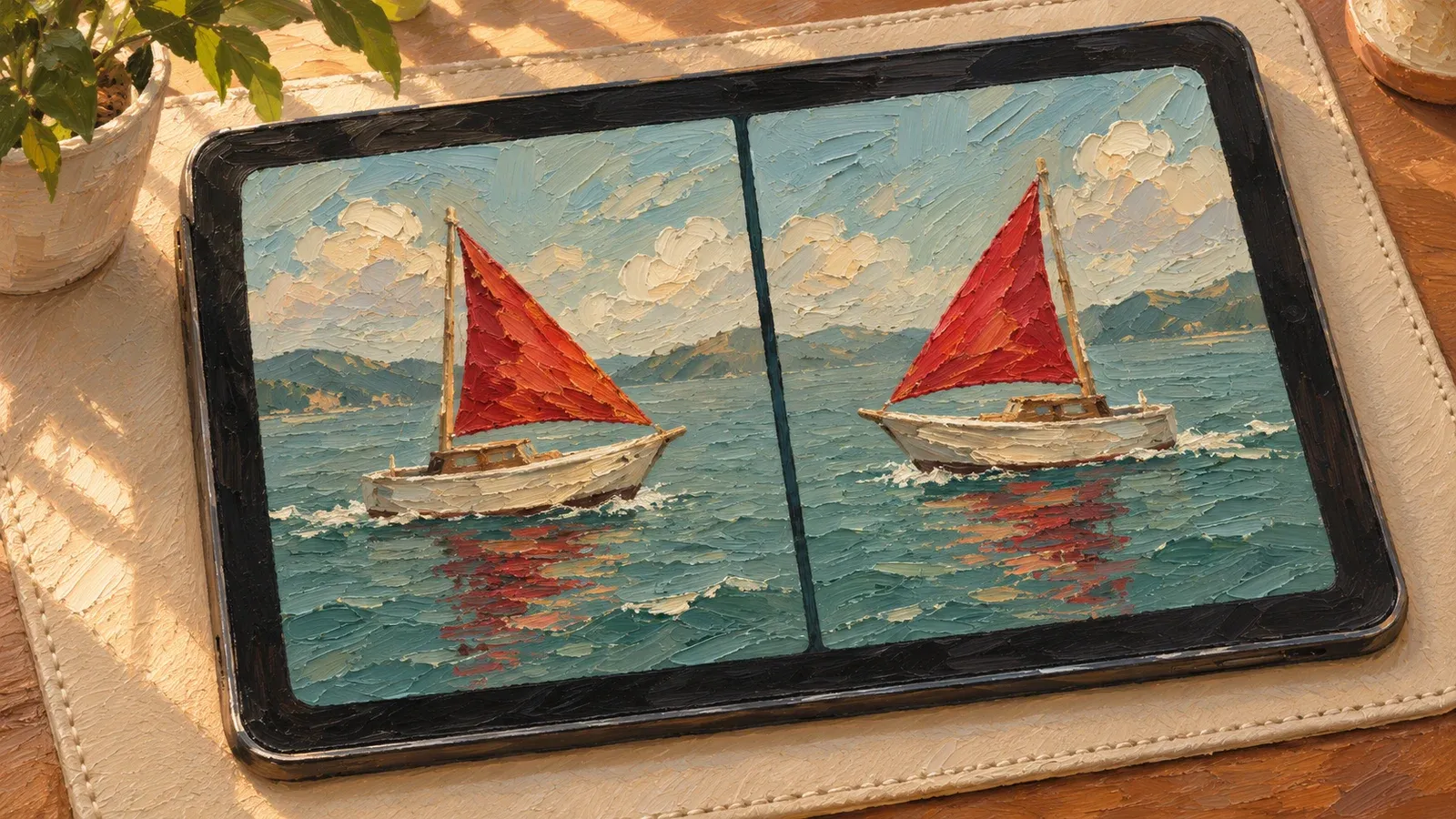
How do I flip a video on iPhone?
In Photos, the Flip button sits with the crop tools.
- Open the video in Photos and tap the Edit button.
- Tap the crop button to show the Flip and Rotate buttons.
- Tap Flip. Check the picture and tap Done to save it.
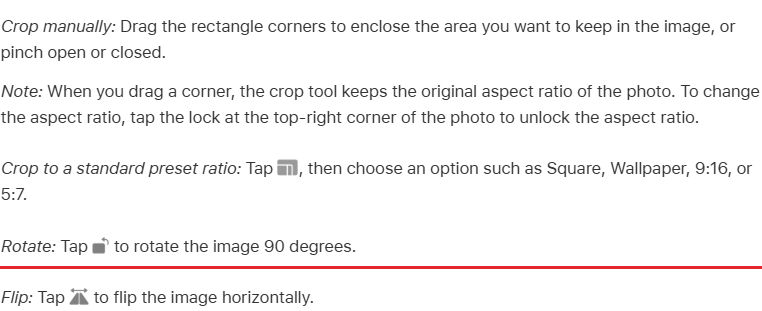
If you use iCloud Photos (Apple's online photo library), the flip also shows up on your other devices.
How do I mirror a video on Android?
Open the video in the Google Photos app and tap Crop. Then tap Mirror. Tap Save at the top, and Google Photos saves the flipped video as a copy.
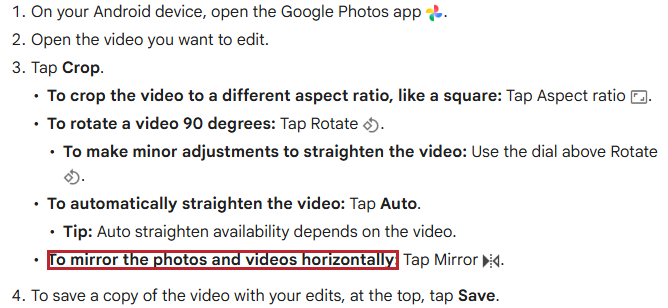
Rotate is a different tool: it turns the whole picture a quarter turn, which is what a sideways clip needs.
How do I flip a video on a Mac?
Use QuickTime Player and follow these steps.
- Open the movie in QuickTime Player.
- Open the View menu and choose Show Clips.
- Click the clip you want to flip. It gets a yellow outline.
- Open the Edit menu and choose to flip the clip horizontally or vertically. A vertical flip swaps top and bottom.
- Click Done when the picture looks right.
- To save the flipped clip as a new file, open the File menu, choose Export As and pick a size.
“From the Edit menu, choose to rotate the clip left or right, or flip it horizontally or vertically.”
How do I flip a video on Windows?
Put the clip on the timeline in Clipchamp so you can open its edit controls.
- Open Clipchamp from the Start menu. If Clipchamp isn't installed, get it from the Microsoft Store.
- Sign in to Clipchamp with a personal Microsoft account.
- Click My media on the toolbar, then click the import media button and choose the video file from your computer.
- Drag the video from the media tab to the timeline (the strip where you arrange clips).
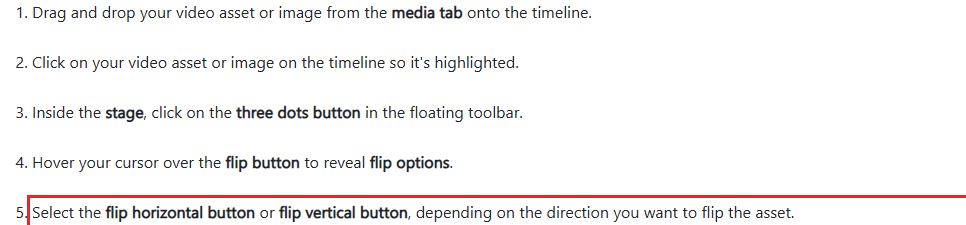
- Click the clip. Open the three-dot menu in the row of buttons that appears.
- Point at Flip to show Flip horizontal and Flip vertical. Pick the direction you need.
- Select Export at the top right to make a video file. Choose the picture size when asked.
After you export, Clipchamp usually puts the MP4 video file in Downloads.
How do I flip a video upside down?
On a Mac or in Clipchamp, choose the vertical flip in the steps above. Photos on iPhone and Google Photos on Android only make a horizontal flip. For the same result there, open the crop tools and tap Rotate twice. Then tap Flip on iPhone, or Mirror on Android, once.
Can I undo a flip?
Yes. Flip the clip the same way again and it goes back to how it was. On iPhone, tap Cancel and then Discard Changes while you edit. After you save, open the clip, tap Edit and choose Revert to restore the original.
On Android, your original clip is still in Google Photos, because Save made a copy. In Clipchamp, use Undo on the far left above the timeline.
Which app should I use?
Use the app that is already on your device.
| Device | App | Direction | How you save |
|---|---|---|---|
| iPhone | Photos | Horizontal | Tap Done |
| Android | Google Photos | Horizontal | Tap Save |
| Mac | QuickTime Player | Horizontal or vertical | Click Done |
| Windows | Clipchamp | Horizontal or vertical | Export (makes an MP4) |
To flip one part of a longer video, first cut that part out as its own clip: see how to trim a video.
Sources
- Apple, Crop, rotate, or flip a photo or video on iPhone (read 12 November 2026)
- Google Photos Help, Edit your videos on Android
- Apple, Rotate or flip a clip in QuickTime Player
- Microsoft, How to flip videos vertically or horizontally
- Microsoft, Exporting and saving a video in Clipchamp
- Apple, Export movies in QuickTime Player
- Microsoft, How to create and access a Clipchamp account
- Microsoft, How to add videos to a video project
Published