How do you make an LMRA payment in EMS?
Pay your LMRA bill by card under Billing in the Expat Management System (EMS). EMS is the employer portal for Bahrain's Labour Market Regulatory Authority (LMRA). Keep the payment confirmation page as proof, and go back to the Billing menu if you need a past receipt. For a refund, send a request in eSupport (the help desk inside EMS) and track it there.
If you are a registered worker, not an employer, pay your permit fee through SADAD (online or at a kiosk) or BenefitPay (Fawateer service). You can also pay in cash at Bahrain Financial Company (BFC) or Lulu Exchange.

How do you pay an LMRA bill in EMS?
- Pick the business you want to pay for
- Check the amount
- Click Submit
- Print the payment confirmation
Sign in to EMS with your Advanced eKey (your Bahrain government sign-in). If you forget your PIN (sign-in code), use Reset Forgotten Password. Pick the business you want to pay for.
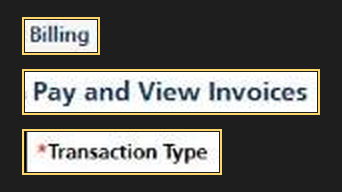
- In the main menu, click Billing, then choose Pay and View Invoices to see your bills.
- In Transaction Type, choose the kind of bill you want to pay. For a monthly bill, pick Monthly and click Get List.
- Tick the box beside the right bill and click Pay Selected.
- Check the amount and click Confirm Payment. Enter your credit or debit card details and click Submit.
You can also pay in cash or by cheque at a bank branch that LMRA has approved. The approved banks are Kuwait Finance House and Al Salam Bank-Bahrain. If you bring a cheque, it must be from the bank where you pay.
LMRA charges a fine of BHD 2 for each month you are late with a work permit's monthly fee, up to BHD 6.
How do you keep proof of payment?
Print the payment confirmation as soon as it appears after you click Submit. Keep the printout with your bill.
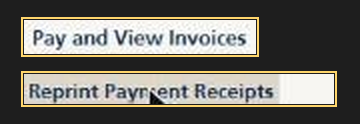
To print a receipt again later, use Reprint Payment Receipts in the Billing menu.
Where do you pay an overstay deposit?
Go to Billing and open View Overstay Workers and Deposit Payment. On that screen, pick the worker you are paying for. Then click Pay Expat Overstay Deposit.
LMRA calls this payment the deportation deposit and lists it at BHD 300. You pay it for a worker who stayed on after their work permit was cancelled.
Who can help with a credit note refund?
LMRA's Financial Resources Directorate (the team that handles payments) deals with credit note refunds. When LMRA refunds fees to an employer, the money goes back as credit in the business's account at LMRA. You can use that credit to pay other LMRA bills, or ask for a transfer to your bank account. Follow these steps to send your request in eSupport.
- Open the eSupport folder in the EMS main menu and click Submit New Ticket.
- Choose Financial Resources Directorate from the department list and click Next.
- Fill in the details of your request. Ask for a CR Credit Note Refund if the credit is on your Commercial Registration (CR). Ask for a Domestic Credit Note Refund if the credit is tied to a domestic worker.
- Click Upload Documents and add the documents for your request. You can add more than one document.
- Click Save and Close, then click Submit Ticket.
For a deposit or insurance refund, follow the same steps. In the request, use LMRA's name for the refund you want.
| LMRA's name for the refund | Amount LMRA lists |
|---|---|
| Domestic Refund Deposit | BHD 500 |
| Deportation Refund | BHD 300 |
| Labour Supply Agencies Insurance Amount Refund | No amount listed |
To check your request, open View Tickets in the eSupport folder. If the request shows Await Client Response, click its ticket ID and read Ticket Replies to see what the team needs.
Post a reply after you have done what the team asked. If you need to send more documents, click Upload Documents again, then Save and Close. Click Submit Ticket to send your reply.
For help, call the LMRA contact centre on +973 17506055.
Sources
- LMRA payment guide, read 12 November 2026
- LMRA invoice payment FAQ
- LMRA overstay deposit service
- LMRA eSupport service list
- LMRA employer FAQ
For permit and renewal charges, see our guide to LMRA fees.
Published