Official process guide
LMRA Login Bahrain: EMS and eKey 2.0 Steps
By Gaurav Agarwal · Checked 6 October 2026
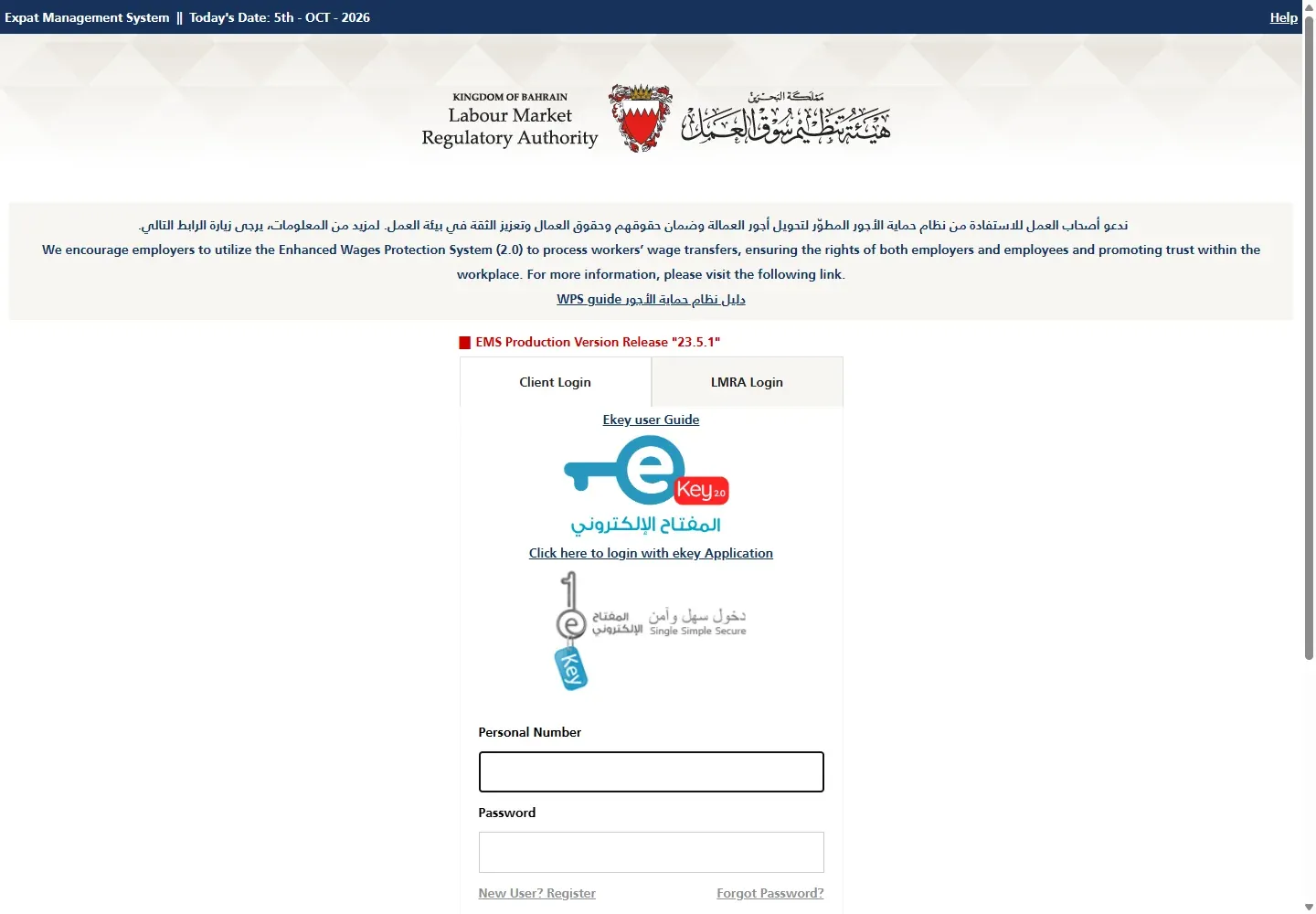
For an LMRA login in Bahrain, employers and authorized users should open the Expat Management System, choose Client Login, then sign in with the registered personal number and password or choose the eKey 2.0 option. Workers checking a permit should use View Expatriate Employee Data instead.

01LMRA login Bahrain: the shortest route
- Open the official Expat Management System.
- Keep Client Login selected.
- Use the registered personal number and password, or choose Click here to login with eKey.
- Complete the eKey 2.0 approval if you selected eKey.
- Open the employer service you need from the EMS dashboard.
02Choose the right LMRA portal
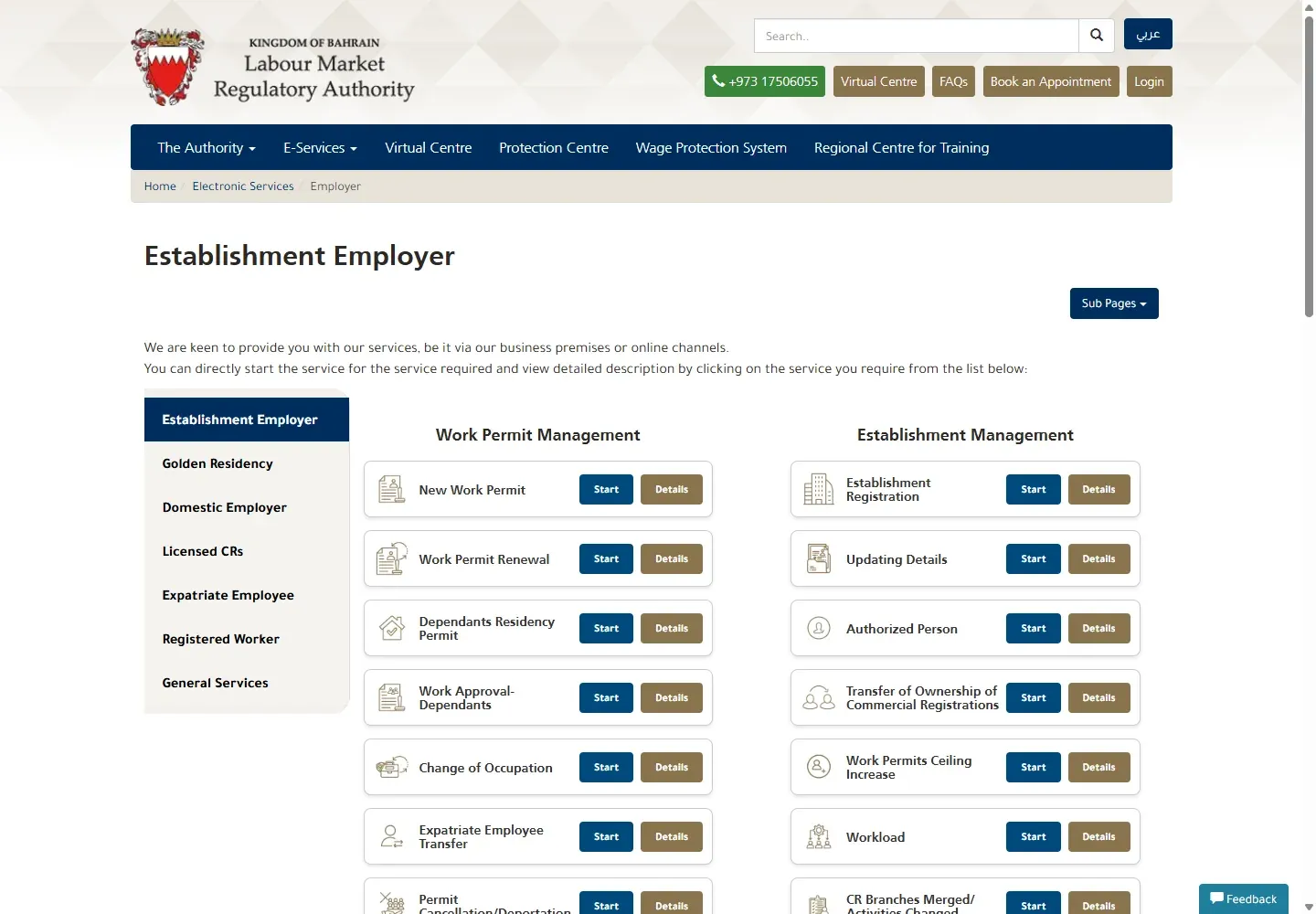
EMS Client Login is for employers, authorized persons, manpower agencies and clearance agencies. It is used to manage work-permit and employer transactions. The separate LMRA Login tab is for LMRA staff.
If you are a worker who only wants to see permit status and validity, use View Expatriate Employee Data. You do not need an employer EMS account for that public check.
03Sign in with personal number and password
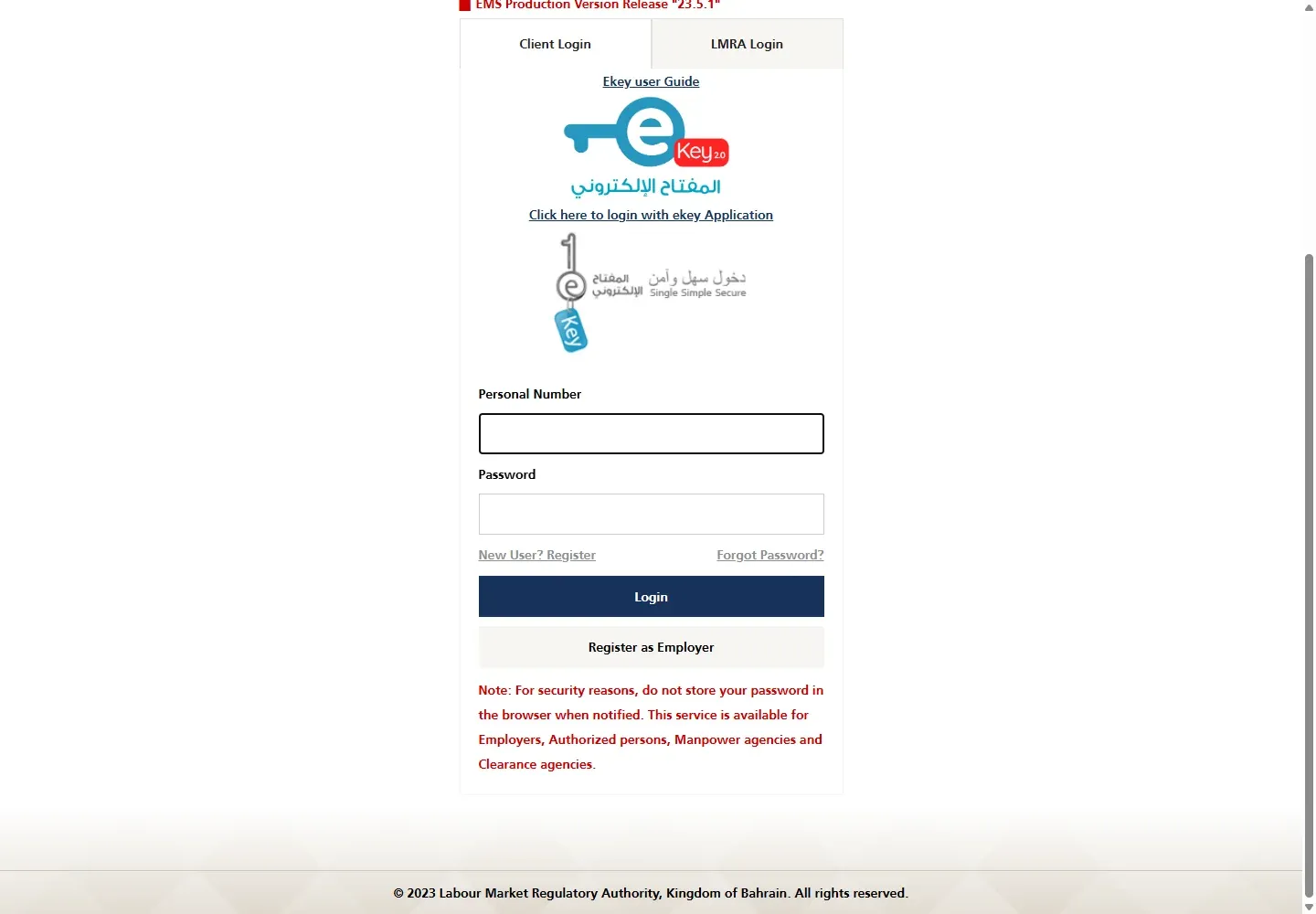
Enter the personal number registered for the EMS user and the account password, then choose Login. The LMRA screen states that the password is case-sensitive and that the account locks after five unsuccessful attempts.
Stop before the fifth failed attempt. Check the keyboard language and Caps Lock, then use Forgot Password instead of guessing again.
04Sign in with eKey 2.0
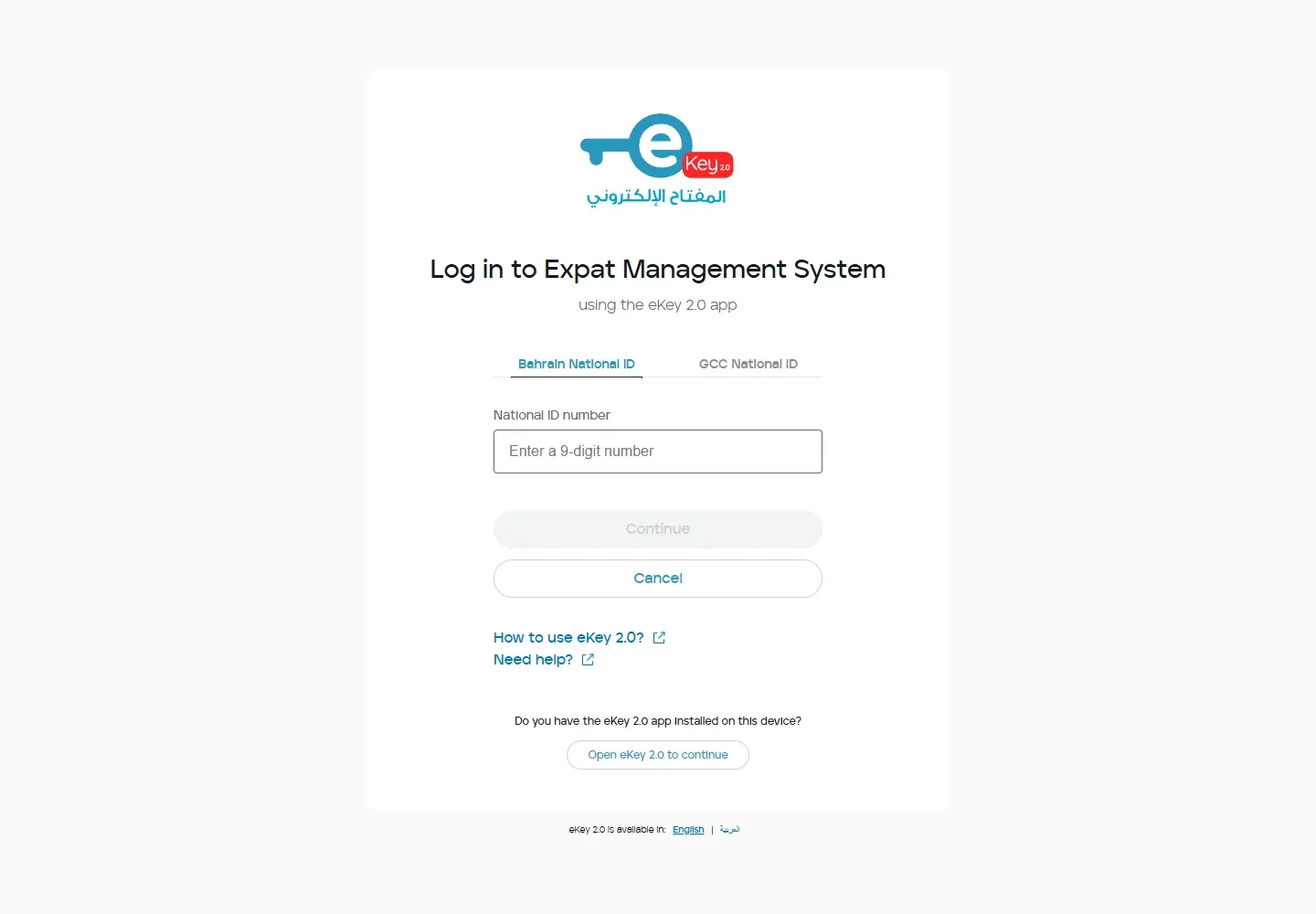
- Choose Click here to login with eKey.
- Select Bahrain National ID or GCC National ID.
- Enter the requested ID number.
- Continue and approve the request in the eKey 2.0 app.
- Return to the browser after approval.
05Register as an employer
If the establishment has no EMS access, use Register as Employer on the login page. LMRA states that the service is available to employers, authorized persons, manpower agencies and clearance agencies. Complete only the registration route that matches your authority over the establishment.
06Fix common LMRA login problems
- Wrong portal: use Client Login for business users. Do not use the LMRA staff tab.
- Account locked: stop after repeated failures and use Forgot Password or LMRA support.
- eKey approval does not arrive: confirm that eKey 2.0 is active for the same personal number, then restart from EMS.
- The company is missing: the signed-in user may not be authorized for that establishment. Check the employer registration or authorization.
- The page loops back to login: allow cookies for lmra.gov.bh and ekey.bh, close duplicate login tabs and start again.
- You only need permit status: use the public LMRA visa check guide.
07Official help and related guides
- Official LMRA Expat Management System
- Official establishment-employer services
- Register or fix eKey 2.0
- Download a CR certificate
- Sijilat login guide
LMRA Call Centre: 1750 6055. Worker grievances: 995 or [email protected].
08Choose the correct LMRA route
| Your task | Use this service | What you need |
|---|---|---|
| Manage an employer, application or work permit | LMRA Expat Management System | Authorized account, password or eKey 2.0 |
| Check a worker's permit status | Public LMRA visa check | CPR or passport details; no account |
| Use personal worker services | LMRA Expat Portal | Personal identity details and the service's sign-in method |
| Search or change a CR | Sijilat Bahrain | Public search or eKey for account actions |
Opening the EMS login page and signing in has no service fee. Fees may apply only when you start a paid LMRA transaction after login.
09Password login, eKey 2.0 and account safety
Personal number and password
- Open the official EMS page and choose Client Login.
- Enter the authorized user's personal number.
- Enter the password exactly as created. LMRA states that the password is case-sensitive.
- Submit once and wait for the account dashboard.
LMRA warns that the account is locked after five failed login attempts. If the password is uncertain, use Forgot Password before reaching the fifth attempt.
eKey 2.0
- Choose the eKey option on the official login screen.
- Complete the eKey request using the registered device and account.
- Return to EMS after approval and confirm that the correct establishment appears.
If eKey is not set up or the approval request fails, follow the eKey 2.0 registration and error guide. Do not share a password, OTP or approval code with another person.
Registering an employer
Use Register as Employer only when the establishment needs to connect an authorized person to its LMRA account. Keep the CR details and the authorized person's identity details ready. For CR records and company transactions, use Sijilat, not EMS.
10LMRA login errors and fixes
- Invalid credentials: check the personal number and letter case. Use Forgot Password instead of repeating guesses.
- Account locked: stop attempting to sign in and use LMRA's recovery route or call the LMRA Call Centre.
- eKey approval does not appear: confirm that eKey 2.0 is active on the registered device, close duplicate login tabs and restart from EMS.
- Wrong or missing establishment: check whether the signed-in person is registered and authorized for that CR.
- You are a worker checking status: leave EMS and use the public status lookup. It does not require an employer password.
- Browser returns to the login page: allow cookies for the official LMRA and eKey domains, then start with one fresh tab.
11LMRA login questions
What is the official LMRA login?
The official employer portal is the LMRA Expat Management System at lmra.gov.bh. It offers password and eKey sign-in routes.
Can a worker use LMRA login to check visa status?
A worker usually does not need an EMS employer account for a status check. Use LMRA's public View Expatriate Employee Data service.
Is LMRA login free?
Yes. There is no fee to open or sign in to EMS. A later work-permit or employer transaction may have its own official fee.
Why is my LMRA account locked?
LMRA states that five failed login attempts lock the account. Use password recovery or contact LMRA rather than continuing to guess.
Can I log in with eKey 2.0?
Yes. Choose the eKey option on the EMS login page and approve the request through your registered eKey account.
Why can I not see my company after login?
The account may not be registered or authorized for that establishment. Check employer registration and the relationship to the correct CR.
12Official sources checked
Service routes and login rules were checked on 6 October 2026.