Practical guide
Bahrain Hajj 2027 Registration: Steps, Status and BD500 Payment
From the first application to the later campaign payment
By Gaurav Agarwal · Checked 29 September 2026
Bahrain’s Hajj 2027 registration is open until 3 October 2026. Start at haj.gov.bh, choose the service for your applicant category and sign in with eKey 2.0. The initial application is separate from acceptance, campaign selection and the BD500 advance payment. Submitting a request does not give you a Hajj permit.
This guide covers the 1448 AH / 2027 season, whose registration takes place in September and October 2026. It explains the public screens and current official FAQ checked on 29 September. No personal application was submitted during our check.

01Check the deadline and prepare your details
The official platform displays an opening time of 3pm on 27 September and a closing date of 3 October 2026. The committee’s announcement, reported on 26 September, specifies midnight at the end of Saturday, 3 October. Complete the application before that deadline rather than relying on a last-minute login.
- Have your valid Bahrain ID and personal number available, and make sure your eKey 2.0 access works.
- Check the mobile number and email registered for government notifications. The committee advises updating contact details through bahrain.bh or the My Government app, under My Personal Data.
- Prepare the correct personal details for anyone joining your application.
Do you need to upload a passport or ID copy now? The current Hajj platform FAQ says no documents are required when submitting the initial registration application. The general government service listing still lists ID and passport copies. Follow the current platform’s instructions for the stage you are completing; keep your documents available for any later requirement. Do not confuse initial registration with travel-document checks.
02Choose the correct registration service
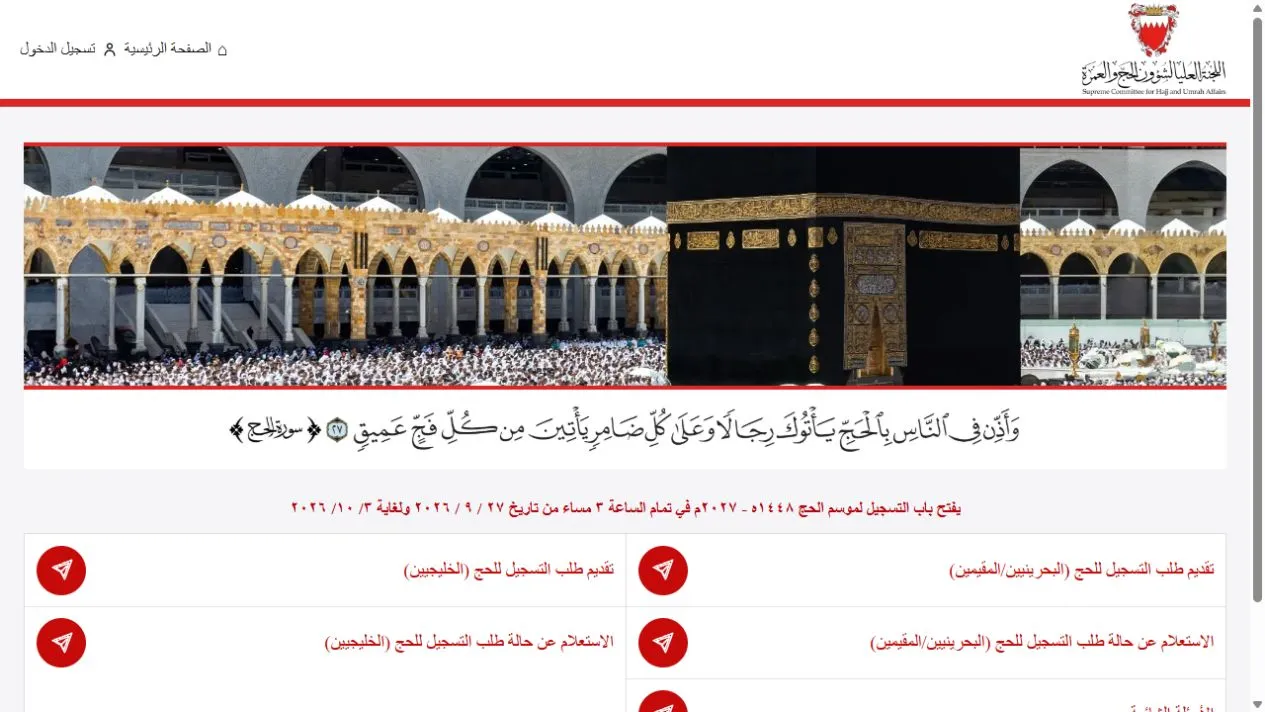
Open the official home page. There are separate options for submitting a new application and checking an existing application, with separate routes for Bahrainis/residents and GCC applicants.
- Bahrainis and residents: choose تقديم طلب التسجيل للحج (البحرينيين/المقيمين), the new-registration option for Bahrainis/residents.
- GCC applicants: choose تقديم طلب التسجيل للحج (الخليجيين), the GCC registration option.
- Already submitted? Use the corresponding option beginning الاستعلام عن حالة طلب التسجيل للحج, meaning registration-status inquiry.
In the desktop screenshot below, registration occupies the first row and status inquiry the second. The right-hand column is for Bahrainis/residents; the left is for GCC applicants. On a phone, use the labels because the layout may stack.
For non-Bahraini residents: the official FAQ permits registration with a valid personal number and eKey 2.0. Applicants must be at least 12. Registration eligibility does not guarantee selection. If you are unsure which category applies to you, ask the Hajj support centre before proceeding.
03Sign in and complete the initial application
The Bahrainis/residents registration link led to the official eKey 2.0 sign-in screen during our check. Use its red sign-in button and complete the identity-verification instructions shown to you.
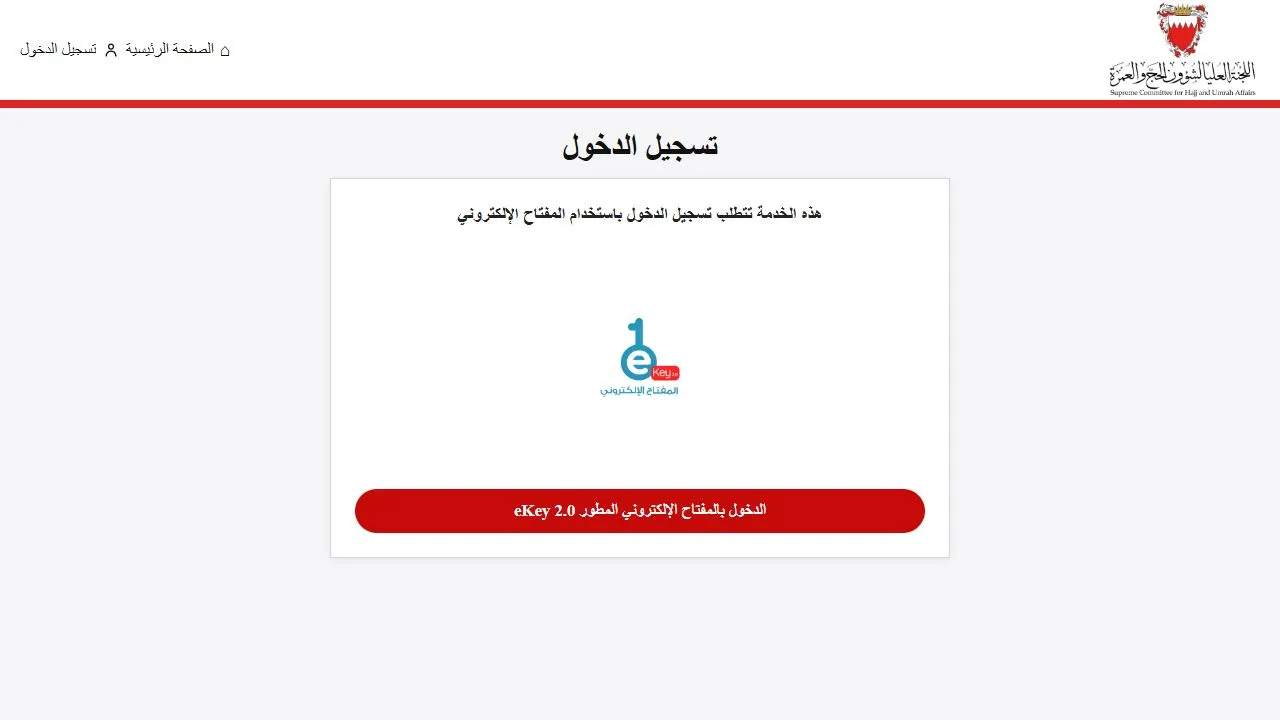
The remaining sequence below comes from the official FAQ, rather than a test application made in someone’s account:
- Review the health declaration and its linked conditions before making the required acknowledgement. Seek clarification from the responsible authority or your clinician if you cannot answer accurately.
- Check the personal information displayed and complete the required fields.
- Apply individually or add up to four companions to the main applicant’s request.
- Review everyone’s details, confirm their accuracy and submit.
- Look for the on-screen success notice. The FAQ also specifies confirmation by email and SMS through the government notification service.
Practical check: save your confirmation and any reference the platform provides. Reaching the login page or completing identity verification alone is not evidence that the Hajj application was submitted.
04Understand when the BD500 payment is due
The official FAQ puts the advance payment after application acceptance and approval by the chosen campaign. It also says payment is due immediately after campaign selection. The committee’s registration announcement describes BD500 per person, credited toward the total package price.
- Now: complete the registration application and retain confirmation.
- After acceptance: follow the platform’s instructions for choosing a licensed campaign. The FAQ gives one week from acceptance notification to make that choice, otherwise the application is treated as rejected.
- At campaign selection: follow the official payment prompt for the BD500 advance. Check the deadline in your actual notification.
For example, a main applicant and two companions are three people. At BD500 each, their combined advance would be BD1,500 if all three proceed to that payment stage. This is an illustration of the advance, not a quote for the full trip.
If your preferred campaign is full, the FAQ says to select another available campaign. It does not promise a place with your first choice. Cancellation costs can vary with timing, so check the applicable terms before paying rather than assuming the advance is fully refundable.
05Check your status or resolve a registration problem
Return to the home page and select the status-inquiry service for your category. If an SMS has not arrived, check the application status and your registered contact details before assuming the application failed or submitting another request.
If a waiting page appears, read its current instructions and wait for the official redirect. In our 29 September check, the waiting page subsequently opened the home page. That observation does not establish a universal waiting time or an outage.
The official Hajj support contact is 17513311 or [email protected]. Describe the stage where you are stuck, the time and the exact error message. If you send a screenshot, hide unnecessary personal details. Never send an eKey password or one-time verification code.
Follow your official status and notifications for selection and later travel requirements. A successful application submission, an acceptance notice and an issued Hajj permit are different milestones.