Bahrain finance guides
Bahrain credit report: access, fees and correcting errors
By Gaurav Agarwal · Sources checked 6 October 2026
Request your Bahrain credit report through the official Generate Benefit Credit Report service, BENEFIT customer service or a member institution. BENEFIT publishes one free report every 12 months. Check the account details and report suspected errors promptly with supporting evidence.

Jump to a section
- Which Bahrain credit report service should you use?
- How to access the report with eKey
- Free entitlement, additional-report fees and delivery
- What to check in the report
- Prepare evidence for an error or unfamiliar account
- Where to dispute information and how long it should take
- A corrected report and a lending decision are separate
You can request your Bahrain credit report through the government's Generate Benefit Credit Report service, BENEFIT customer service or a participating credit provider. BENEFIT publishes an entitlement to one free report every 12 months. Read the account details as well as the summary, and raise any suspected error promptly. A report does not guarantee that a bank will approve an application. Source: BENEFIT consumer service.
Official sources checked: 6 October 2026. This guide is for individuals. It explains public access information and how to prepare a correction request; it is general information, not personal financial or legal advice.
Which Bahrain credit report service should you use?
The Bahrain Credit Reference Bureau, operated by BENEFIT, collects credit information supplied by its members. The government portal identifies BENEFIT as the provider of its credit-report service. Start with that official entry point rather than a paid intermediary advertising a report or a guaranteed score improvement. Source: Bahrain National Portal.
Choose the channel according to the help you need. Online access suits a straightforward request. If identity information does not match, a report cannot be generated or you cannot use the login, contact BENEFIT before submitting repeated paid requests. If you ask your bank to obtain it, establish whether it is processing your own report request or making an enquiry for a lending application. Keep the request confirmation and the report's issue date.
Do not apply for a loan or buy something on credit merely to create a credit record. An unsuccessful report request is a service or record question to resolve with the official provider; it is not a reason to take on a new financial obligation.
How to access the report with eKey
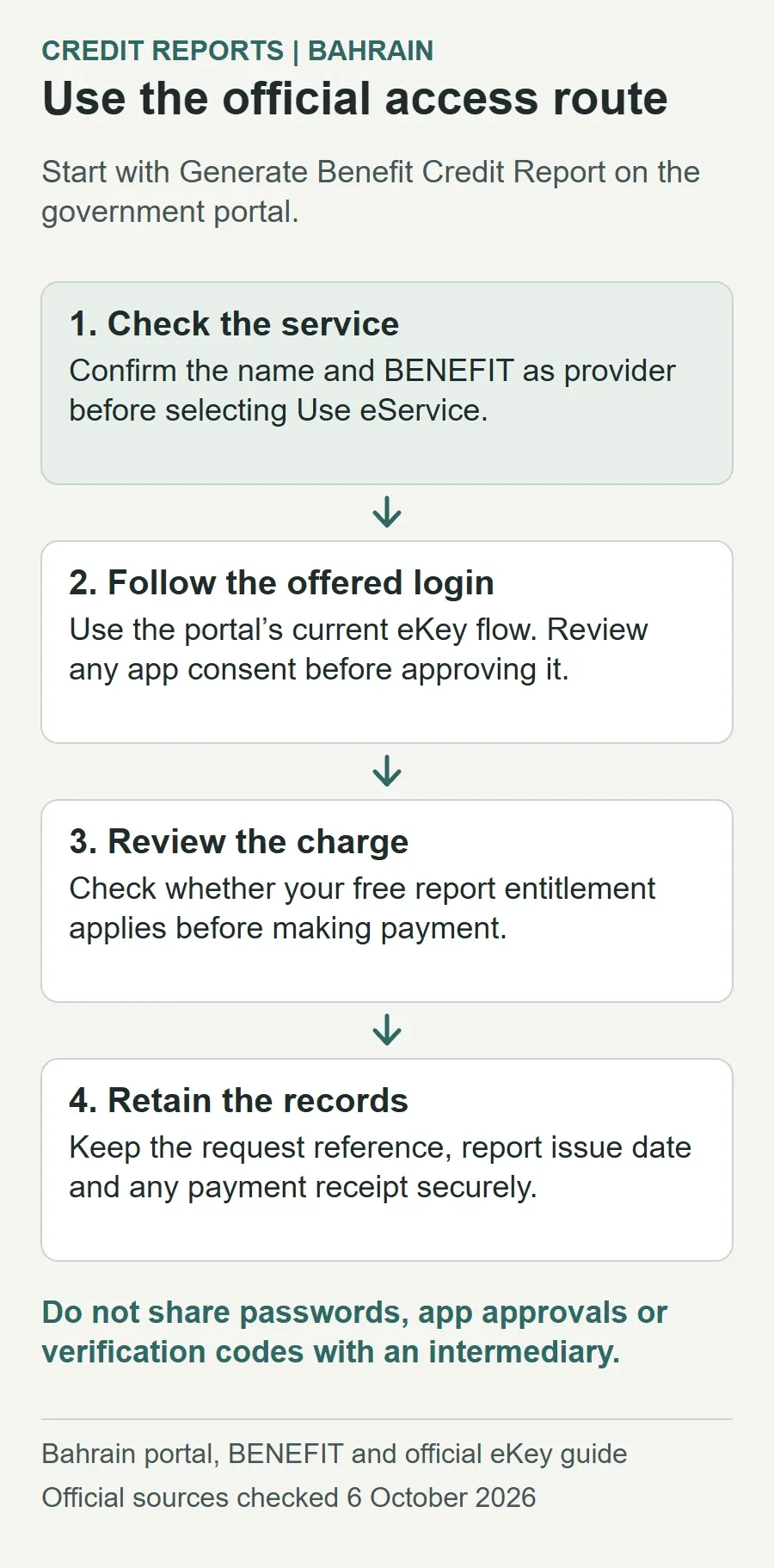
- Open the official service. Select “Use eService” from Generate Benefit Credit Report. Check the service name and provider before proceeding.
- Use the authentication offered by the portal. Its public credit-report landing page labels the service “Standard eKey”. It describes Standard access using a personal number and password, while Advanced eKey is a separate level involving identity-card and fingerprint verification. The page does not state that an Advanced upgrade is required for this service. Source: service access page.
- If the portal offers eKey 2.0, follow its app instructions. The official web-to-app guide describes entering your identity details, opening the app, scanning the displayed QR code when prompted and approving or rejecting the consent request. Review the request before approving it. Source: eKey login guide.
- Review the charge and request details. Check whether the free entitlement has been applied, then follow the service's instructions to receive or retrieve the report. Retain the confirmation and any payment receipt.
The two eKey descriptions reflect the public guidance currently available: iGA's September 2026 service announcement discusses eKey 2.0 alongside the BENEFIT credit-report service, while the service landing page retains its Standard eKey label. We reviewed these public pages and did not log in to a customer's account. Follow the live login options rather than assuming an older screenshot will match. Source: iGA, 30 September 2026.
For eKey help, use the official support centre, which lists 80008001. If your identity-card information needs attention, our Bahrain CPR guide explains the relevant government services. Keep passwords, app approvals and verification codes private.
Free entitlement, additional-report fees and delivery
| Request | Published amount | What to confirm |
|---|---|---|
| Regular free entitlement | One free report every 12 months | When you last used it and whether this request qualifies |
| Additional report direct or online from the Bureau | BHD 4.400 | The final amount displayed before payment |
| Additional report through a member | BHD 5.500 | That the request is for your own additional report |
Source: BENEFIT's current consumer webpage. Its business page explicitly describes the BHD 5.500 member-channel amount as VAT inclusive. Older figures of BHD 4 and BHD 5 remain in the official sample and the 2019 code; use the current published channel prices and confirm the checkout amount. Member-channel source; sample report, final page.
BENEFIT describes online delivery as instant and a general issue period of two working days unless otherwise stated. Treat these as published service descriptions, not a guarantee during an outage or identity problem. If a request stalls, save its reference and contact support before paying again. Source: BENEFIT delivery information.
What to check in the report
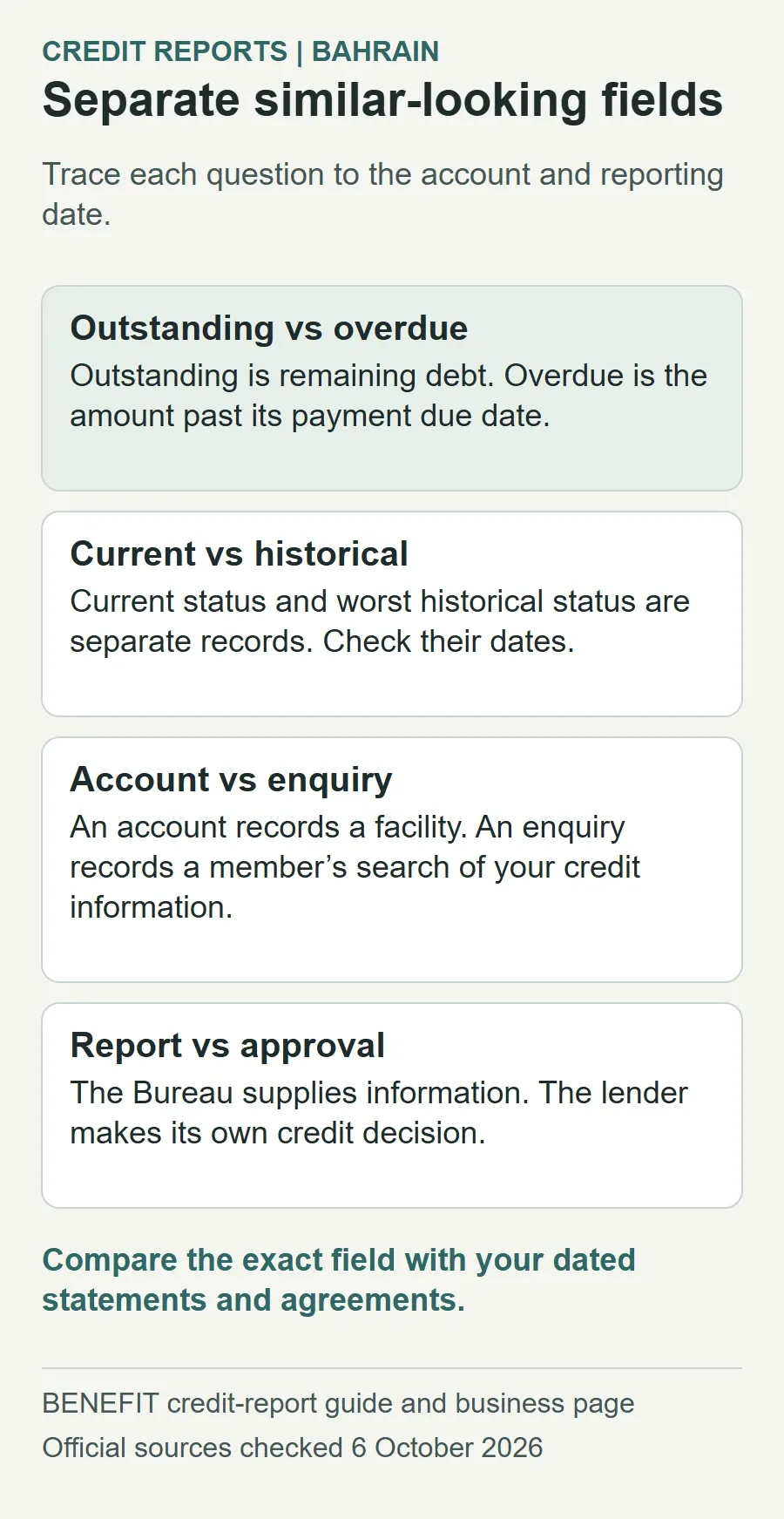
Read the report against your own statements and agreements. The following prompts are a review checklist, not an official list of documents required for a dispute.
| Report area | What it represents | Your check |
|---|---|---|
| Personal information | Identity, contact, employer and income details | Does this belong to you, and is it current? |
| Outstanding balance and overdue amount | Remaining debt and payments past due, respectively | Compare each amount with a dated lender statement. |
| Existing and closed accounts | Facility details, account relationship and status | Look for an account you do not recognise or a settlement missing from the record. |
| Current and worst historical status | Present status and a separate historical record | Check the dates before treating a historical entry as a current missed payment. |
| Previous Search Inquiry | Member enquiries during the preceding 12 months | Match the provider and enquiry date to your applications or dealings. |
| Instalment-to-income ratio | Financial instalments divided by income; the guide excludes government liabilities | Compare the underlying income and obligations with your own full household budget. |
Field descriptions are based on BENEFIT's individual credit-report guide, pages 2 to 8. A summary figure is a starting point: trace an apparent problem to the provider, account and reporting date before deciding what needs correction.
Prepare evidence for an error or unfamiliar account
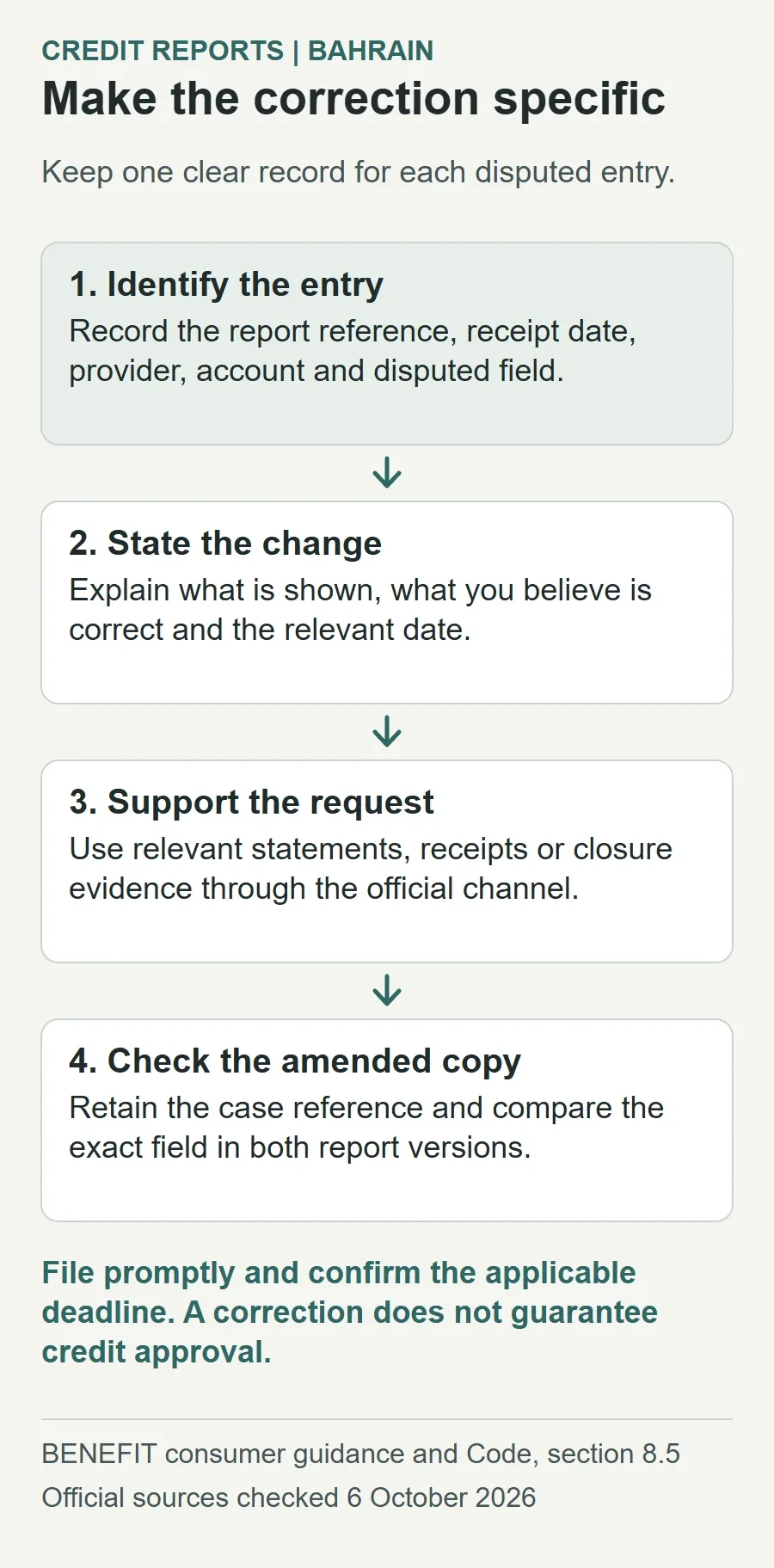
Make a short record for each disputed entry. This makes it easier for the provider to identify the issue without guessing which part of a long report you mean.
- Identify the entry: report reference and receipt date, provider name, account reference and the specific field you believe is wrong.
- State the correction: describe what the report shows and what you believe it should show, with the relevant date.
- Attach relevant evidence through the official channel: for example, a payment receipt, a statement, a closure or settlement letter, or correspondence acknowledging a correction. These are suggested supporting records, not a promise that each will be sufficient.
- For an unfamiliar account: ask the named institution to explain the account relationship and investigate whether it belongs to you. Avoid acknowledging a debt you do not recognise merely to obtain information.
- For an unfamiliar enquiry: ask which application or other lawful purpose explains it. Record the answer and include it in the dispute if it remains unresolved.
A useful correction request is specific: “The account is shown as open. Please check the attached closure confirmation and correct the account status and closure date if your records confirm this.” Do not change the PDF yourself and present it as an amended official report.
Keep the original report, submitted evidence, acknowledgement and replies together. Share only what the official recipient needs. Do not post your report, CPR number, salary information or account details in public comments, social media groups or an article feedback form.
Where to dispute information and how long it should take
BENEFIT's consumer page permits disputes through phone, email or a customer-service visit. Its published resolution period is five working days, and it offers a free amended report after a correction. Source: BENEFIT complaints procedure.
File promptly: the official documents differ on the filing window. The consumer webpage and Code of Practice say within 14 days of receiving the report. The sample report says 14 working days. To avoid relying on the longer wording, submit within the shorter published window and ask BENEFIT to confirm the applicable deadline for your case. Code, clause 8.5.3; sample, final page.
The official sample lists [email protected] and telephone numbers +973 13300300 and +973 17500400. Use them to confirm the current submission route and identity requirements before sending sensitive attachments or making a visit. Published opening hours differ between that sample and the website, so confirm appointment arrangements directly. Source: sample report contact panel.
The linked Code of Practice is version 1.3, dated 3 February 2019. It provides for a free dispute review, a dispute reference on reports issued during review, and notification to enquirers who received reports in the preceding three months after amendments. It also assigns investigation of an enquiry without a lawful purpose to the Bureau. Source: clauses 8.5.4 to 8.5.8.
Ask for an acknowledgement, case reference and expected response date. If the published period passes without a clear outcome, follow up using that reference and request a written status. If a complaint about the institution's handling remains unresolved, the CBB consumer-information page provides its complaint route and explains that the regulator reviews possible breaches of its requirements. A regulatory complaint is separate from asking a lender to reconsider an application.
A corrected report and a lending decision are separate
The Bureau supplies credit information; lenders make their own credit decisions. BENEFIT's business explanation describes a credit score as a risk prediction used in lending assessment. It does not publish a universal score that guarantees approval at every institution. Source: BENEFIT's scorecard explanation.
Correcting an error improves the accuracy of the information available for assessment. It does not cancel an actual obligation or require a lender to grant a particular product, limit or price. Ask the lender what information or evidence it needs for reconsideration after a correction, and keep its answer separate from the Bureau's dispute outcome.
Accurate history also does not necessarily disappear immediately after payment. BENEFIT's guide describes a retention limit of five years for adverse retail credit information, measured from closure, settlement or the account returning to normal, rather than simply from the original missed payment. Confirm the relevant trigger for the entry in question. Source: guide, executive summary.
Once you receive an amended report, compare the exact disputed field with the original and retain both versions securely. If the change is incomplete, respond on the same case with a clear explanation of what remains wrong.