Official Bahrain process
Bahrain Passport Change Visa Transfer: Update Your Residence Details
By Gaurav Agarwal · Checked 6 October 2026
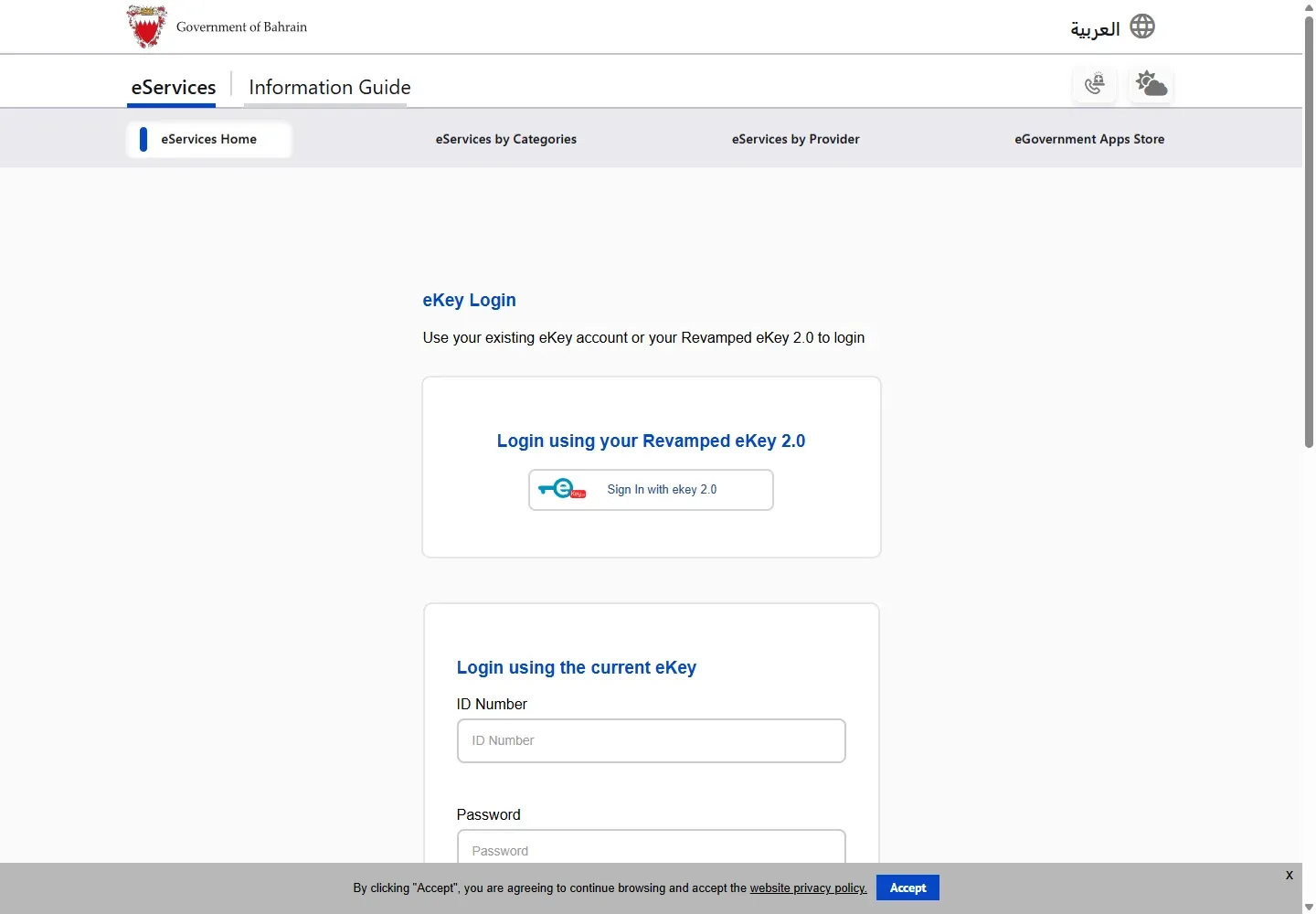
After receiving a new passport, use NPRA's Update Foreigner Passport Details service on bahrain.bh. Choose Update Passport Details Request, sign in with eKey, enter the old and new passport details, submit, then use Request Status Enquiry to check whether NPRA needs any further action. The public service page lists no fee or processing time.

The shortest official path
- Open Update Foreigner Passport Details Services on bahrain.bh.
- Choose Update Passport Details Request.
- Sign in with the eKey account accepted by the service.
- Follow the form to identify the resident or visitor, then enter the old and new passport details.
- Review the information and submit the request.
- Return to the same service page and choose Request Status Enquiry to check the result and any action NPRA requests.
This changes the passport details held against the immigration record. It does not issue a new passport, renew a work permit, cancel a visa, or print a residence permit.
What you need before you start
- The old passport details already connected to the Bahrain record.
- The new valid passport and its issue and expiry details.
- The resident's or visitor's identifying details.
- An eKey account that can open the request.
- Clear passport images if the form asks for attachments after sign-in.
How to update Bahrain residence details after a passport change
1. Open the NPRA service page
Use the direct official page above. Its heading is Update Foreigner Passport Details Services. The page says the service is for individuals, companies and government entities updating passport details for a resident or visitor.
2. Choose the update request
Select Update Passport Details Request. Do not choose the status option for a request you have not submitted yet.
3. Sign in with eKey
The request is protected by Bahrain's eKey sign-in. Use your own account or the properly authorised account for the person or entity making the request.
4. Match the existing record
Use the details requested by the form to identify the existing resident or visitor record. Enter the old passport information exactly as it appears in that record. If a company or government entity is submitting the request, use the official access route offered to that entity.
5. Enter the new passport details
Copy the new passport number, issue date, expiry date and issuing country carefully. Check every character before continuing. A transposed digit can create the same mismatch you are trying to solve.
6. Submit and keep the reference
Review the summary before submitting. Save the request reference or confirmation shown by the portal. Do not use a screenshot that exposes passport numbers or personal details when asking someone for help.
How to check the update request
Open the same official service page and choose Request Status Enquiry. NPRA describes this as the place to check a submitted request and take any required action. Use the reference and identifying information requested on screen.
If the status asks for action, respond within the existing request. Starting another request can make it harder to identify which submission is current.
What to check before travelling
- Confirm the passport update request no longer shows an outstanding action.
- Check your current visa or residence status through the correct system. For an NPRA visit visa, use our Bahrain visa status guide. For a work permit, use the LMRA visa check guide.
- Carry the new passport. If the old passport contains the visa or record used for the update, keep it available until the authority confirms the change.
- If you need a printable permit after the update, follow the Bahrain residence permit download guide.
The public service does not promise that submission alone makes the record ready for travel. Check the request status and current permit before relying on it.
Common problems and the safest fix
| Problem | What to do |
|---|---|
| The service does not open after sign-in | Return to the official entry page, choose the update request again, and check that your eKey session is active. |
| The old passport is not found | Check the passport number against the existing immigration record. Do not substitute the new number in the old-passport field. |
| The form asks for an attachment | Upload only the document named by the signed-in form, using a clear complete image within its file limits. |
| The request remains pending | Use Request Status Enquiry and follow the action shown. The public page publishes no universal completion time. |
| Your work permit still shows old data | Ask the employer to check the LMRA record as well. NPRA passport updating and LMRA work-permit administration are separate tasks. |
Frequently asked questions
Is a Bahrain passport change visa transfer the same as transferring sponsorship?
No. This service updates passport details attached to a resident or visitor record. Changing employer uses the separate LMRA mobility process.
How much does the passport update cost?
The official public service page checked on 6 October 2026 does not list a fee. Do not assume a charge or a free service from an unofficial guide.
How long does it take?
The public page does not publish a processing time. Use Request Status Enquiry for the individual request.
Does updating the passport renew my residence permit?
No. Renewal is a separate service. Employers handle work-permit renewal through LMRA, while other residence categories follow the relevant NPRA route.
Official sources
Service scope, labels and public information checked on 6 October 2026.