Practical guide
Check Visa Status Bahrain: NPRA eVisa Application Steps
By Gaurav Agarwal
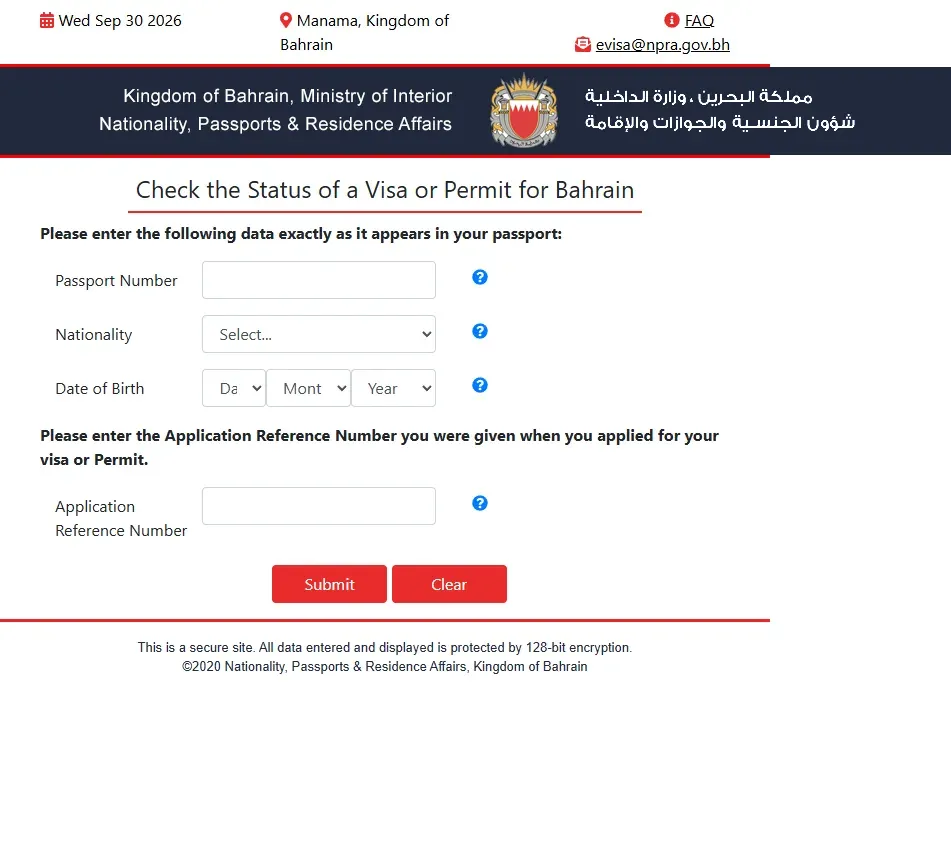
To check visa status in Bahrain for an NPRA visit visa or eVisa application, open the official Bahrain eVisa portal, choose Check Application Status, and enter your passport number, nationality, date of birth and application reference number. If it says approved, pay the visa fee through Pay For Application within 30 days, or the application is cancelled automatically. If it was not approved, the email tells you whether to contact NPRA or the embassy.

01What you need
- Passport number
- Nationality
- Date of birth
- Application reference number issued when you applied
The public status form has no payment step and no document upload. Enter the details exactly as they appear in the application and passport.
02How to check your Bahrain visa status
- Open the official Bahrain eVisa portal.
- Choose Check Application Status.
- Enter your passport number and select your nationality.
- Enter your date of birth.
- Enter the application reference number provided when you applied.
- Submit the form to view the application status.
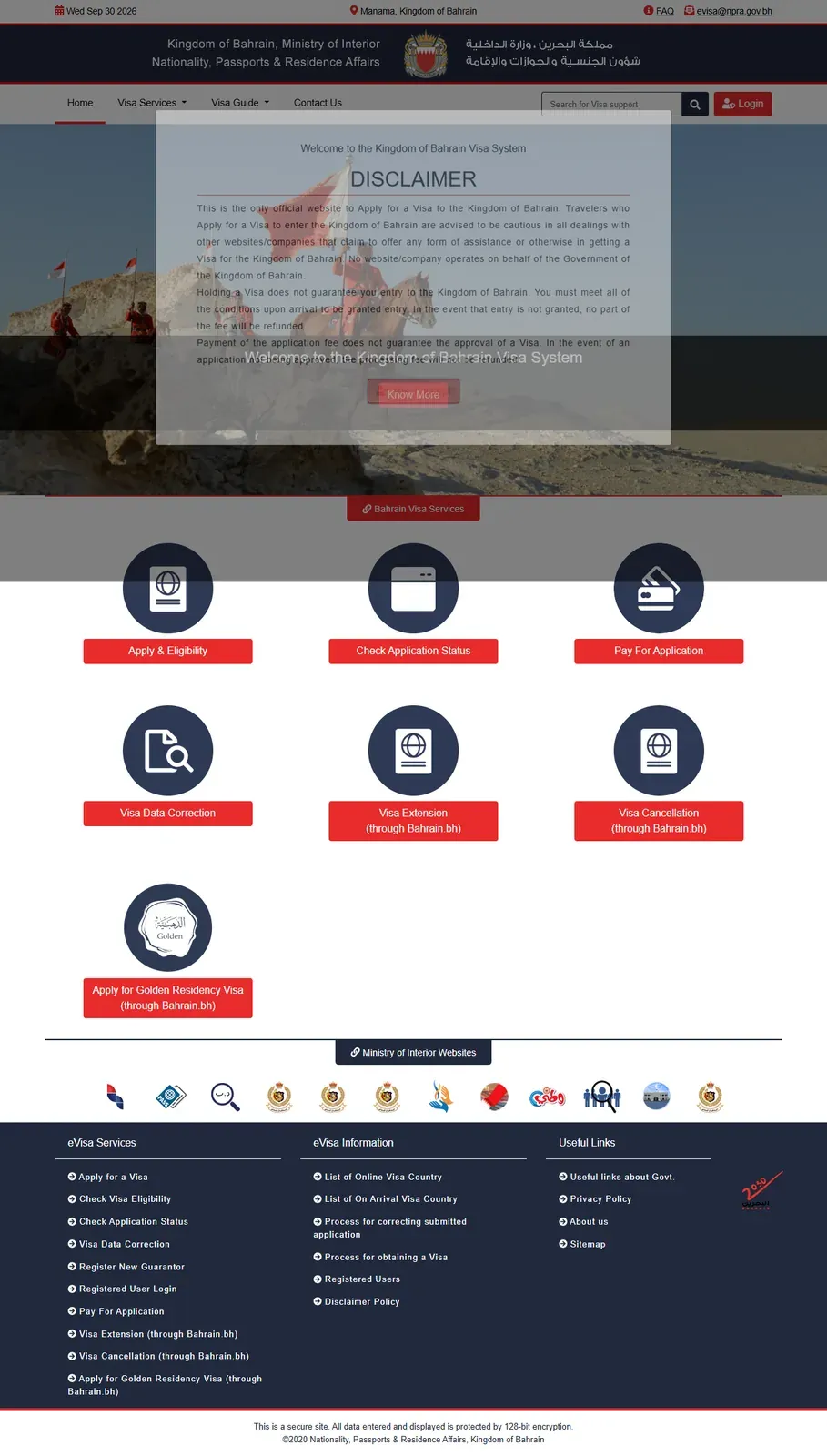
Approved: pay the BHD 5 approval fee and BHD 30 issuance fee through Pay For Application within 30 days. Not approved: the email names who to contact, the BHD 5 application fee is not refunded, and you may submit a new application.
03How long a Bahrain eVisa application takes
NPRA says applications take approximately three to five working days to process. The decision is sent by email. Exceptional cases can take longer.
The online lookup itself has no separate waiting period published. Once the required details are submitted, the status result appears online.
04If you lost the application reference number
Email [email protected] with your name, nationality and passport number. Use the same email address that was used for the visa application so NPRA can identify the record.
If an application is not approved, NPRA says the email notification explains whom to contact. The visa processing fee is not refunded when an application is not approved.
05Visit visa status or work permit status?
This guide covers NPRA visit visa and eVisa applications. For an employment visa or work permit, use the separate LMRA visa check guide.
Already in Bahrain and need more time? See the Bahrain visit visa extension guide.
06Official links and help
- Bahrain eVisa portal
- NPRA eVisa questions and answers
- eVisa help: [email protected]
- eVisa desk: +973 17399756 or 17399626, Sunday to Thursday, 7 AM to 2 PM
- NPRA call centre: 17077077, Sunday to Thursday, 7:30 AM to 7 PM
- NPRA email: [email protected]
Official details checked 30 September 2026.