Bahrain finance guides
Salary Transfers in Bahrain: WPS and Missing Payments
By Gaurav Agarwal · Sources checked 6 October 2026
If your salary is missing, check the receiving account's transactions and ask payroll for the destination IBAN, payment reference and current status. A payroll submission is not proof of credit. Use the employment route for unpaid wages and the bank's complaint route for an unresolved payment-handling issue.

Official sources checked: 6 October 2026.
1. Start with the missing salary credit
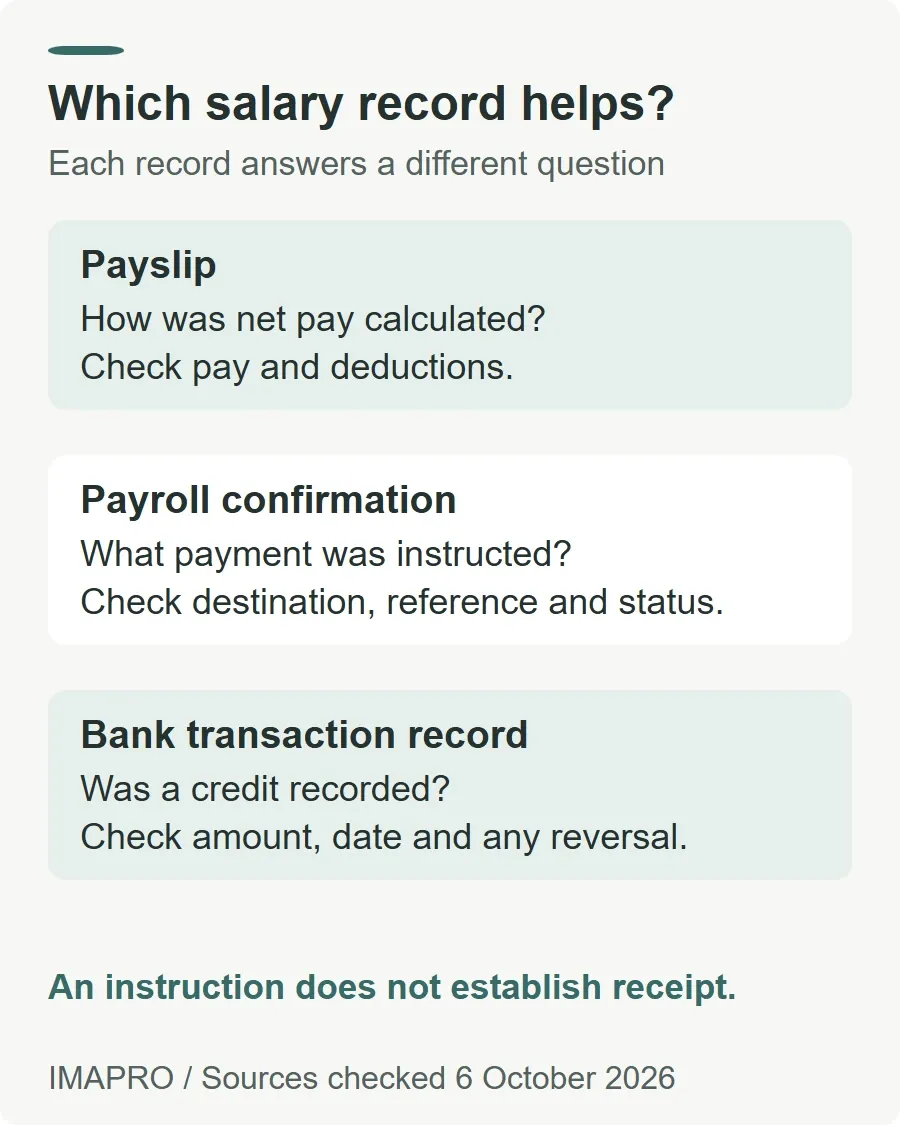
If your salary has not arrived, check the receiving account's transaction history, then ask payroll for the payment date, destination IBAN, amount, transaction reference and current payment status. This gives the employer and bank something specific to trace. A payslip, a salary-transfer letter and a posted bank credit answer different questions.
| Record | Useful for | What to check next |
|---|---|---|
| Payslip or payroll calculation | The employer's calculation of pay and deductions | Whether the expected net amount was actually sent |
| Payroll payment confirmation | The destination, amount, reference and reported processing status | Whether it concerns your individual payment and whether the status is final |
| Receiving-account transaction record | A credit recorded by your bank | The date, amount and reference, plus any separate debit or reversal |
| Salary-transfer letter | An employer instruction or undertaking requested for a banking arrangement | Its purpose and terms; it is not a receipt for this month's wages |
The table is a practical evidence checklist, not a list of official WPS status labels. For a real bank example, ila's published FAQs explain how to filter credits, debits, pending and failed payments, and download transaction advice. Use the equivalent records in your own bank's app or statement.
2. Understand where WPS fits
Bahrain's Wage Protection System connects employer wage processing with approved financial institutions. LMRA's 21 October 2025 launch announcement described full implementation of the enhanced system during the first quarter of 2026 and specifically encouraged employees to activate their bank accounts.
BENEFIT's current WPS 2.0 guidance states January 2026 for mandatory participation by private-sector employers. It covers Bahraini and expatriate employees, while identifying government entities, diplomatic missions and domestic workers as currently exempt from WPS 2.0. Those exclusions concern this system; they are not a statement that the workers have no wage rights.
BENEFIT says employers submit a salary file every month through LMRA's Expatriate Management System, with explanations for unpaid or partially paid wages. A designated Wages Responsible Person manages the process. Salary execution uses integrated banks or payment service providers and Fawri Salary Transfers, with IBAN validation and tracking.
For an employee, the practical point is to ask payroll to examine your individual record in that process. Opening an account does not submit an employer's payroll file. Sending payroll your IBAN does not establish that it has been entered correctly. A WPS error also does not, by itself, identify whether the cause is an account problem, a payroll record or an uncompleted employer action.
3. Check the account details given to payroll
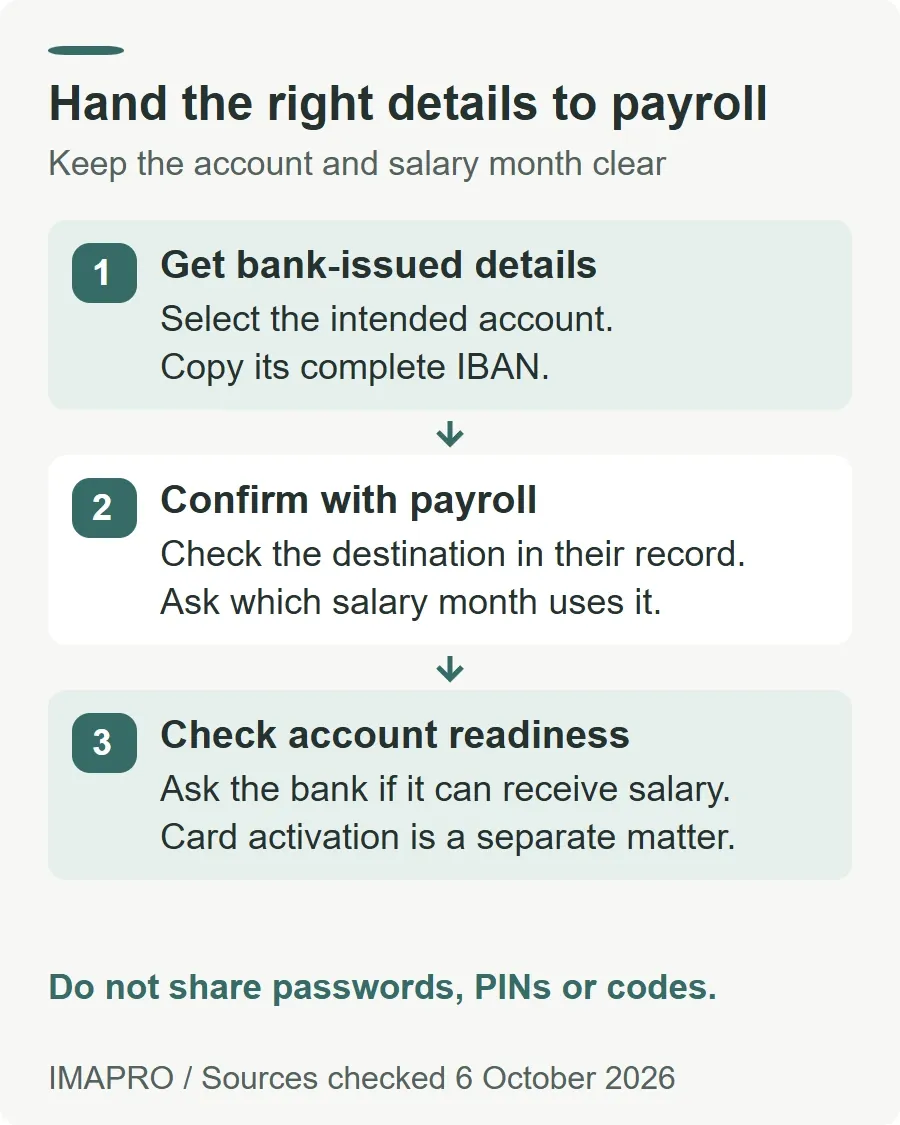
Obtain your receiving details from your bank's authenticated app, statement or official account document. Send them through your employer's established payroll channel. Include the account-holder name, bank and complete IBAN, and ask payroll to confirm which salary month will use them. This is a practical handoff checklist rather than a universal bank document requirement.
For example, ila instructs customers to select the account and use the copy icon beside the IBAN. Its FAQ distinguishes that full identifier from the account number. Copying the bank-provided value reduces manual transcription errors; payroll should still confirm the destination against its record.
If you have changed banks, ask which account was used for the payment already in progress. A newly supplied IBAN does not tell you where an earlier payment went. Before closing an old account, check its pending transactions and any existing banking commitments with the bank.
Keep account activation separate from card activation. If LMRA or payroll indicates that the receiving account needs attention, ask your bank whether that account is active and able to receive the intended salary payment. Do not guess the answer from whether an ATM card works. LMRA's launch notice explicitly calls for employees to activate their accounts, but does not provide one activation procedure for every bank.
Payroll needs payment details, not your banking password, PIN or one-time code. Keep full statements and identity documents out of public comments and discussion groups. This guide does not collect them.
4. Trace the problem without losing the evidence
- Check the transaction, not only the balance. Look for the expected credit on the relevant account. If a credit appears, inspect its amount and any later debit separately. A lower balance alone cannot explain what happened to the salary payment.
- Ask payroll a precise question. Request the salary period, net amount, destination details, execution date, individual payment reference and the latest status or error wording. Ask whether the item was rejected, returned or is still awaiting action, rather than accepting an unexplained “processed”.
- Compare the records. Match the employer's destination to the bank-provided IBAN and the expected net amount to the payslip. Ask payroll for an explanation of a pay calculation difference; ask the bank to investigate a payment or account discrepancy.
- Have the responsible party trace it. Give your receiving bank the available payment reference and ask what it can establish. If the bank needs the sender to initiate a trace, ask payroll to do that through its bank or payment provider.
- Keep a dated case log. Save the payroll reply, payment advice, relevant account record and each support reference. Note who is taking the next action and when they say they will update you.
These steps organise an enquiry; they do not promise a recovery time. BENEFIT describes WPS's Fawri salary channel as supporting same-day credit. That description is not proof that a particular payroll item was submitted successfully, nor a reason to ignore a rejection. The checked sources do not establish a universal employee-facing cutoff or a guaranteed investigation deadline for every missing salary.
5. Choose the employment or banking complaint route
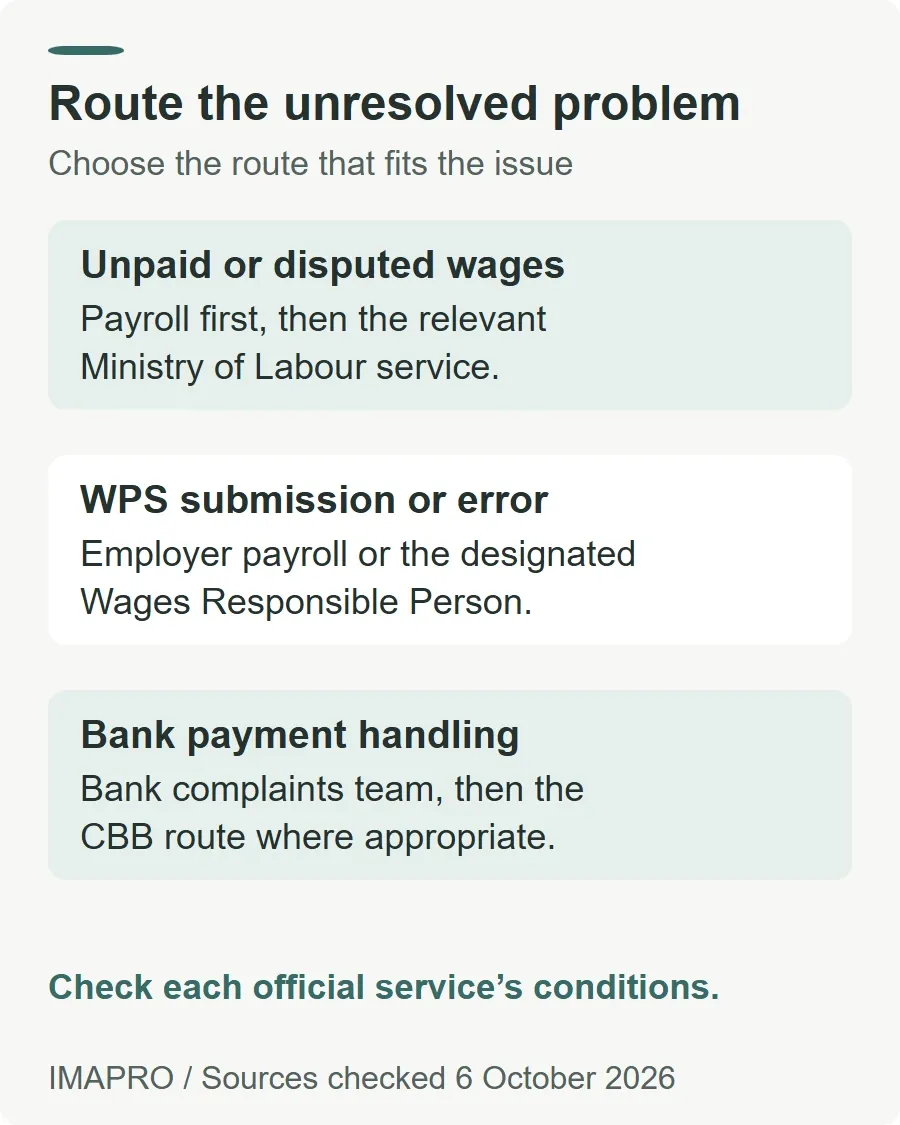
| Issue | Next route | Evidence to prepare |
|---|---|---|
| Employer has not paid, or the wage calculation is disputed | Payroll first, then the relevant Ministry of Labour service | Employment and pay records, dates, amounts and correspondence |
| Unclear WPS record or employer submission error | Employer's payroll team or Wages Responsible Person; LMRA for system guidance | The specific employee payment status or error and the employer's response |
| Bank's handling of an identifiable payment remains unresolved | The bank's formal complaints team, followed by the CBB route where appropriate | Transaction reference, account evidence, complaint reference and written bank response |
The official private-sector labour complaint service lists conditions: the complainant must still be employed, registered with the company and have a valid work permit when applying. It requests the worker's ID card, the employer's commercial registration number and supporting documents. The page offers an electronic route, attendance at the Ministry's Labour Inspection Section, and contact numbers 17873627 / 17873919.
If you have left the job or your permit situation falls outside those conditions, ask the Ministry which service applies before submitting through this particular route. Its published process time is 5 working days; that is not a promise that disputed wages will reach your account within that time. Do not infer a claim deadline or an entitlement from that service estimate.
For WPS guidance, LMRA's official notice gives its Call Centre as 17506055. The employer's filing problem and your unpaid-wage complaint may need different follow-up, even when they concern the same salary.
6. Escalate a bank complaint with the right record
The CBB's official bank and financial-institution complaints procedure says to send an email or formal letter to the institution's complaints team. It states acknowledgement within 5 business days and a written response within 4 weeks. Use the complaints contact published on your own bank's official website.
If you consider the response unsatisfactory, the procedure directs you to submit the complaint with the bank's written response through the CBB website, Tawasul or in person. The CBB online complaint form is the official web route. If the bank has not responded within the stated period, keep proof of when it received your complaint and ask the CBB Consumer Protection Office, 17547789, how to proceed with the missing response.
The CBB explains that it reviews complaints for possible breaches of its regulatory requirements. A bank-service complaint should therefore explain the transaction or account handling you dispute. It does not replace the employment route when the employer has not paid wages.
In your written account, keep the request concrete: identify the payment, describe the unresolved discrepancy, attach relevant evidence securely, and ask for an explanation or correction. Preserve the case reference and response. Neither a WPS record nor an escalation guarantees a particular outcome.
General information: This guide explains public payment and complaint channels. It is not personalised financial or legal advice. Check the current official service conditions for your circumstances.