Tawasul Bahrain: How to File a Complaint and Track It
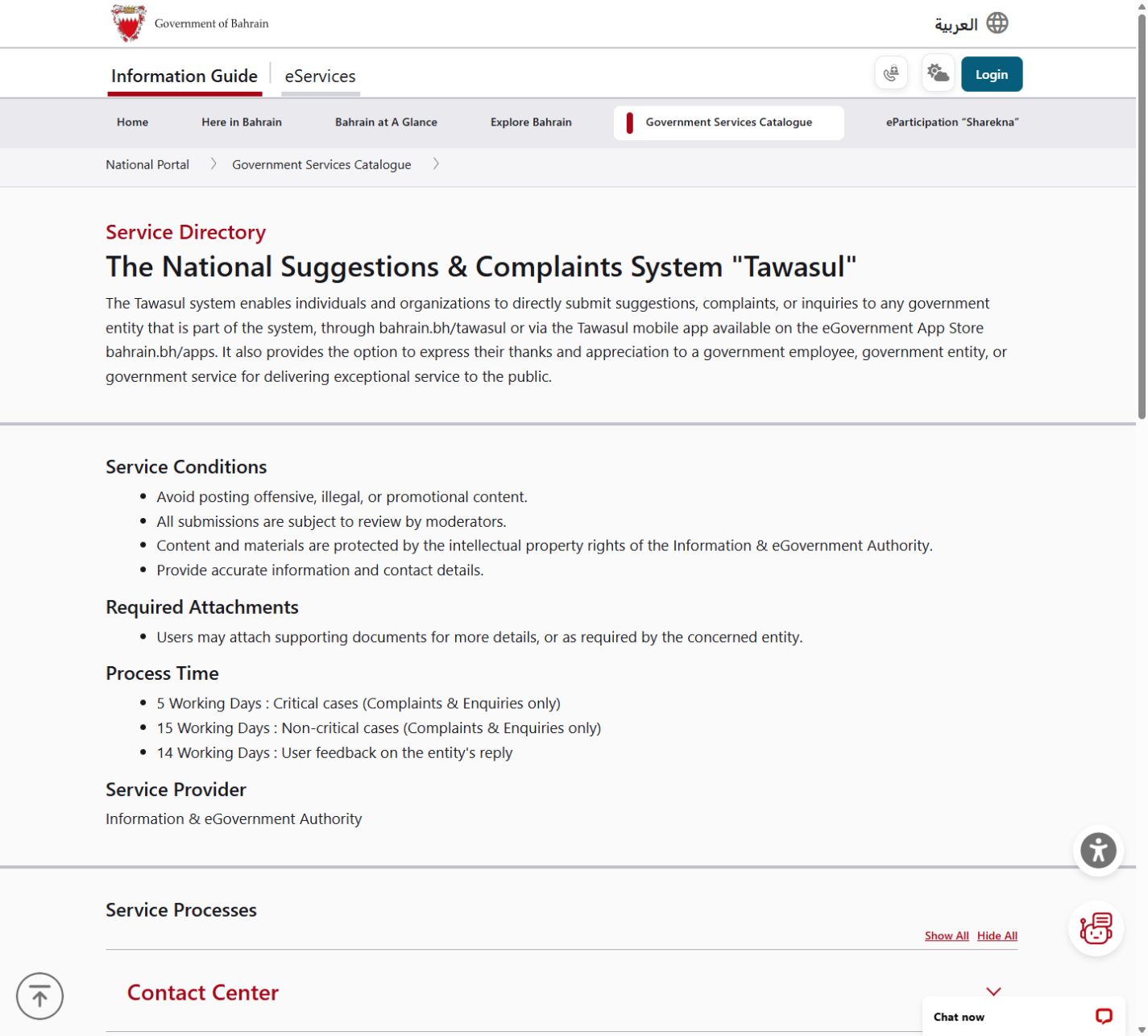
Send a government complaint through Tawasul, its mobile app or the contact centre on 80008001. Open the official Tawasul service. Choose the government body, explain the problem and keep the reference number to track it. The published process times for complaints and enquiries are 5 working days for critical cases and 15 working days for non-critical cases.
Imagine you have asked twice about a problem and still do not know who is dealing with it. A friend suggests Tawasul. Your next task is to turn that frustration into a clear case: the service involved, what happened and the answer you need. That is the route this guide follows, from choosing the body to following up on its reply.

What Tawasul is, and what it is not for
Tawasul is Bahrain’s national suggestions and complaints system. Individuals and organisations can send a complaint, enquiry or suggestion to a government body that participates. You can also thank an employee or body for good service. Its About page describes more than 61 government entities, each with a team handling cases within a set timeframe.
Use it for a service problem you want the relevant body to answer. For urgent danger, call emergency services rather than waiting for a Tawasul reply. Read our Arabic Tawasul guide if you prefer Arabic.
Step 1: pick the right government entity
The online process asks you to choose the entity before entering the required information. Think about the service at the centre of your case. Our suggestions below match common problems to names on the government-entity list.
Which entity to choose (our suggestions)
Use this as a starting point, then check that the selected body handles your particular service.
| Your problem | Entity name on the form |
|---|---|
| Water or electricity bill | Electricity & Water Authority |
| Work permit | Labour Market Regulatory Authority |
| Housing request | Ministry of Housing & Urban Planning |
| Visa or residence | Nationality, Passport and Residence Affairs |
| Traffic service | General Directorate of Traffic |
| Street or municipal fault | Ministry of Municipalities Affairs and Agriculture |
Source: Tawasul Submit Your Case entity list, snapshot 2026-10-30 (30 October 2026).
Read our EWA bill complaint guide, labour complaint guide or consumer protection complaint guide for those particular tasks.
Step 2: write the case so it can be answered
Give accurate information and contact details. Tawasul asks users to avoid offensive, illegal or promotional content, and submissions are reviewed by moderators. You may attach supporting documents for more detail or when the government body requires them.
Our suggestions: describe the event first, then say what you want the body to do. Include dates and any existing reference. Check the attachment for private details that are unrelated to the complaint before you send it. Keep the message focused on one problem.
Our example (illustrative)
This is an invented example, with no real person or case number.
Subject: Streetlight outside our building is not working
The streetlight outside our building has not worked since 26 October. I first raised it on 27 October using maintenance reference EXAMPLE-A. It is still not working. I have attached a photo showing the lamp and its location. Please confirm which team will handle the repair and tell me the next step.
The example gives the reader of the case a date, an earlier contact and a specific request. Use your own accurate details rather than copying its dates or reference.
Step 3: submit on the website, the app or by phone
The National Portal gives both an online route and a contact-centre route. The online steps apply to the Tawasul website or mobile app.
- Open the official Tawasul service or the Tawasul app from the government app store.
- Choose Enquiries & Complaints, Suggestions or Thanks & Appreciations.
- Choose the government entity.
- Enter the required information.
- Attach supporting documents, if you have any.
- Submit the case.
- Keep the reference number for tracking.
The official instructions say to track the submitted case with its reference number. Where that number appears after online submission is not stated.
To use the phone route, call 80008001 and describe the case with the required information. A contact-centre representative enters it in Tawasul. You receive a reference number to track it.
The app also offers Fix2go for faults in public facilities: take a photo and select the related icon, with location detection. Its push notifications provide updates on case progress.
If submission does not work (our suggestions)
Keep your draft and use the contact centre on 80008001 if the website or app will not let you continue. Ask for the reference number before ending the call. If you are unsure about the entity, explain the service involved and ask for help choosing it.
Step 4: track the case
You have two routes on Track Your Case. Sign in with your eKey, Bahrain’s government login, to see all your submitted cases. Or search with the reference number and the user type used when you submitted.
- Open Tawasul’s Track Your Case service.
- Enter the reference number.
- Select the matching user type: Citizen/Resident, Corporate or Visitor.
- For Corporate, enter your commercial registration number. The tracking guidance does not state the ID requested for Citizen/Resident or Visitor.
For a company, the tracking page accepts the commercial registration number alone, such as 123, or with the branch number, such as 123-1. These are examples of the format. Use the number for your company.
Our suggestions: keep the reference with a copy of the case and the reply. If the search does not find it, check the reference and user type against the details you submitted, then ask the contact centre for help.
Step 5: if the reply does not solve it
The National Portal lists 14 working days for user feedback on the entity’s reply. This is separate from the time listed for handling a critical or non-critical complaint.
A Bahrain This Week article dated 19 October 2022 says an unsatisfied user can reopen a case within 14 days of receiving feedback. That article says days; the National Portal’s current service description says working days for feedback on the reply.
Our suggestions: read the reply promptly and use the feedback option available on your case. Say exactly what remains unanswered and refer to the original request. If you cannot find the option, ask the contact centre or the government body about the next route.
How long each case takes
The times below are the National Portal’s published process times. The first two apply to complaints and enquiries. The third is for your feedback on the reply.
| Stage or case type | Published time |
|---|---|
| Critical complaints and enquiries | 5 working days |
| Non-critical complaints and enquiries | 15 working days |
| User feedback on the entity’s reply | 14 working days |
Source: National Portal Tawasul service page, checked 2 November 2026.
- Pick the right government entity
- Write the case so it can be answered
- Submit on the website, the app or by phone
- Track the case
- If the reply does not solve it
When Imapro can help (our suggestions)
For a business that wants clearer customer support, talk to Imapro about a website that explains where customers should send a problem and what information to include.
Frequently asked questions
Choose the route that fits how you submitted the case.
Can a company use Tawasul?
The service is for individuals and organisations. The tracking page includes a Corporate user type and gives commercial-registration number formats.
Do I need an eKey to track a case?
You can search by reference number and user type. An eKey login lets you see all your submitted cases.
Can I complain about a medical error?
For complaints about medical, professional or ethical errors, the National Portal says the complainant should be the patient or a first-degree relative. A patient’s lawyer may submit with an official power of attorney. Use the service conditions for that particular complaint.
How long does a reply take?
The published process time is 5 working days for critical complaints and enquiries, or 15 working days for non-critical cases.
Sources
The service page provides the process times and submission routes. Tawasul’s own pages provide the entity list and tracking details.
Published · Updated