Practical guide
Bahrain Driving Test Appointment: Booking Steps, Fees and Requirements
By Gaurav Agarwal
To book a Bahrain driving test appointment, open Driving School Services, choose Book Driving Test Appointment, enter the identity type, personal number, instructor code, licence type and category, then select an available slot and pay.
01Before booking the test
- Hold a valid learner's permit.
- Complete the required training hours.
- Clear every fine, traffic violation and accident amount.
- Make sure no legal restriction is registered under the personal number.
- Have a valid ID card and the educational record listed by the official service.
- Keep the driving instructor code ready.
02How to book a Bahrain driving test appointment
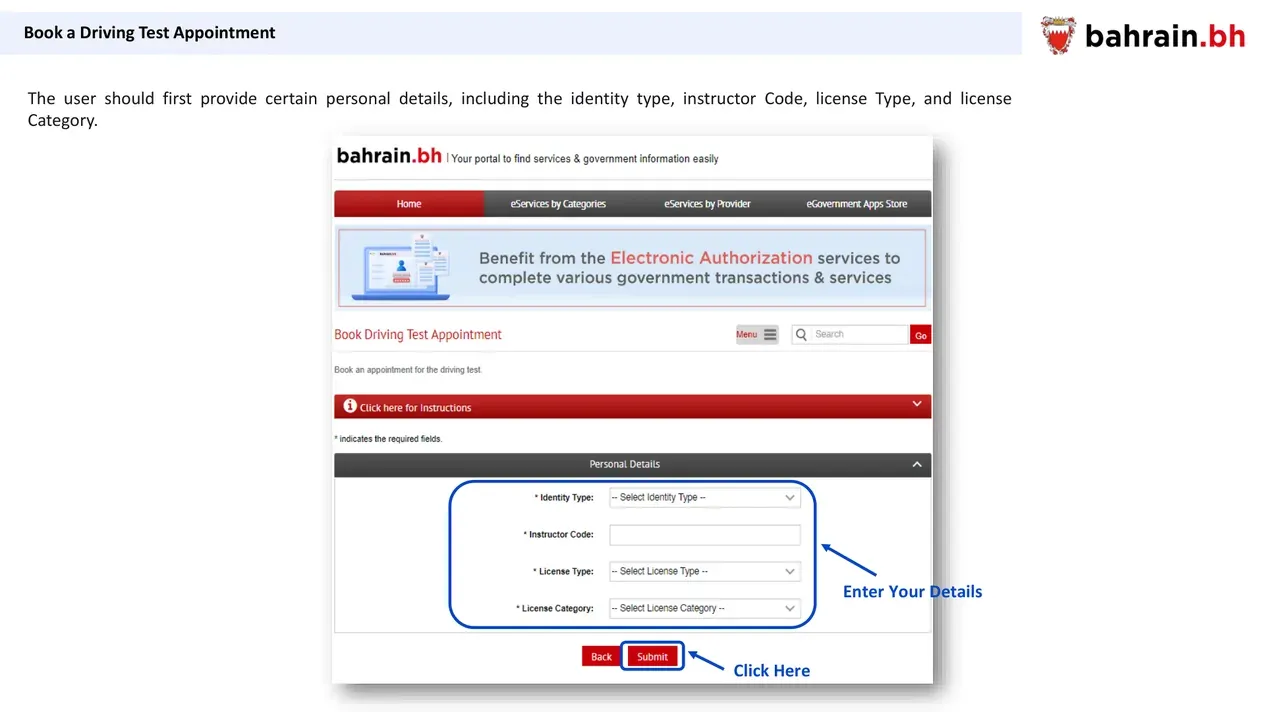
- Open the official Driving School Services portal.
- Choose Book Driving Test Appointment.
- Select the identity type and enter the personal number.
- Enter the instructor code.
- Select the licence type and licence category.
- Choose Submit to verify eligibility and view the available dates.
03Fee and booking time
The current government service directory publishes a driving test appointment fee range of BHD 10 to BHD 16. The confirmation screen shows the amount for the selected test before payment.
Online booking is instant. Booking in person takes one working day. Payment options include debit card, credit card and cash at a TAM kiosk; the official user guide also lists BenefitPay, Apple Pay and MAX Wallet.
04Choose the test date and time
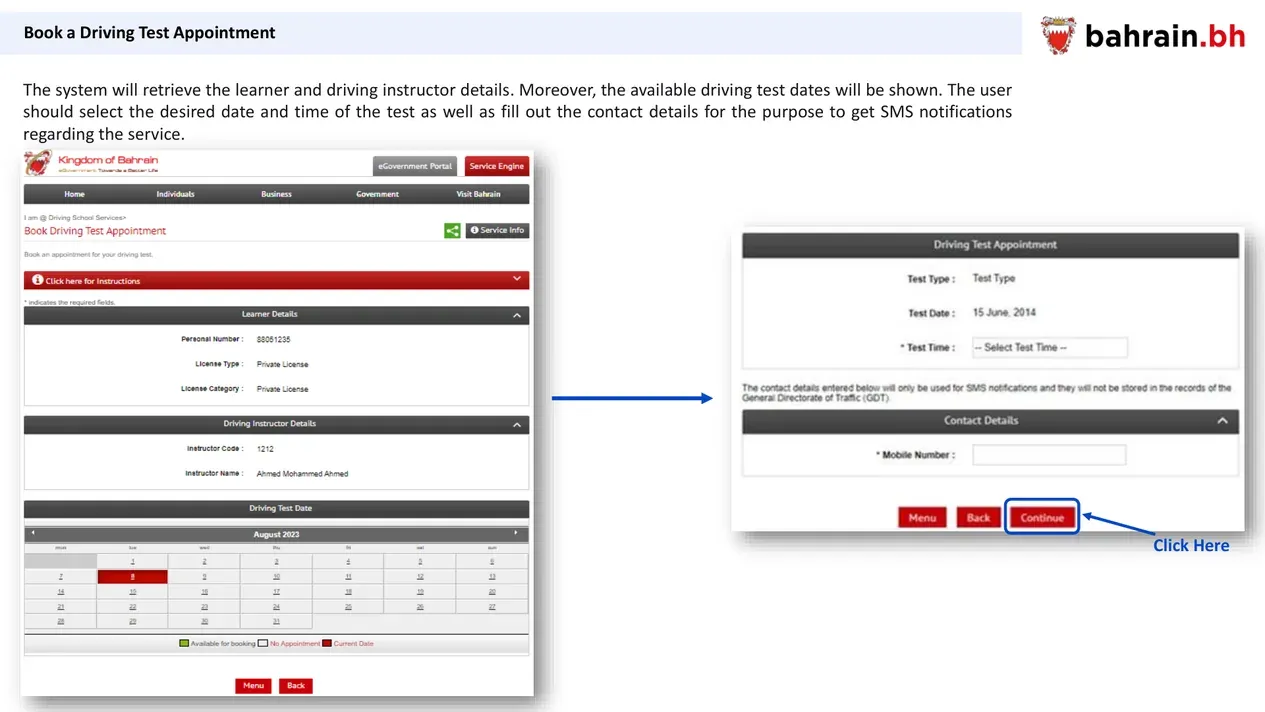
After eligibility is confirmed, the system displays the learner and instructor details and available test dates. Choose a date, select a test time and enter the mobile number used for SMS notifications.
Review the confirmation page, accept the disclaimer and pay. The receipt appears after successful payment and can be printed.
The official user guide says the fee is not refundable if the learner misses the test or has not completed the required training hours.
05Change a driving test appointment
Open Manage Driving Test Appointments, sign in with eKey, choose the existing appointment and follow the screen to change it.
For an in-person change, the official directory requires attendance at the Driving Training Directorate at least 48 hours before the appointment.
06On the test day
Arrive at least 30 minutes before the practical test. Take the valid learner's permit and ID card. The test is at the General Directorate of Traffic Driving Licensing Center, Building 886, Road 3015, Block 730, A'ali, Northern Governorate.
- Official driving test appointment directory
- Book a Driving Test Appointment
- Government Services Contact Centre: 8000 8001
Official details checked 30 September 2026.