Official Bahrain process
LMRA Runaway Case Bahrain: Check and File an Absence Grievance
By Gaurav Agarwal · Checked 6 October 2026
LMRA calls this an absence-from-work notification, not a final finding. If a notice is under verification, open LMRA's Registered Worker System, choose Work Absence Grievance, enter your CPR and contact details, upload the required grievance form plus evidence, and submit within 11 working days from the notification date. LMRA says the updated service is completed within three working days.

Do this first if you see an LMRA absence notice
- Check your current work-permit record using the official LMRA lookup. Our LMRA visa check guide shows the public route.
- Note the absence-notification date. The current LMRA service gives the worker 11 working days from the notification date to submit a grievance.
- Open the LMRA Registered Worker System and choose Work Absence Grievance.
- Complete the form, attach the required application form and supporting evidence, then submit before the window closes.
What an LMRA “runaway case” means
People commonly search for an “LMRA runaway case,” but LMRA's current service calls it a worker grievance against absence from work during the verification period. The distinction matters because the official process gives the worker a route to respond while the notification is being verified.
The employer's absence-notification form records the employee, last working day, salary information and the employer's stated reason. The worker grievance form separately records the worker's reasons and evidence. LMRA reviews the case; neither form by itself decides every disputed fact.
What you need
- Your CPR or personal number.
- A mobile number and email address you can access.
- The official employee grievance application form.
- Other documents supporting why the absence notification should be reviewed.
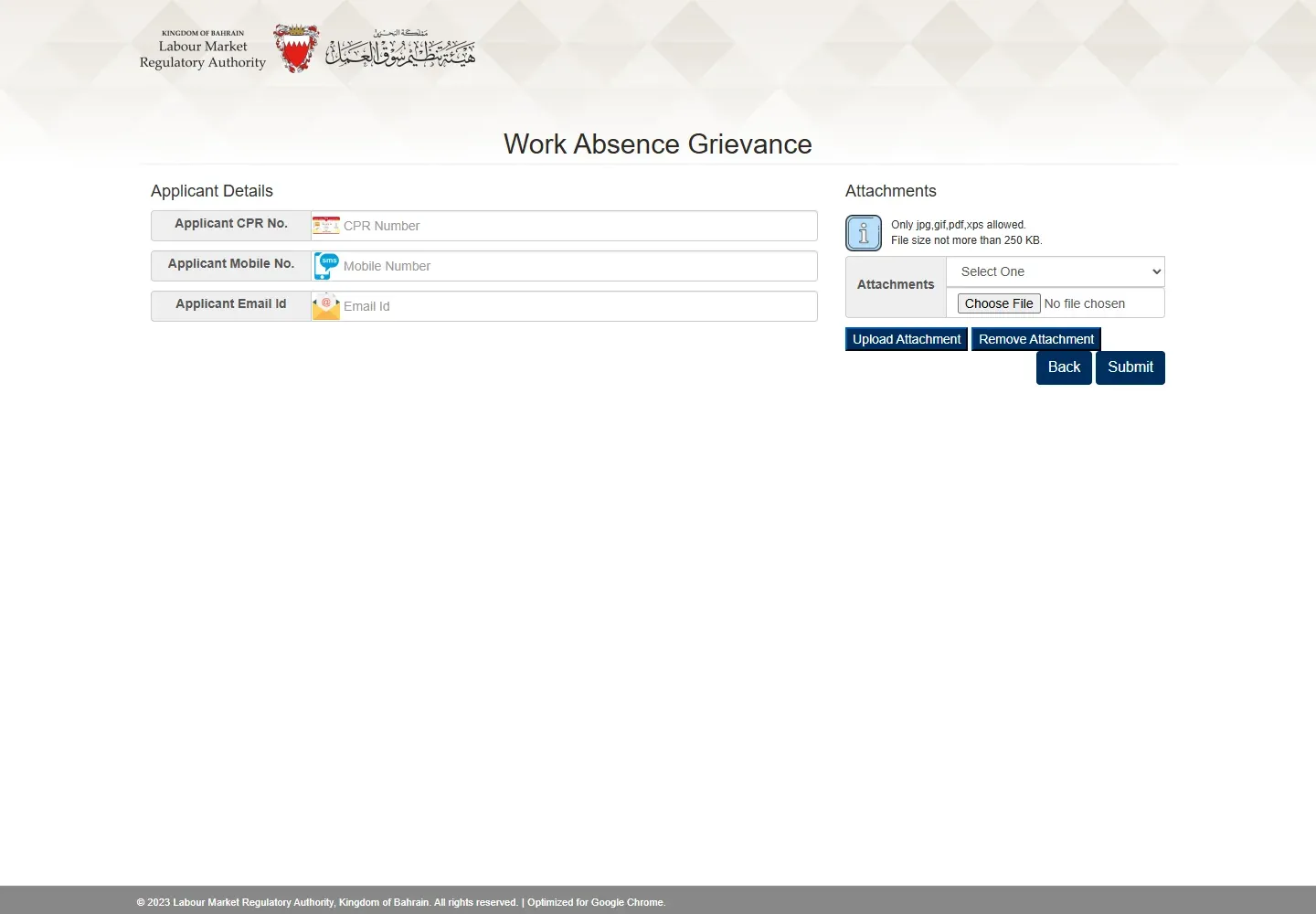
The public online form marks both Application Form and Other Documents as required. It accepts JPG, GIF, PDF and XPS files, with each upload no larger than 250 KB. Prepare readable files before starting.
How to file the Work Absence Grievance
1. Open the worker services page
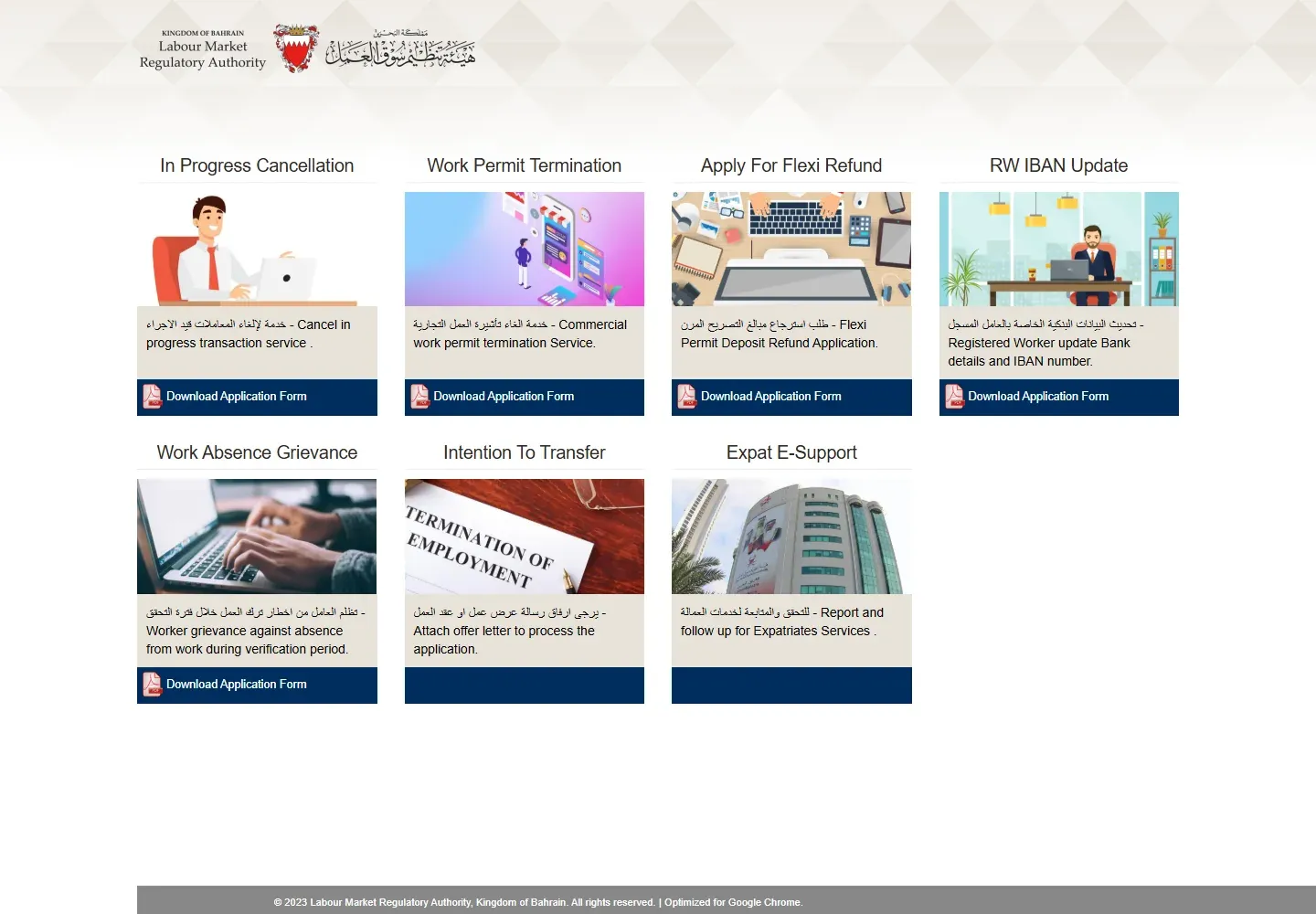
Use LMRA's Registered Worker System. This is the worker-facing service page, separate from the employer's EMS account.
2. Choose Work Absence Grievance
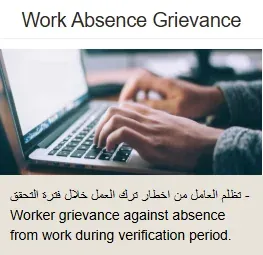
Find the tile labelled Work Absence Grievance. Its description says the grievance is for an absence-from-work notice during the verification period.
3. Enter your applicant details
The public form asks for the applicant CPR number, mobile number and email address. Use information LMRA can connect to you and that you can monitor during the review.
4. Complete the grievance form
Download the official application form from the service, fill the employee and employer details you can verify, explain the reason for the grievance, and sign where required. Do not guess an employer detail or change a date to fit your case.
5. Attach the form and evidence
Upload the completed application form in its required field. Add the supporting documents in the other required field. Compress or scan the documents clearly enough to remain under the displayed 250 KB limit.
6. Submit within 11 working days
LMRA's 14 July 2026 service update says the grievance must be submitted within 11 working days from the date the absence notification was filed. Submit early enough to correct a file problem before the period expires.
Evidence that can explain the absence
Use documents that match the actual reason in your case. Depending on the facts, that may include:
- approved leave, medical certificates or hospital records;
- a resignation, termination letter or messages showing the final working date;
- wage records, bank statements or a labour complaint reference where unpaid salary is part of the dispute;
- messages asking you to report to work or showing that access to the workplace was refused;
- an offer letter or transfer record if you had already started the official change-of-employer process.
Evidence should be dated and readable. A long written accusation without documents is less useful than a short chronology supported by records. Keep the originals because LMRA may ask to inspect them.
What happens after submission
LMRA's July 2026 announcement states that the updated service is completed within three working days. This is the published service time, not a promise that every grievance will be accepted.
The official grievance form also warns that, if the grievance is accepted, the existing work permit will be cancelled. That does not by itself create a new permit. If you plan to work for another employer, follow the lawful LMRA mobility and change-of-employer process.
The public grievance form shows no payment step and LMRA's current announcement publishes no service fee.
If the notice is not resolved
Use LMRA's Expat E-Support service from the Registered Worker System to report and follow up on expatriate-service matters. You can also call the LMRA contact centre on 17506055. For urgent worker protection or grievance support, LMRA publishes the 995 hotline and [email protected].
If the dispute concerns unpaid wages, dismissal or another employment right, keep the absence grievance separate from the labour complaint. One submission does not automatically resolve the other.
Frequently asked questions
How do I check an LMRA runaway case?
Check your permit record through LMRA's expatriate employee data service, then open the Registered Worker System if the record or notice requires a grievance.
How long do I have to object?
LMRA's current service announcement says 11 working days from the absence-notification date.
How long does LMRA take to decide?
The published completion time for the updated grievance service is three working days.
Does filing a grievance guarantee removal of the notice?
No. Filing starts the official review. LMRA decides the result after examining the request and evidence.
Is the grievance the same as transferring to a new employer?
No. A grievance answers the absence notification. An intention to transfer or mobility application is a separate process.
Official sources
- LMRA Registered Worker System
- LMRA: updated absence grievance service, 14 July 2026
- LMRA employee grievance form
Service labels, filing window, process time and public form requirements checked on 6 October 2026.