Official LMRA appointment guide
LMRA Appointment Bahrain: Book or Check a Visit Online
By Gaurav Agarwal · Checked 5 October 2026
To book an LMRA appointment in Bahrain, open the official Appointment Management System, choose Front Desk Services or Management Meetings, select the service and complete the public booking form. Use My Appointments to check an existing booking.

01Choose the right appointment
- Front Desk Services: biometric data, commercial services, domestic services, clearance agencies, wage protection and other listed counters.
- Management Meetings: a meeting with the relevant LMRA directorate when that route fits the issue.
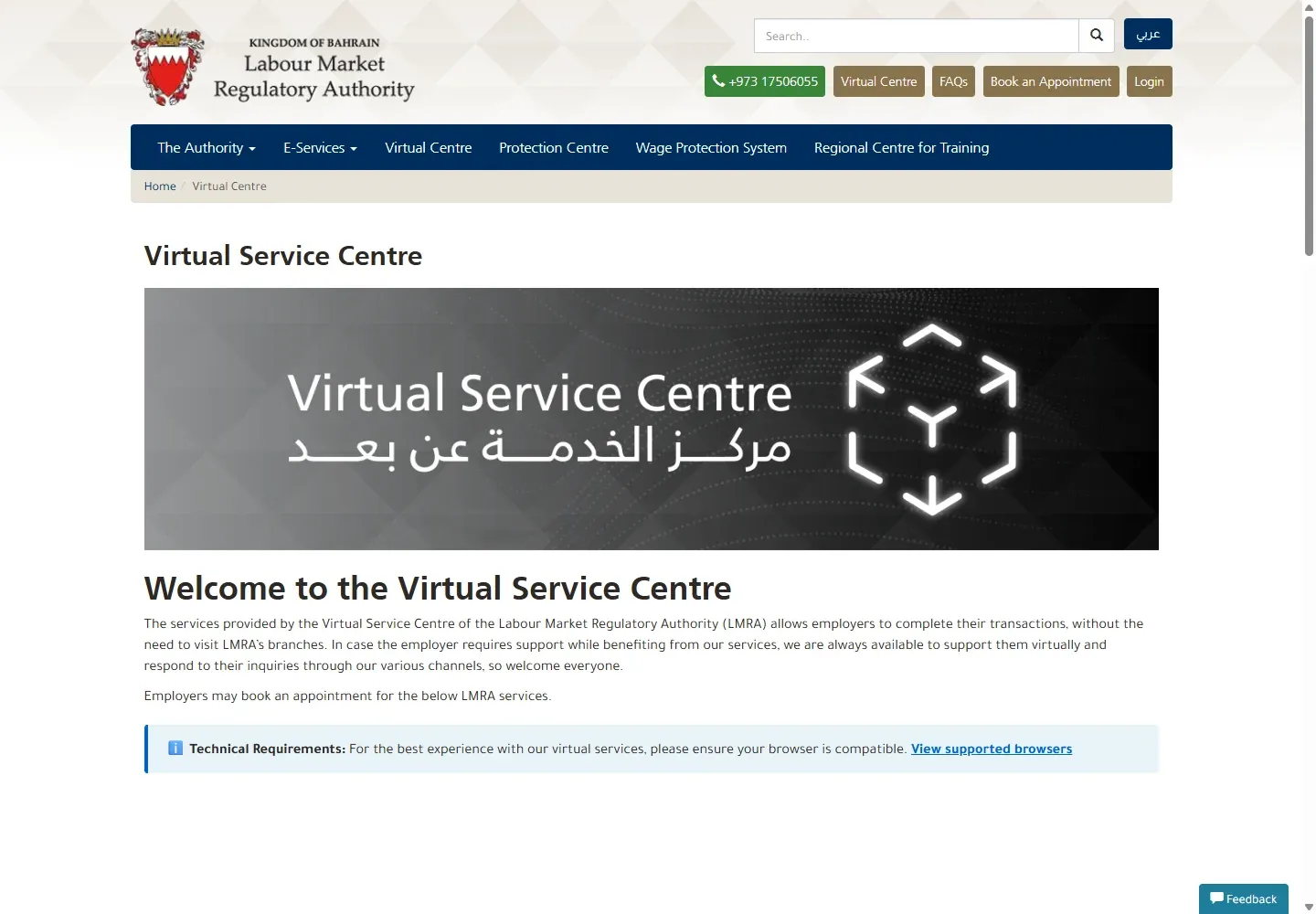
- Virtual Service Centre: an online appointment for selected employer services.
- My Appointments: check an existing booking using the visitor CPR and email used during booking.
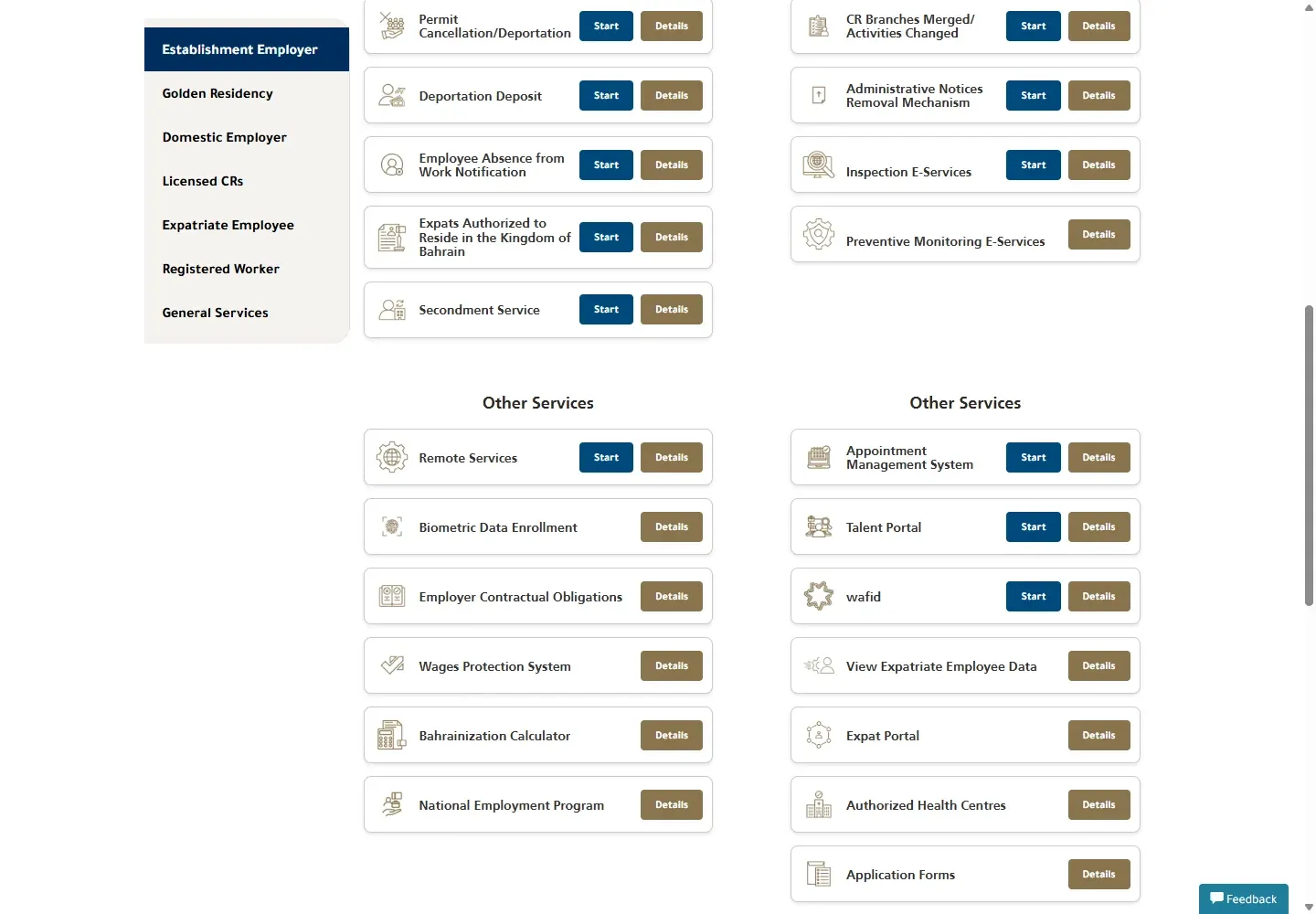
02Open the official LMRA Appointment Management System
- Open ams.lmra.gov.bh.
- Choose Front Desk Services for a counter visit, or Management Meetings for the separate meeting route.
- Use My Appointments at the top of the page when you already booked.
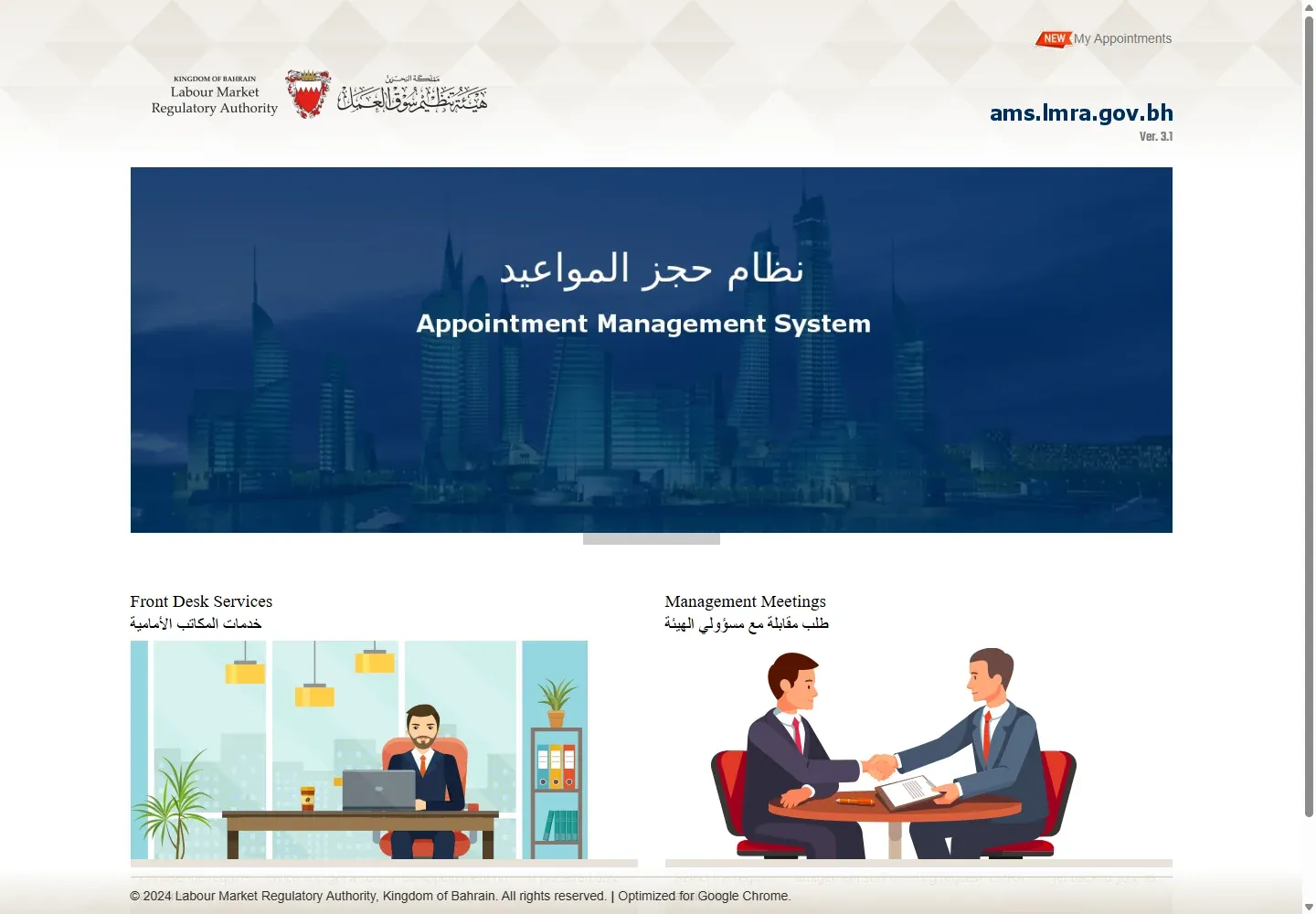
03Select the service you actually need
Choose a location and service from the list. Current public options include biometric data collection, commercial services, domestic services, clearance agencies, recruitment offices, wage protection and labour inspection. The location is part of the service name, so check whether you selected Headquarters, Muharraq or Sehla.
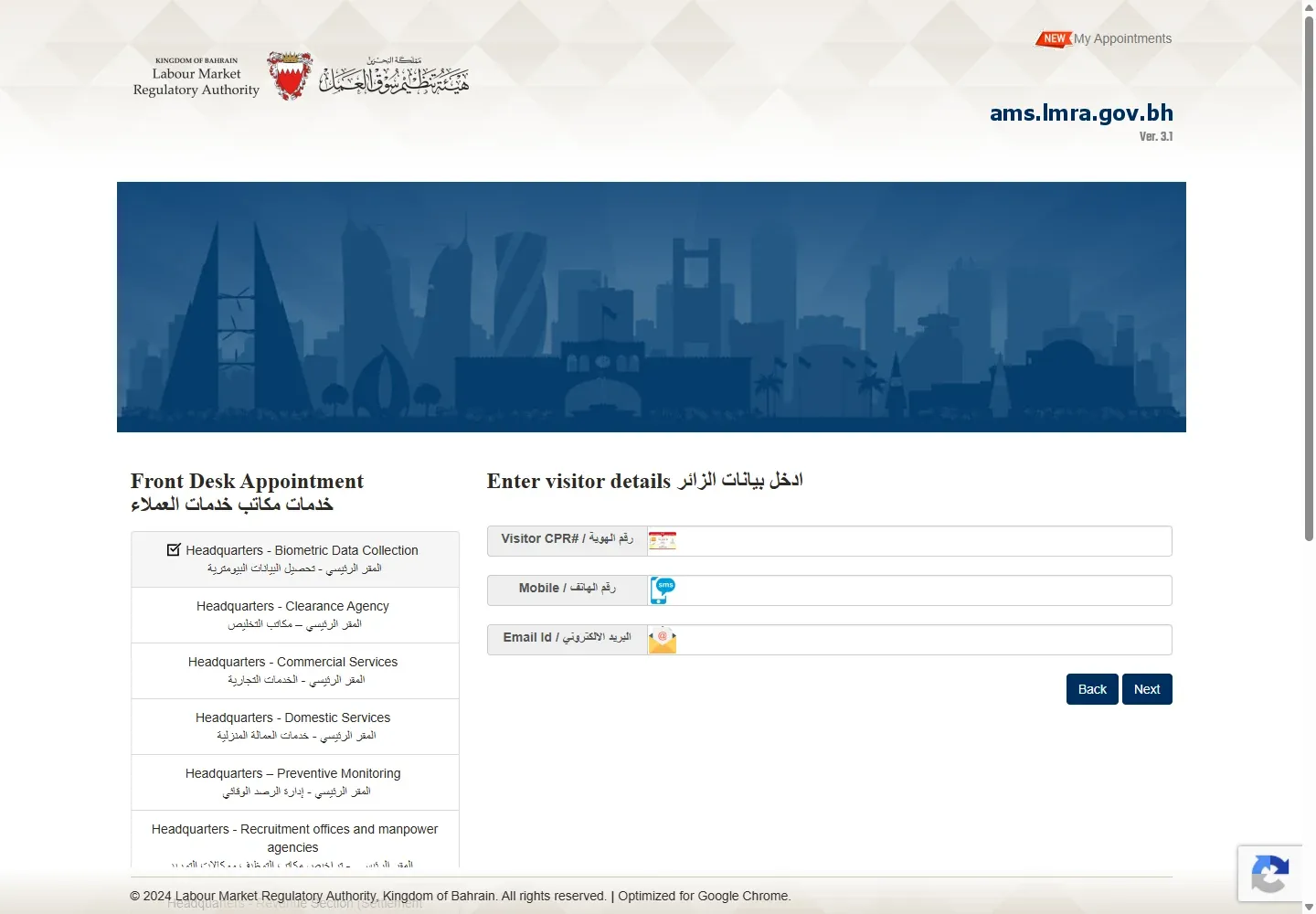
04Enter the visitor details
- Enter the visitor CPR number.
- Enter an 8-digit Bahraini mobile number that can receive booking messages.
- Enter the visitor email address.
- Choose Next.
Use one person’s matching details. You will need the same CPR and email to retrieve the appointment later.
05Choose a date and time
Follow the remaining public screens to choose an available date and time and confirm the booking. Save the confirmation. LMRA’s appointment confirmation page advises visitors to arrive at least ten minutes before the booked time.
Fee: the official public appointment flow shows no payment step or separate booking fee. A transaction handled during the visit can still have its own official service fee.
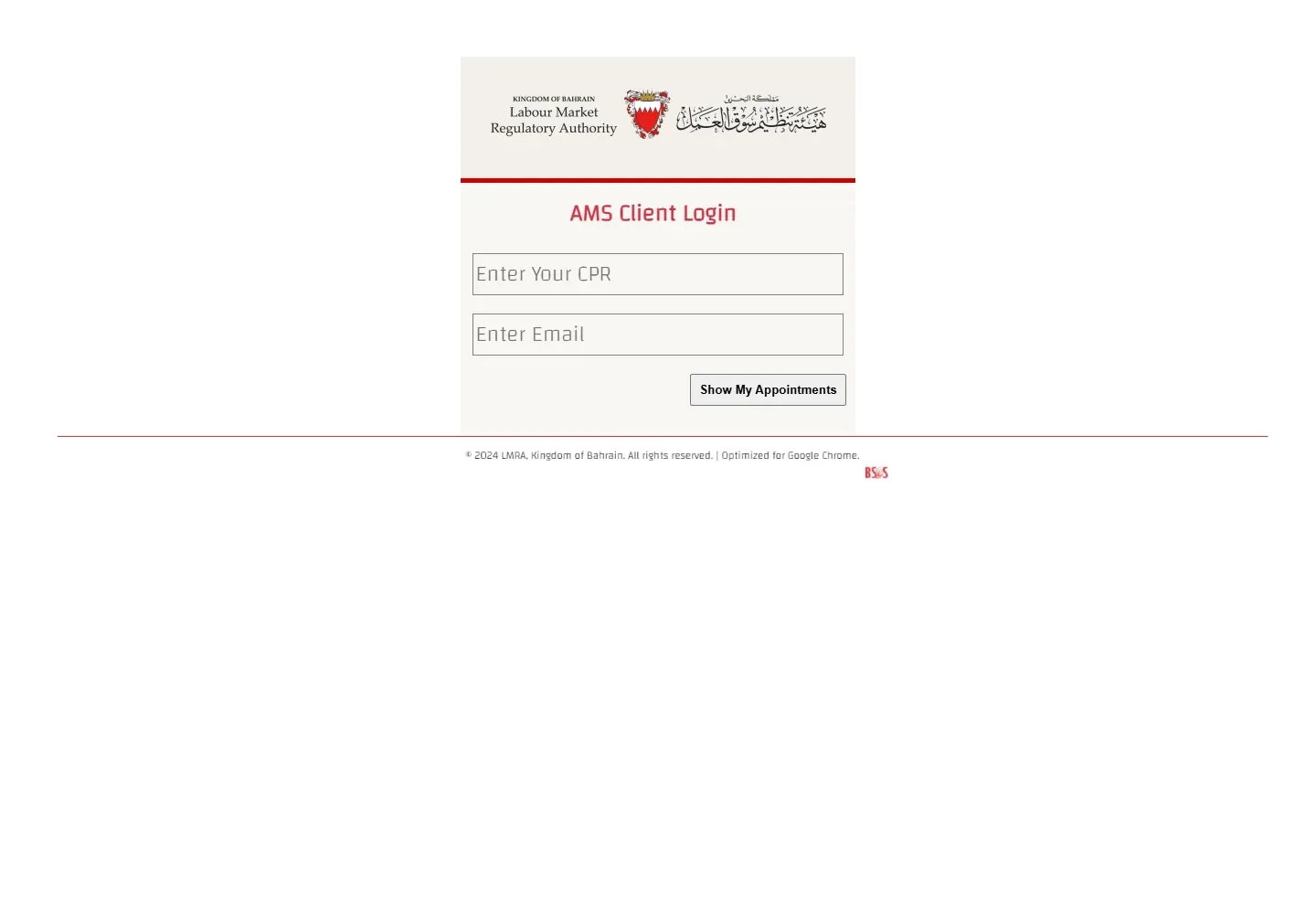
06Check your LMRA appointment
- Open My Appointments.
- Enter the same visitor CPR used for the booking.
- Enter the same email address.
- Choose Show My Appointments.
07Use a virtual appointment when available
LMRA also provides a Virtual Service Centre for selected employer services. Read the listed service scope first. A virtual appointment does not replace an in-person biometric visit.
08Common appointment problems and fixes
- No suitable appointment appears
- Check that you selected the correct branch and service. Try another listed branch only if it offers the same service.
- The booking cannot be found
- Use the exact CPR and email entered during booking. A spelling difference in the email can prevent retrieval.
- You chose the wrong service
- Return to the service list and create the correct booking. Do not attend a biometric appointment for an unrelated commercial transaction.
- You are unsure whether a visit is required
- Call LMRA on 17506055 before booking. For a work permit status lookup, use the LMRA visa check guide. Employers who need the portal can use the LMRA EMS login guide.
LMRA appointment questions
Is an LMRA appointment free?
The public booking system has no payment step and lists no booking fee. The LMRA service you attend may have its own fee.
What details do I need to book?
Choose the branch and service, then enter the visitor CPR, an 8-digit Bahraini mobile number and an email address. Keep the same CPR and email because My Appointments uses them to retrieve the booking.
How early should I arrive?
LMRA’s confirmation page advises arriving at least ten minutes before the appointment.
Who should book, and when an appointment is unnecessary
The LMRA establishment-employer directory places the Appointment Management System beside online services such as EMS, biometric data enrolment and remote services. Check the relevant service page first. If the transaction can be completed in EMS, booking a counter visit may add delay rather than solve the issue.
LMRA's current worker and employer brochure says the appointment system supports employers and authorized people who need LMRA officials, non-listed services or biometric data collection. Read the official LMRA and Expat Protection Centre brochure before choosing a category. Workers who only need to check permit status can use the public lookup instead.
| Need | Route to try first |
|---|---|
| Book a listed front-desk service or management meeting | Appointment Management System |
| Retrieve an existing booking | My Appointments with the same CPR and email |
| Complete a supported employer transaction remotely | Virtual Service Centre or EMS |
| Report an online service problem or ask about an employer transaction | Use EMS eSupport, described on LMRA's eParticipation page |
| Check work permit status | Use the LMRA employee-data lookup, not an appointment |
Enter details that you can reproduce later
The appointment form asks for the visitor's identity and contact details. Use the visitor's CPR, a Bahraini mobile number in the format accepted by the form and an email address the visitor can open. The same CPR and email are used by the public retrieval page, so save the exact spelling.
Choose the branch and service before entering the personal fields. A category name can include its location. Review the whole label instead of assuming that every branch handles every transaction. The historical LMRA appointment announcement identifies management meetings, establishment registration, intention to transfer and biometric capture as appointment uses, but the live form is the current source for what can be booked now.
Do not enter a fabricated CPR or another person's email to reveal appointment slots. The booking belongs to the named visitor and may need to be retrieved or verified at the branch.
Prepare for the selected LMRA service
- Save the booking confirmation and the exact branch name.
- Open the LMRA service page for the transaction and prepare its required documents.
- Carry the original identity document requested for the person attending.
- If attending for a company, confirm that the visitor is recorded as an authorized person where required.
- Arrive early enough to find the correct counter. The booking screen advises arriving ten minutes before the appointment.
- Do not assume that booking pays the transaction fee. Appointment booking and the underlying service are separate.
The public permit and service application form illustrates why preparation depends on the transaction: it separates new permits, renewals, transfers and other services and directs users to LMRA's service guide for the applicable documents.
LMRA's 2023 virtual branch announcement lists work-permit renewal, cancellation, worker address updates and general enquiries among the initial remote services. Treat the live Virtual Service Centre page as the current list because availability can change.
LMRA appointment questions
Is an LMRA appointment free?
The public booking flow shows no separate booking payment. The transaction handled at the appointment can still have an official fee.
Can I book without a CPR?
The public visitor form asks for a CPR. Call LMRA on 17506055 if the intended visitor does not have the required identifier or if the transaction is for a person outside Bahrain.
Can I change an existing booking?
First retrieve it through My Appointments using the same CPR and email. Follow the actions offered by the current system. If the required action is unavailable, contact LMRA before creating duplicate bookings.
Why does My Appointments show nothing?
The most common check is whether the CPR and email exactly match the booking. Also confirm that you are using the visitor's details rather than the employer's general email.
Can a virtual appointment replace biometrics?
No. LMRA describes the Virtual Service Centre as an employer route for selected transactions. A requirement to capture biometric data still needs the route specified by LMRA.
Which LMRA branch should I choose?
Choose the branch attached to the service in the live appointment form. Do not rely on an old list of branch services. If the right category is unclear, call 17506055 before booking.
What if the portal is not working?
Try one fresh session, preserve the error and time, then use LMRA's official call centre or EMS eSupport. Do not keep submitting duplicate appointments.