Official Bahrain MOFA route
MOFA Attestation Bahrain: Documents, Steps, Fees and Time
By Gaurav Agarwal · Checked 6 October 2026
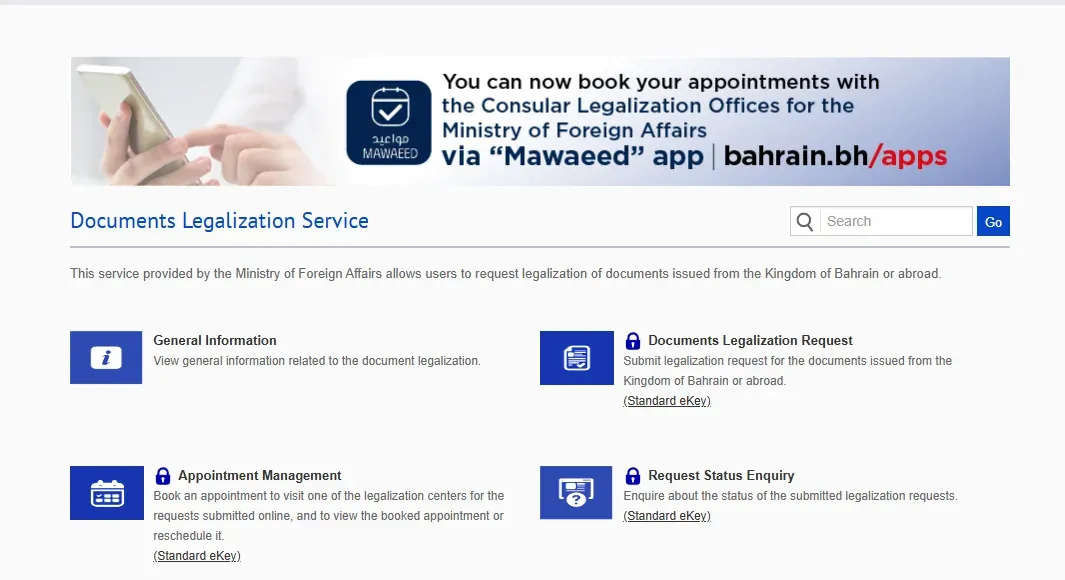
To complete MOFA attestation in Bahrain, first make sure the document carries the stamp and signature required from its competent authority. Open the official Documents Legalization Service, sign in with Standard eKey, choose ordinary legalization or Apostille on the application, upload the requested records, submit the request, then book a legalization-centre appointment for the online request.

01Choose ordinary legalization or Apostille
The Bahrain Ministry of Foreign Affairs service accepts documents issued in Bahrain and documents issued abroad. The form offers ordinary certification and an Apostille Certificate route. The correct choice depends on where the document was issued, where it will be used and whether the receiving country accepts an apostille for that document.
Ask the receiving authority which certification it requires before paying. An apostille is not automatically the right route for every destination. If you specifically need an apostille, confirm the destination and document eligibility before selecting that route.
02Prepare the document chain
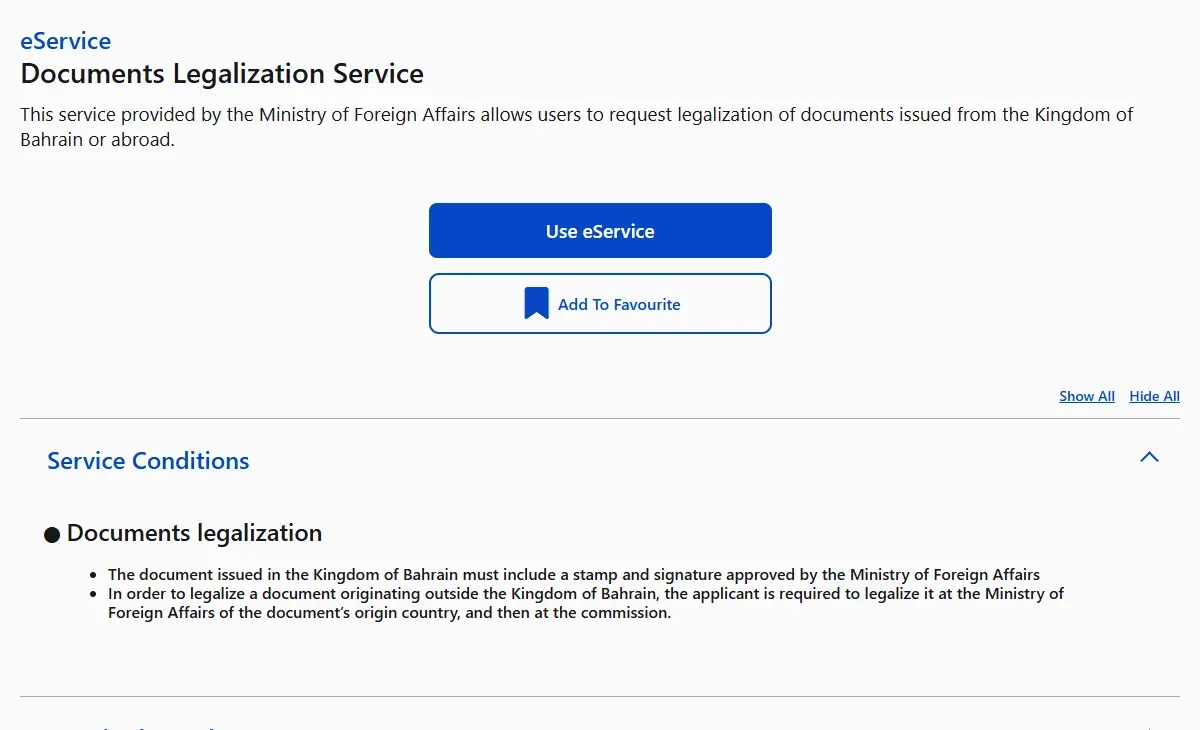
For a document issued in Bahrain, the official condition says it must include a stamp and signature approved by the Ministry of Foreign Affairs. For a document originating outside Bahrain, the applicant must first legalize it at the foreign ministry of the country of origin and then at the Bahraini mission abroad.
Do not begin with MOFA if the document is missing the earlier competent-authority authentication. That is the most important sequence check in this process.
03What you need
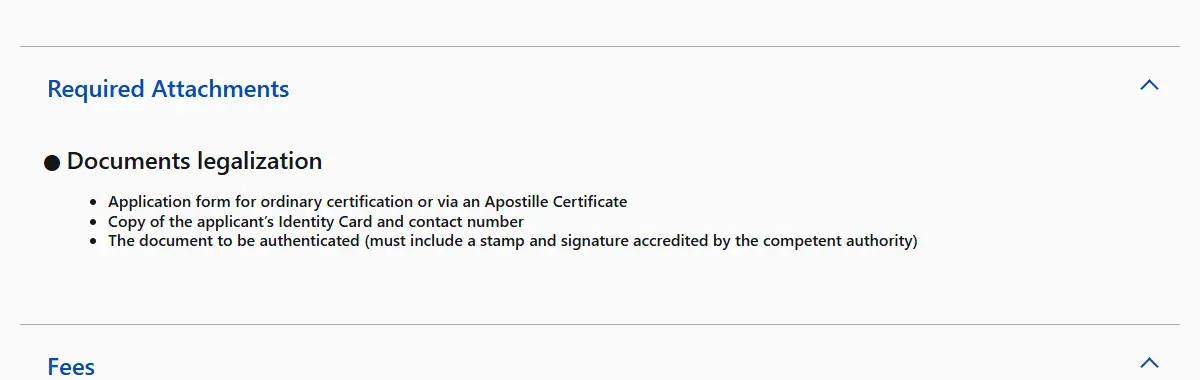
- The application form for ordinary certification or an Apostille Certificate.
- A copy of the applicant's Identity Card and a contact number.
- The original document to be authenticated, carrying the competent authority's accredited stamp and signature.
- A Standard eKey account to open the online request and appointment tools.
Keep the spelling of names consistent across the document and identity record. If the receiving authority needs a translation, confirm its language and certification requirements before starting the chain.
04Submit the legalization request
- Open the official Documents Legalization Service.
- Select Documents Legalization Request.
- Sign in with Standard eKey.
- Choose ordinary certification or Apostille according to the receiving authority's requirement.
- Enter the document details and upload the requested records.
- Review the information and submit the request.
- Save the request number shown after submission.
The detailed form sits behind eKey, so this guide does not show or recreate a private logged-in screen.
05Book the legalization-centre appointment
Return to the same service hub and choose Appointment Management. The official portal says this tool is for requests already submitted online. Use it to book a visit, view the booked appointment or reschedule it. Bring the original document and the records requested for your case.
06Fee and process time
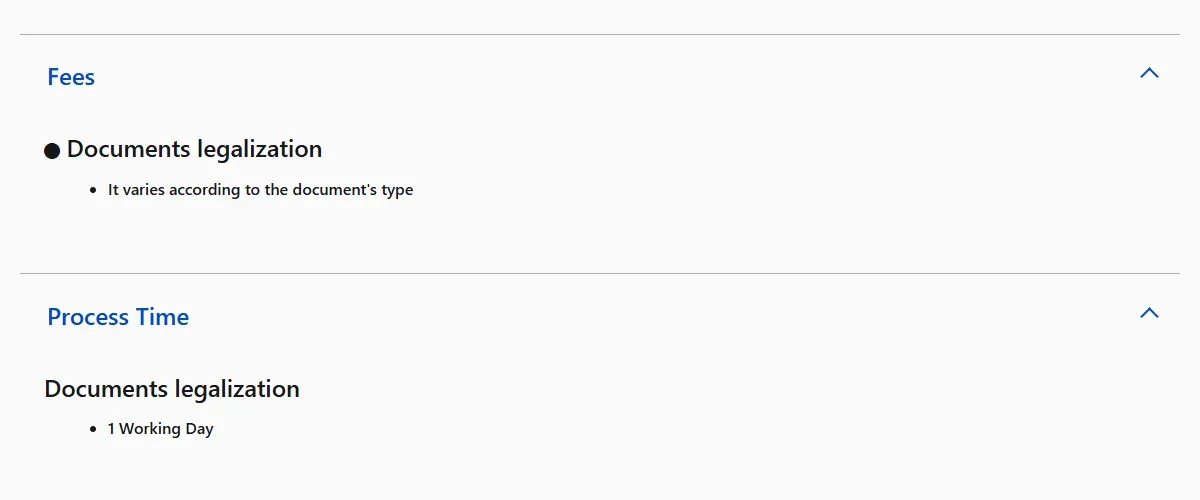
The official service page does not publish one fixed price. It states that the fee varies according to the document type. The amount shown inside your request is therefore the applicable figure for that document. The published process time is one working day.
07Check the request status
- Open Request Status Enquiry from the service hub.
- Sign in with Standard eKey.
- Search using the request details available in your account.
- Open the request number to view its details and current status.
The public status screen lists request number, legalization number, legalization type, language, document type, number of pages, intended country of use, request status and paid fee.
08Common problems and fixes
The receiving authority asked for an apostille
Confirm that the destination and document type use the apostille route, then select Apostille Certificate in the application rather than ordinary certification.
The foreign document has no prior legalization
Complete the origin country's foreign-ministry step and the Bahraini mission step before presenting it through Bahrain's MOFA process.
The stamp or signature is not accepted
Return to the competent authority that issued or authenticated the document. MOFA's condition requires an approved stamp and signature.
You cannot see an appointment
Submit the online legalization request first. Appointment Management is described for requests already submitted online.
You need official help
Use the contact options on the Bahrain National Portal or call the Government Services Contact Center at 8000 8001.
Related Bahrain guides
If the document supports employment or immigration, also see the Bahrain work permit guide, the LMRA visa check guide and the residence permit download guide.
MOFA attestation questions
Is ordinary legalization the same as an apostille?
No. The official form offers separate ordinary certification and Apostille Certificate routes. Ask the authority receiving the document which route it requires for the document and destination before paying.
How much does MOFA attestation cost in Bahrain?
The official service does not publish one universal price. It states that the fee varies by document type, so use the amount shown inside the submitted request for that document.
How long does document legalization take?
The official page lists one working day as the published process time. This assumes the document chain and application are complete; earlier authentication or correction work can take additional time.
Do I need eKey for the online request?
Yes. The official Documents Legalization Service labels the request, appointment and status tools as Standard eKey services.
What must I do before legalizing a document issued outside Bahrain?
Complete legalization through the foreign ministry in the country of origin and then the Bahraini mission abroad, as the official Bahrain conditions state. Do not skip to the local MOFA step when the prior chain is missing.
Can I book an appointment before submitting the request?
The portal describes Appointment Management for requests already submitted online. Submit and save the request number first, then book, view or reschedule the legalization-centre visit.