Official process guide
eKey Registration Bahrain: Set Up eKey 2.0 Step by Step
By Gaurav Agarwal · Checked 6 October 2026
For eKey registration in Bahrain, install the official eKey 2.0 app, enter your CPR and mobile number, verify the SMS code, start registration, complete the selfie scan, photograph both sides of your valid ID card and confirm your details. eKey 2.0 uses remote biometric verification for citizens and residents.
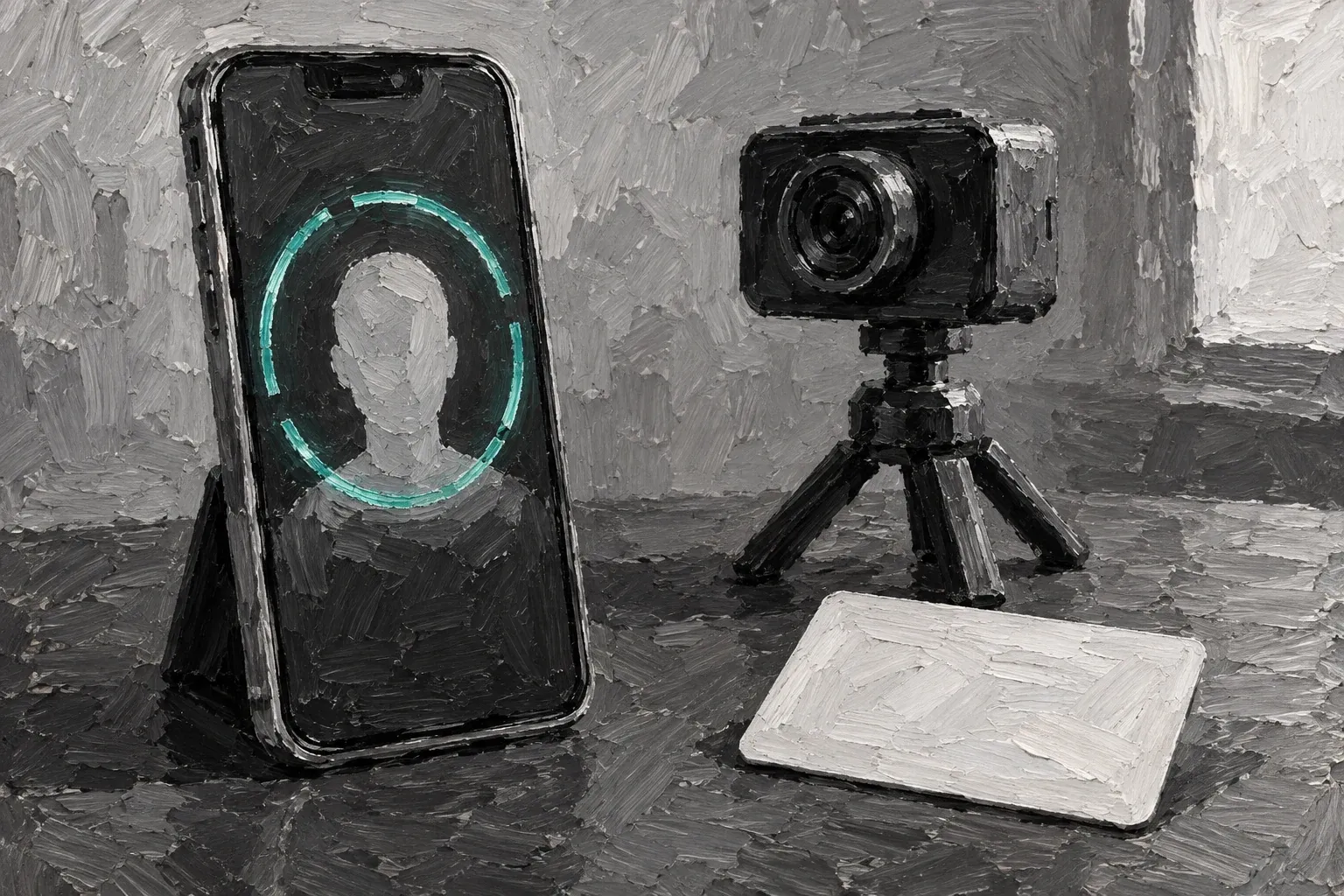
01What you need for eKey 2.0 registration
- Your Bahrain personal number, commonly called the CPR number.
- A mobile number that can receive the SMS verification code.
- A valid physical ID card for front and back photographs.
- A phone compatible with the eKey 2.0 app and camera-based biometric checks.
- Good lighting for the selfie and ID images.
The official eKey page describes eKey 2.0 as the current biometric version for Bahrain citizens and residents. It is separate from the older Standard and Advanced eKey levels.
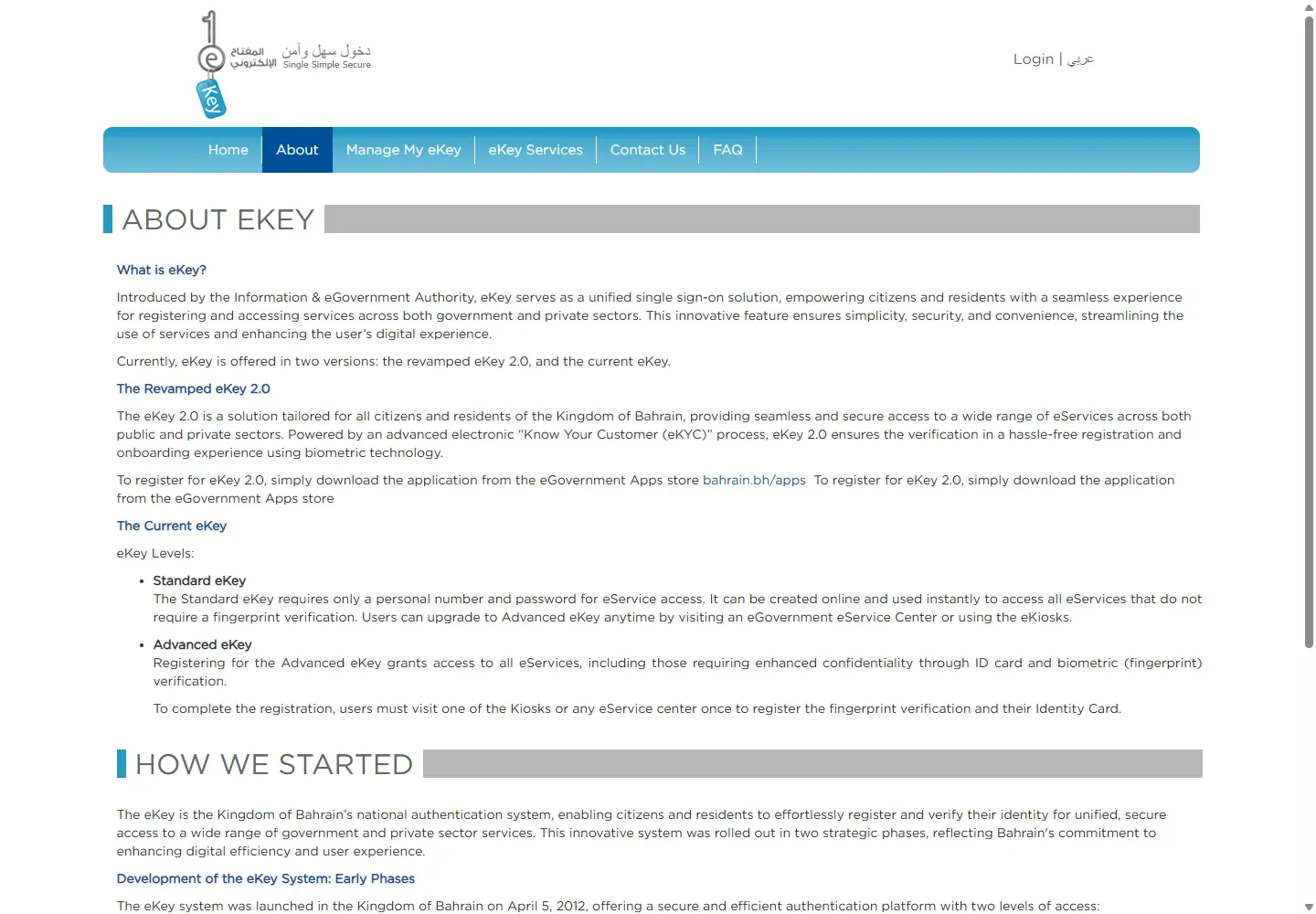
02Register in the eKey 2.0 app
- Download eKey 2.0 from the official Bahrain eGovernment Apps Store or your phone's app store.
- Open the app and start registration.
- Enter your personal number.
- Enter your mobile number.
- Enter the OTP sent by SMS.
- Select Start Registration when the app is ready.
No fee is published for creating an eKey 2.0 account. Mobile-data or SMS charges from your operator may still apply.
03Complete the biometric and ID checks
- Follow the app instructions for the 3D selfie or facial scan.
- Photograph the front of the valid ID card.
- Photograph the back of the card.
- Check the retrieved details carefully before completing registration.
Use an uncluttered background, remove glare from the card and keep every edge inside the camera frame. Do not edit or filter the ID photo.
04Use eKey 2.0 on Bahrain websites
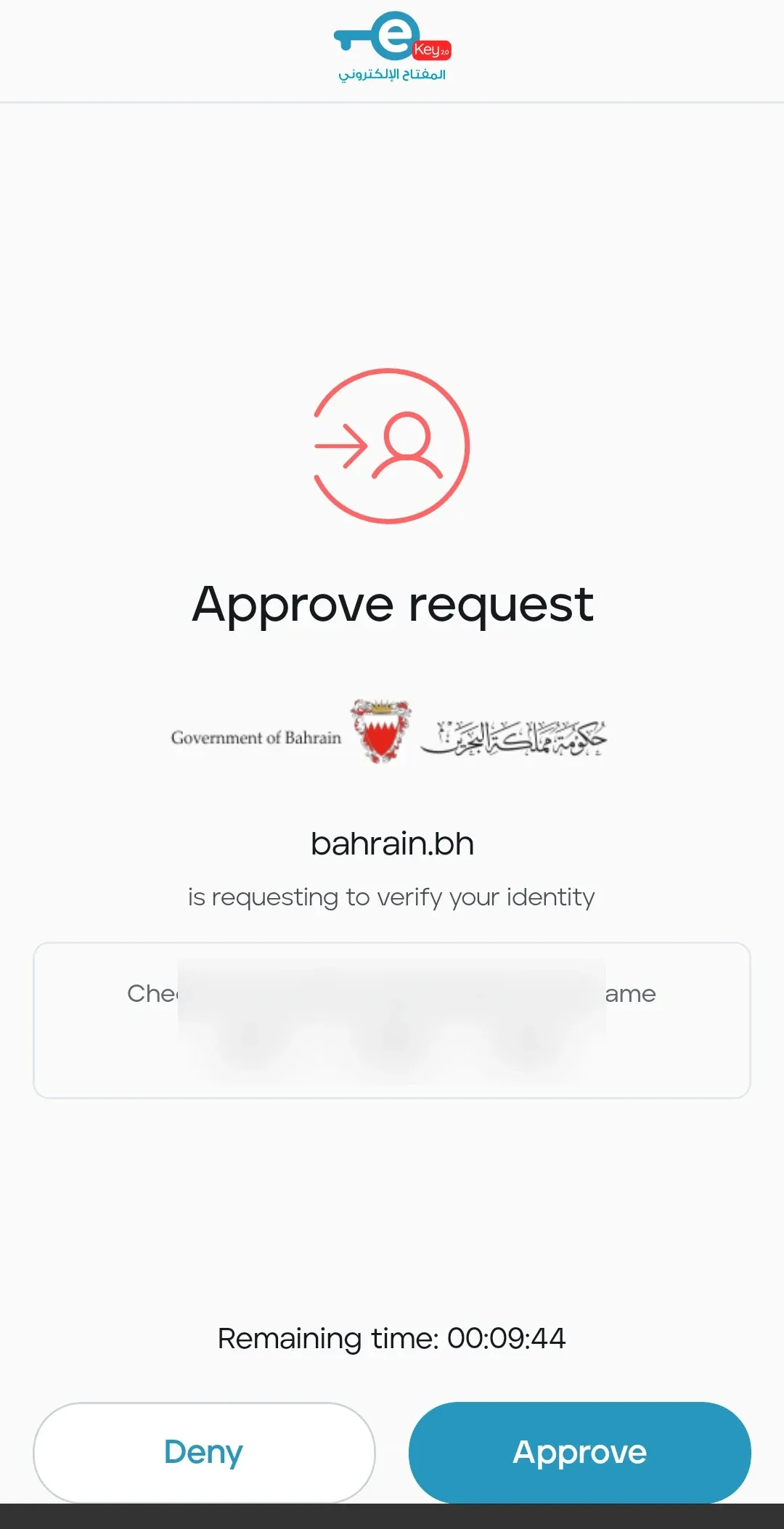
When a Bahrain service sends you to eKey, choose Sign In with eKey 2.0 and enter the requested Bahrain National ID on the official screen. The app then shows an approval request. Compare its code with the browser and approve only when they match.
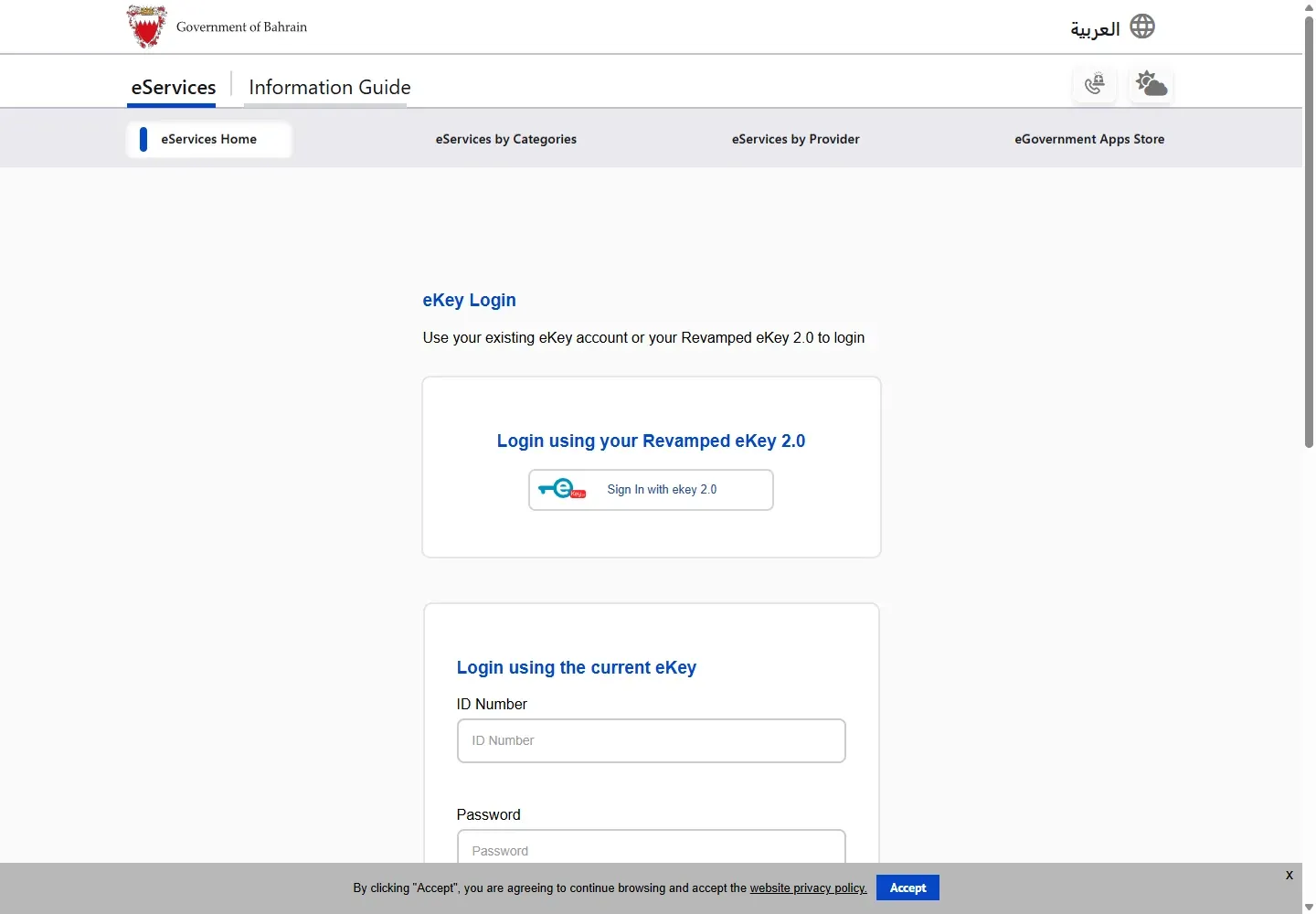
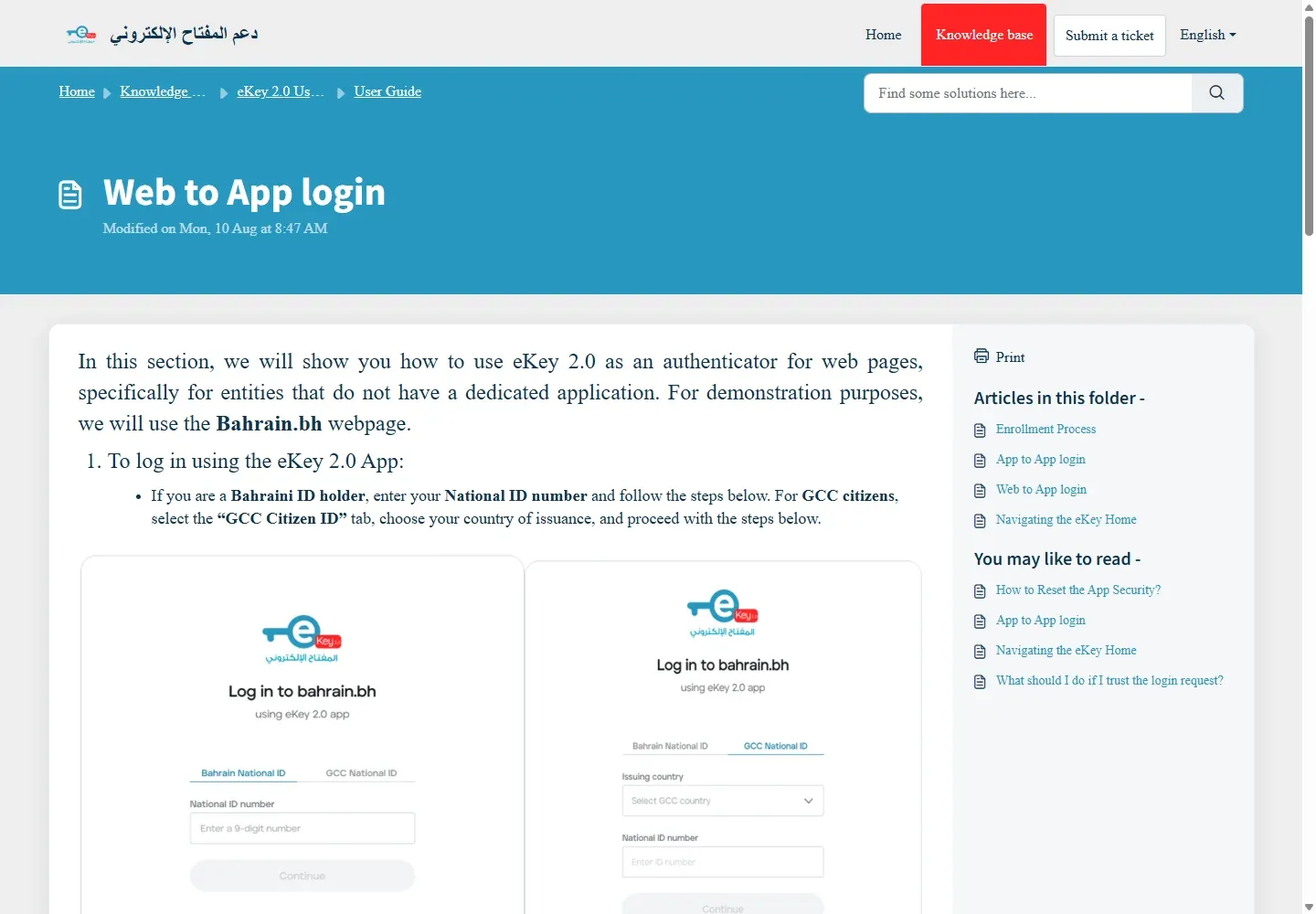
05Reset and account recovery
If you still use the older current eKey password login, use the official Forgot Password link on the Bahrain login page. For eKey 2.0 app security, device changes or biometric-registration failures, use the eKey support guidance or call 8000 8001. Do not create repeated accounts with different mobile numbers to work around a failed verification.
06Fix common eKey registration errors
- OTP does not arrive: confirm the mobile number, signal and SMS availability, then request one new code.
- Selfie scan fails: face the camera directly in even light, remove sunglasses or face coverings that block matching, and clean the camera lens.
- ID photo is rejected: photograph the original valid card on a plain surface without glare, blur or cropped edges.
- Details are wrong: stop before completing registration and correct the civil-record or ID-card information through the responsible authority.
- A website approval never appears: open eKey 2.0, confirm the registered device is online, cancel the browser attempt and start one fresh request.
- You changed phones: follow the official device and app-security recovery steps or call support. Do not approve an unexpected request on the old device.
07Official help and related guides
For eKey registration help, call the Government Services Contact Centre on 8000 8001.
08Who can register and what you need
eKey 2.0 is available to Bahrain citizens and residents with a valid Bahrain ID card. The official FAQ states a minimum age of 15. The official enrollment guide also describes a GCC-citizen route using a GCC ID and issuance country; GCC residents without eligible identification are not covered by that route.
- A valid Bahrain ID card, or the eligible GCC-citizen identification shown by the app
- Your personal number
- A mobile number that can receive the OTP
- A supported phone with a front camera
- A well-lit place for the selfie and clear images of the front and back of the ID
The official FAQ states there is no fee to download or use eKey 2.0. It lists Android 7 or later, iOS 14 or later, and supported Huawei devices using the corresponding Android version.
09Registration steps in the eKey 2.0 app
- Download the official eKey 2.0 app from the iOS App Store, Google Play, Huawei AppGallery or Bahrain eGovernment Apps Store.
- Choose Arabic or English and set a passcode or biometric app lock.
- Enter the personal number. Eligible GCC citizens can choose the issuing country and enter the GCC ID.
- Enter the mobile number and the OTP sent by SMS.
- Follow the selfie instructions. Use even light, remove dark glasses and keep the full face visible.
- Photograph the front and back of the valid ID card with all edges visible.
- Check the identity details and confirm registration.
If you change devices or log out of the app, the official enrollment guide says you must repeat enrollment to recover the account.
10How web login works
- Open the Bahrain government, Sijilat or LMRA EMS service you need.
- Choose the eKey 2.0 sign-in option.
- If you are on the same phone, choose the button that opens eKey 2.0. If you are on another screen, follow the displayed approval route.
- Review the service name and request in the app, then approve only if you started it.
- Return to the browser and continue the service.
Never approve an eKey request you did not start. Do not share an OTP, passcode or approval code.
11Common eKey 2.0 errors
- Selfie fails: use brighter, even lighting; remove dark glasses; reduce glare; keep the full face visible; and compare your current appearance with the ID photo.
- ID scan fails: place the card on a plain surface, show every edge, avoid glare and keep fingers away from the printed details.
- OTP does not arrive: confirm the mobile number and network reception, wait briefly, then use the app's available resend route.
- New phone or logged-out app: repeat the enrollment flow. The official guide treats this as account recovery.
- Website approval loops: close duplicate tabs, restart from the service and make sure the registered eKey app is active on the phone.
- Registration still fails: use the in-app Help Centre, Tawasul or call 8000 8001.
12eKey Bahrain FAQs
Is eKey 2.0 free in Bahrain?
Yes. The official eKey FAQ says there is no fee to download or use it.
What is the minimum age for eKey 2.0?
The official FAQ states that the minimum eligible age is 15.
Can I use eKey outside Bahrain?
Yes. The official FAQ says eKey 2.0 can be used normally outside Bahrain.
Do existing eKey users need to register for eKey 2.0?
Yes. The official FAQ says existing users must complete a new eKey 2.0 registration in the app.
What happens when I change my phone?
The official enrollment guide says you must repeat the enrollment process on the different device to recover the account.
Can GCC citizens register?
The app's official enrollment guide describes a GCC-citizen route using the GCC ID and issuing country. Eligibility differs from being a GCC resident, so follow the identity option shown by the app.
Which services use eKey 2.0?
Official examples include bahrain.bh, MyGov, Sijilat, LMRA and Ministry of Labour services.
Where can I get eKey support?
Use the in-app Help Centre, Tawasul or Government Services Contact Centre 8000 8001.
13Official sources checked
Registration, eligibility, device and support details were checked on 6 October 2026.