Official process guide
How to Download Your CPR in Bahrain in 1 Minute
By Gaurav Agarwal · Checked 5 October 2026
To download your CPR copy in Bahrain, open Print ID Card Certificate and Statement on bahrain.bh, choose Print ID Card Details Certificate, sign in with eKey 2.0, then open View beside ID Card Certificate and save or print the certificate. The clicks take about one minute when eKey is ready.
01The fastest CPR download route
- Open the official Identity Card Services page.
- Select Print ID Card Certificate and Statement.
- Choose Print ID Card Details Certificate.
- Sign in with eKey 2.0 and approve the request in the eKey app.
- On the result page, select View beside ID Card Certificate.
- Use the PDF download button or your browser's Print command to save a copy.
Know the difference: this route creates an official ID Card Details Certificate. The ID Card Reader Software result is a computer utility and does not download your CPR copy.
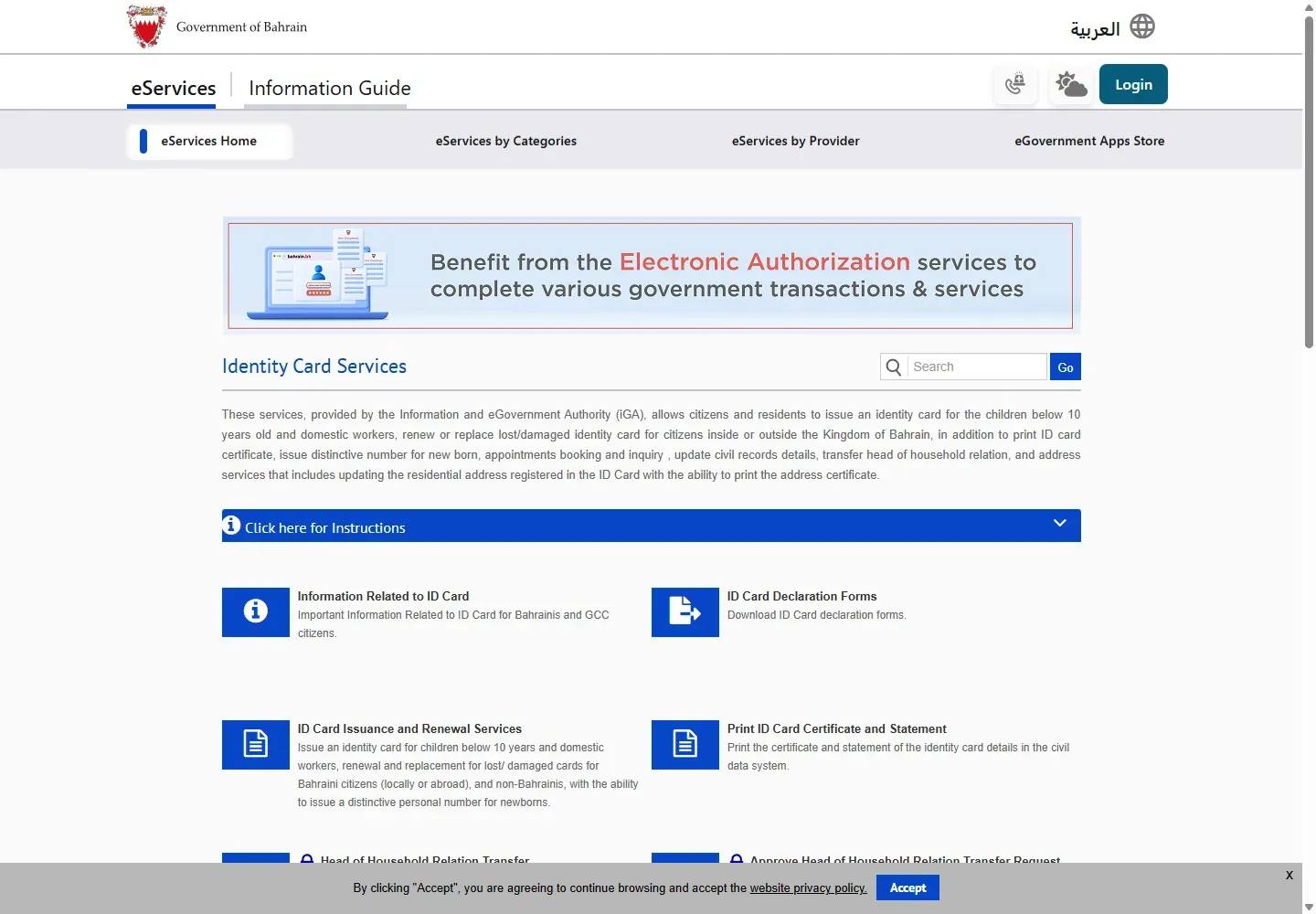
02Open the correct certificate service
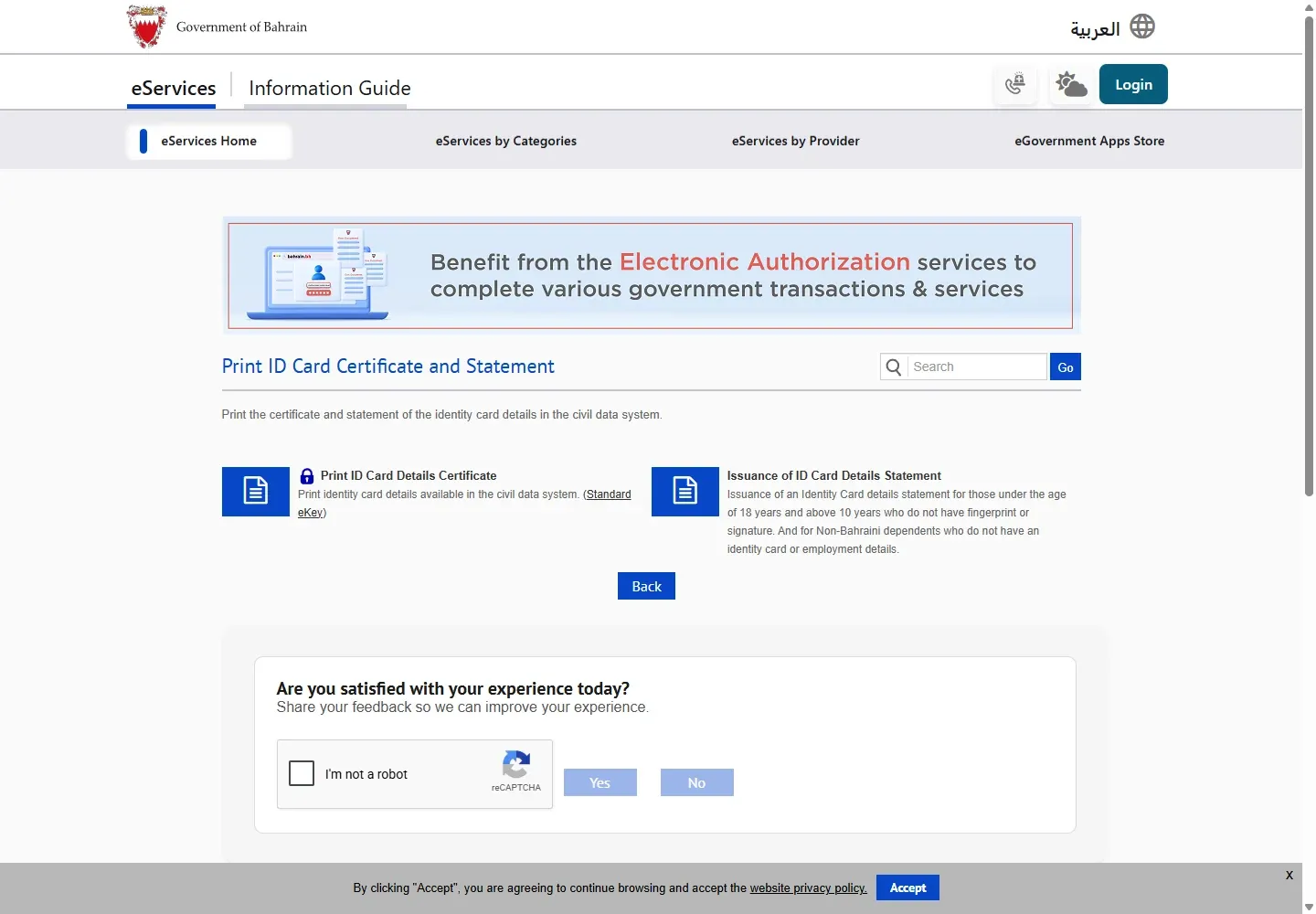
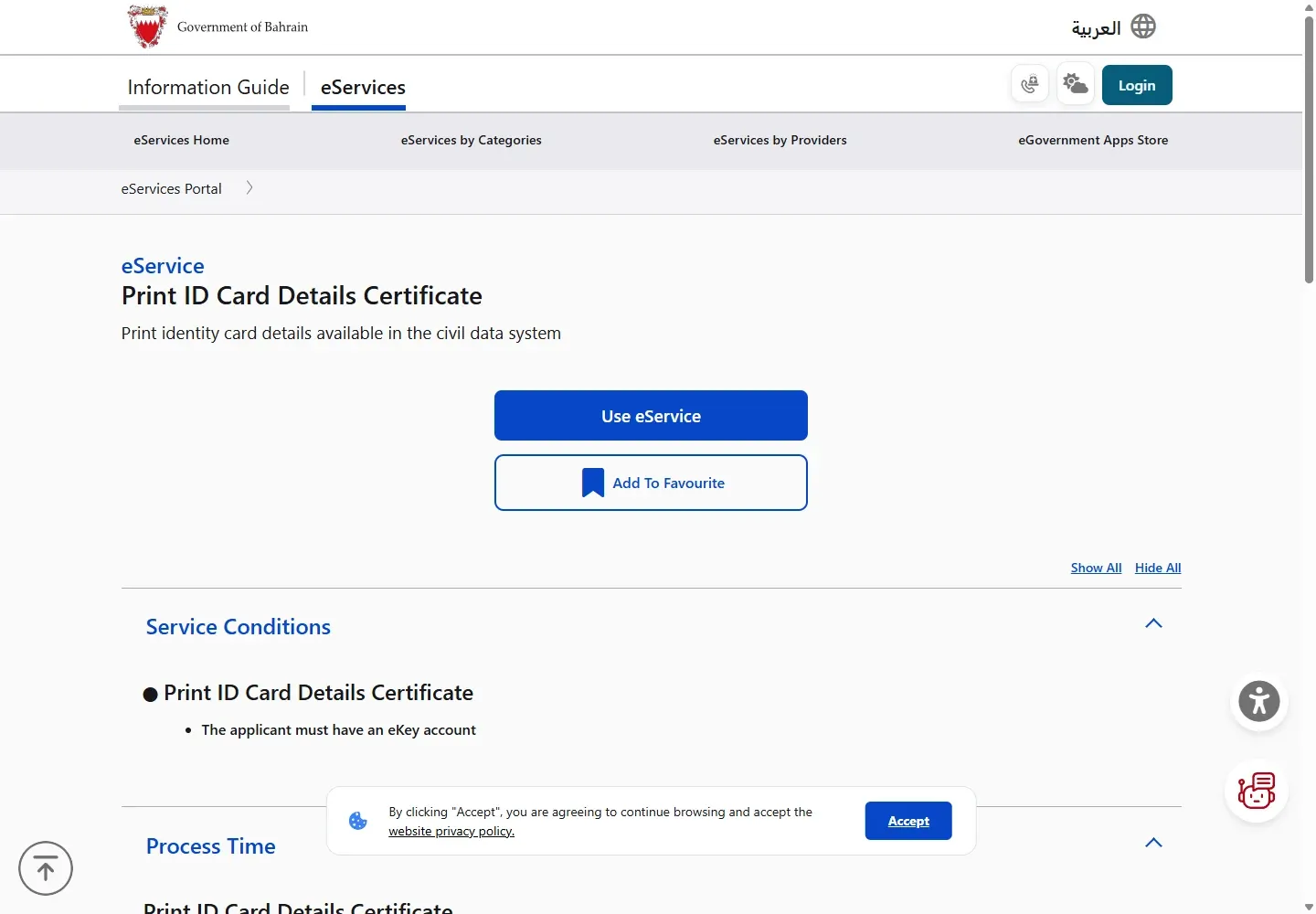
The next screen presents two choices. Select Print ID Card Details Certificate, which the portal describes as printing identity card details available in the civil data system. Do not choose the statement service unless that is the document you were specifically asked to provide.
03Approve the eKey 2.0 login
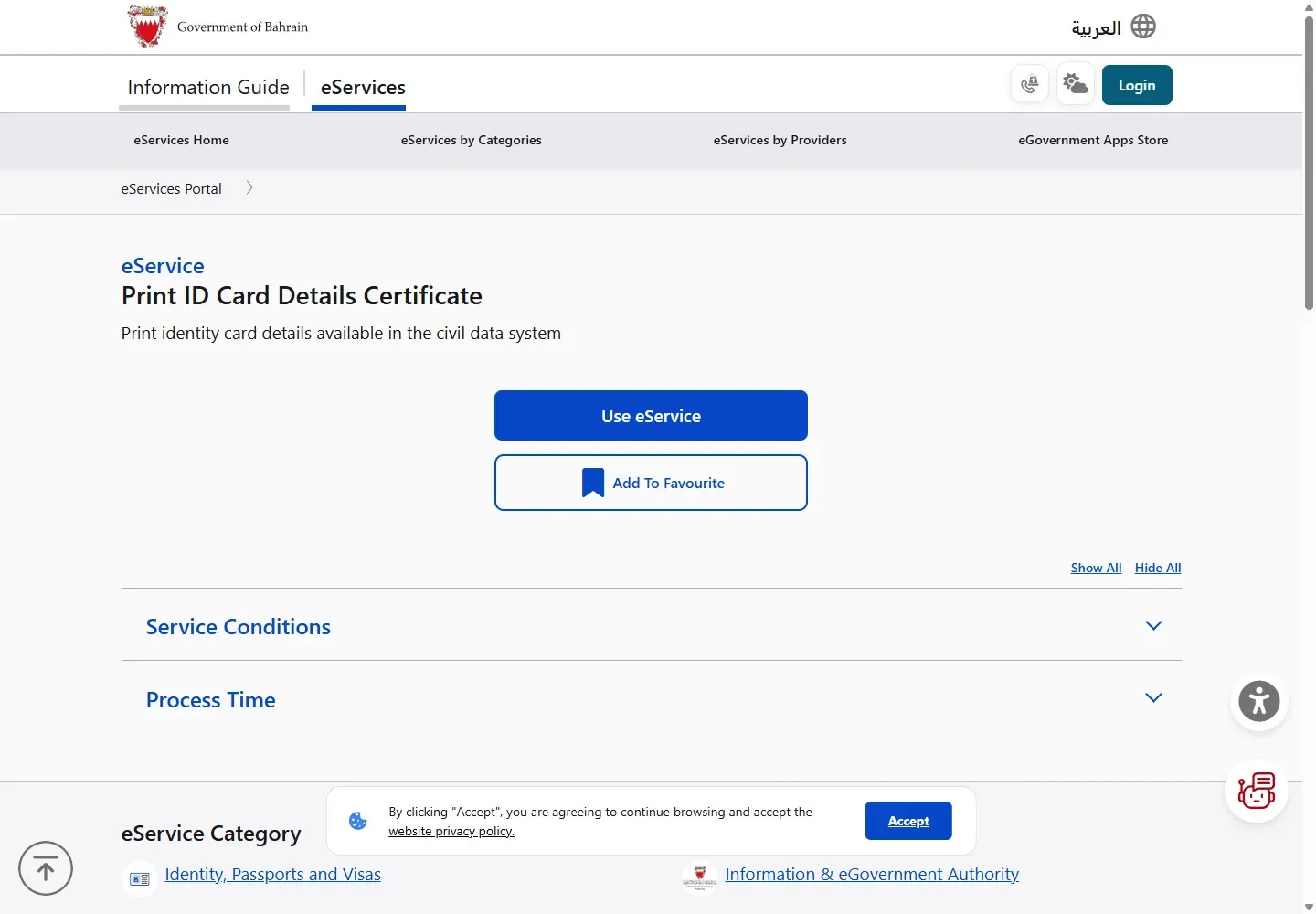
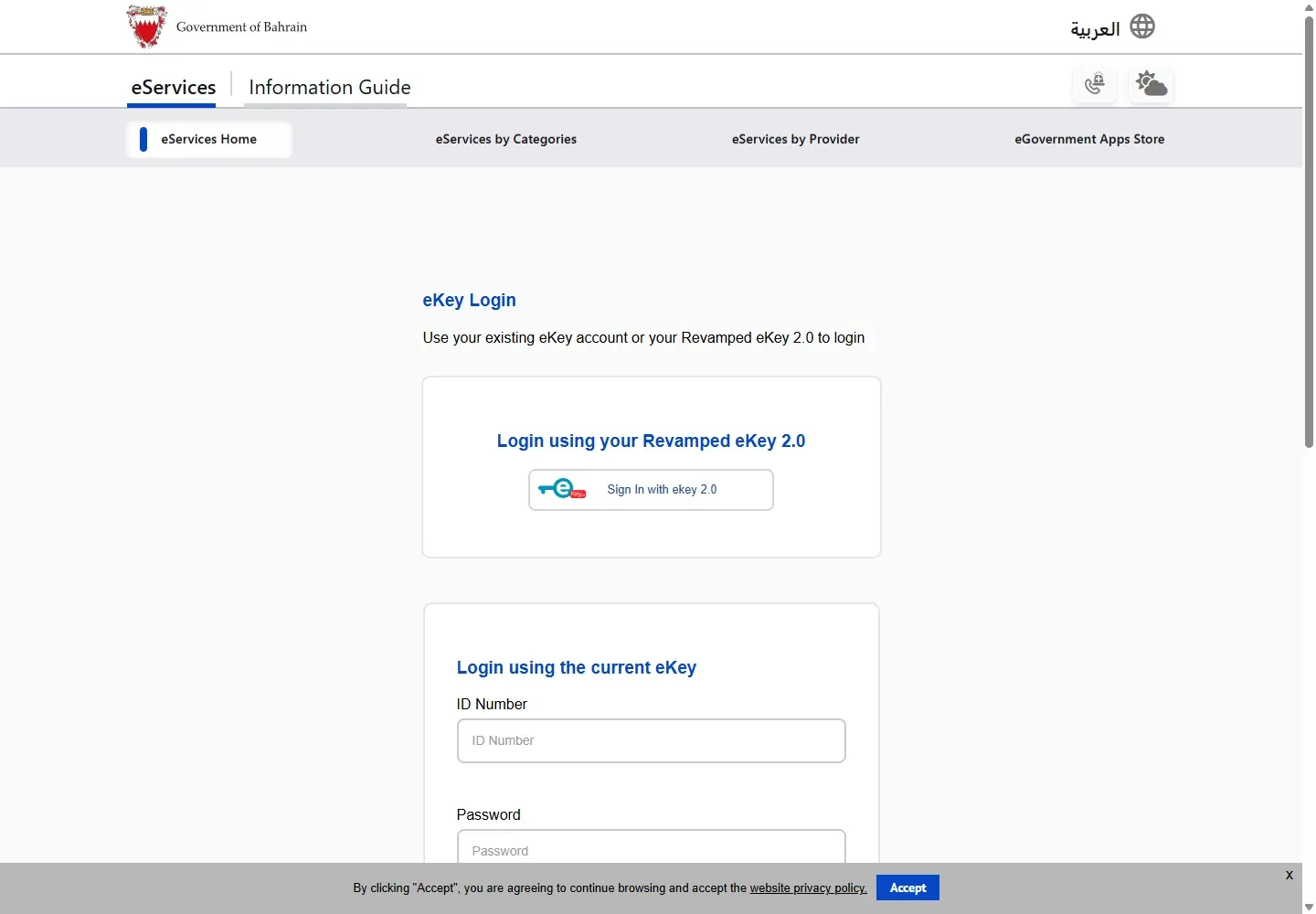
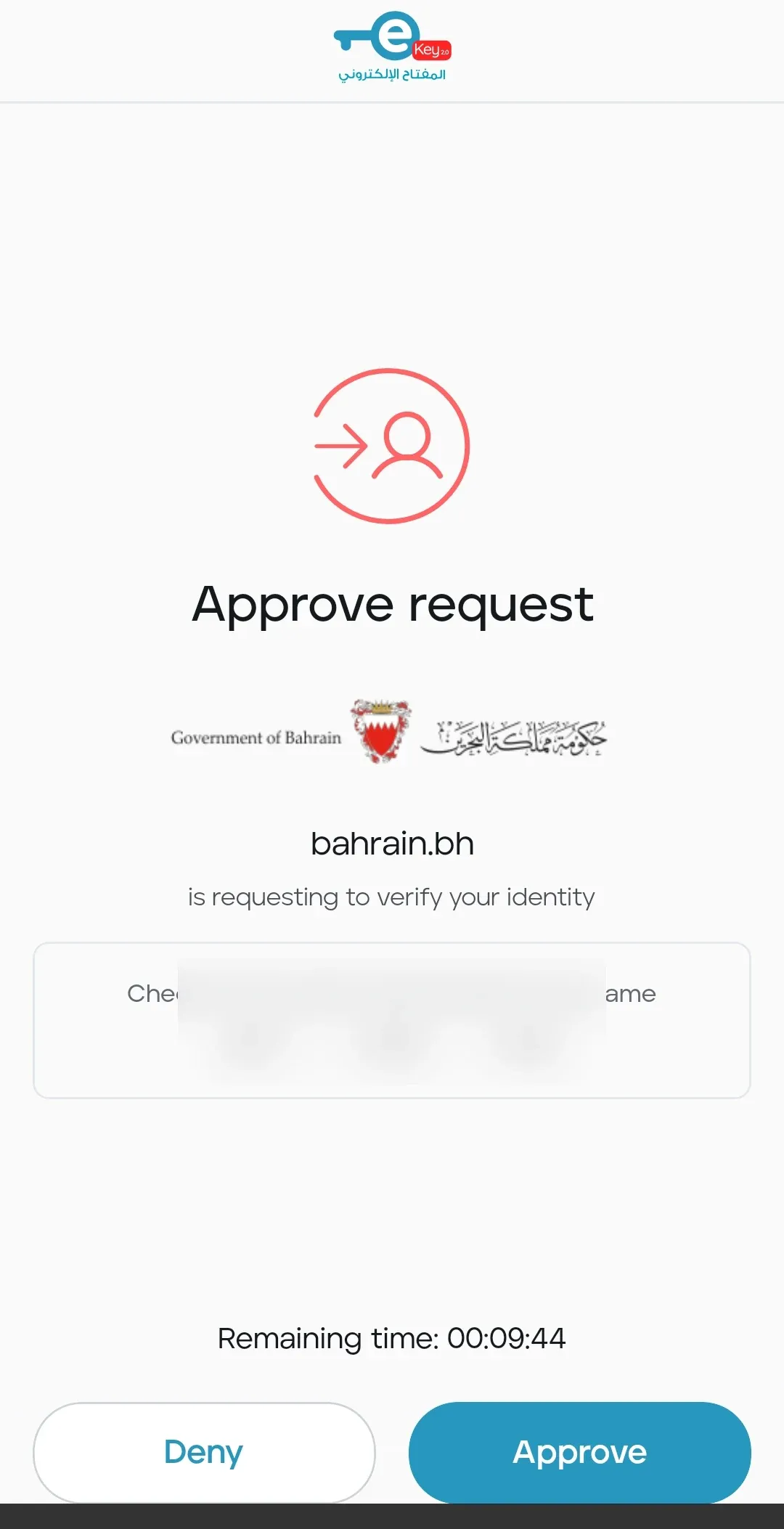
Select Use eService. The portal opens eKey. Sign in with your registered eKey 2.0 method. When the phone app displays an approval request, compare its code with the browser code and tap Approve before the timer ends.
04View and save your CPR certificate
After approval, the result page retrieves your civil record. Select View beside ID Card Certificate. When the certificate opens, use its download control. If it opens in a browser viewer without a download icon, press Print and choose Save as PDF.
The public service page lists an eKey account as the condition, no attachments and a process time of one working day. It does not list a fee. In a prepared account the on-screen retrieval may be much faster, but the official published time is the safer allowance.
05Use BeAware when you only need the digital CPR
For showing your identity card on a phone, open Bahrain's official BeAware app and use My Cards. The app can display personal government documents, including the identity card. This is different from downloading the formal ID Card Details Certificate requested by a bank, employer or government office.
A digital copy does not complete a replacement request; use the separate service to replace a lost physical CPR.
If a recipient asks for a CPR copy or certificate file, use the bahrain.bh route above. If they only need to see your digital CPR, BeAware may be enough.
06Common errors and quick fixes
- You opened ID Card Reader Software: return to Identity Card Services and choose Print ID Card Certificate and Statement.
- The eKey approval does not arrive: open the eKey 2.0 app, confirm the registered device has internet access, then start the login again.
- The code is different: deny the request and restart. Approve only when the browser and app codes match.
- View opens nothing: allow pop-ups for services.bahrain.bh and retry once.
- There is no download icon: use the browser Print command and save as PDF.
- The civil data is wrong: do not edit the certificate. Contact iGA or use the relevant ID card update service.
If the certificate contains outdated details, follow the process to correct CPR information rather than editing the downloaded document.
07Official help and related Bahrain guides
For portal help, call the Government Services Contact Centre on 8000 8001. The ID Card Services number shown by the portal is 1787 8000.
Choose the CPR copy that matches the request
People often say “CPR copy” when they mean different things. Bahrain's official service calls the downloadable document an ID Card Details Certificate. It is not a scan of the plastic card and it does not replace a lost card.
| What someone asks for | Official task |
|---|---|
| A current document showing ID-card details | Print ID Card Details Certificate |
| View your card and family members' cards | Family ID Card Services |
| Renew, replace or issue a physical card | Use the applicable ID Card Issuance service, not the certificate-printing route |
| Correct wrong personal details | Use the official update service for the record, then download a new certificate |
The government service directory says the certificate service is available to citizens and residents, is free, requires no documents and is completed immediately through the National Portal.
Check the file before you send it
- Confirm that the certificate belongs to the correct person.
- Check the name, personal number, card validity and other details against the current record.
- Download or print the certificate using the control shown by the service.
- Open the saved PDF and verify that it is readable and complete.
- Rename the local file without putting the full CPR number in the filename.
- Send it only through the channel requested by the legitimate recipient.
If a detail is wrong, do not edit the PDF. Correct the population record through the relevant official service and issue a new certificate. An altered certificate can no longer be relied upon as an official record.
Using MyGov and the wider ID Card Services portal
The official MyGov app page says users can view personal documents, certificates and statements after secure eKey 2.0 login. This can be useful when the certificate is needed on a phone.
The main Identity Card Services portal groups certificate printing with issuance, renewal, replacement, appointment, civil-record and address services. Read the service title before proceeding so that you do not begin a card replacement when all you need is a printable statement.
iGA's ID Card and Civil Record Services directory describes the ID Card Details Statement as immediate through the National Portal and requires access to eKey. Use this page to confirm the service provider and current support information.
Common CPR download problems and fixes
| Problem | Fix |
|---|---|
| The wrong family member is selected | Return to the family list and select the correct record before generating the certificate. |
| The service redirects to login repeatedly | Close duplicate tabs, begin again from the National Portal and complete one fresh eKey session. |
| The PDF is blank or cut off | Wait for the statement to render, then use the service's print control or Save as PDF in a current browser. |
| The certificate contains old information | Update the underlying record through the official service. Downloading again does not correct source data. |
| A recipient asks for both sides of the CPR card | Ask whether the official ID Card Details Certificate is acceptable. If they specifically require a card image, share it only through an appropriate secure channel. |
| You cannot find the certificate option | Use the direct service page or the National Portal's identity eServices list. |
CPR copy questions
Is the e-CPR certificate free?
Yes. The official directory lists no fee, no document upload and immediate completion for the ID Card Details Certificate.
Is the certificate a replacement for the plastic CPR card?
No. It is an official statement of ID-card details. Renewal and lost-card replacement are separate services.
Can I download a family member's CPR certificate?
Family ID Card Services allows eligible users to view identity details for themselves and family members. The available records depend on the relationships and permissions held in the system.
Can I use a screenshot instead of the PDF?
Ask the recipient. The official downloaded or printed certificate is usually clearer and preserves the full statement. Avoid cropping out validation or context.
What should I do if the information is wrong?
Use the applicable update service and generate a fresh certificate after the correction. Never edit the official PDF.
Does downloading the certificate renew an expired CPR?
No. Use the separate CPR renewal service for an expired or nearly expired card.