Official process guide
CR Status Check Bahrain: Verify a Sijilat Registration
By Gaurav Agarwal · Checked 5 October 2026
For related tasks, use Sijilat Bahrain: CR Search, Login and Online Services.
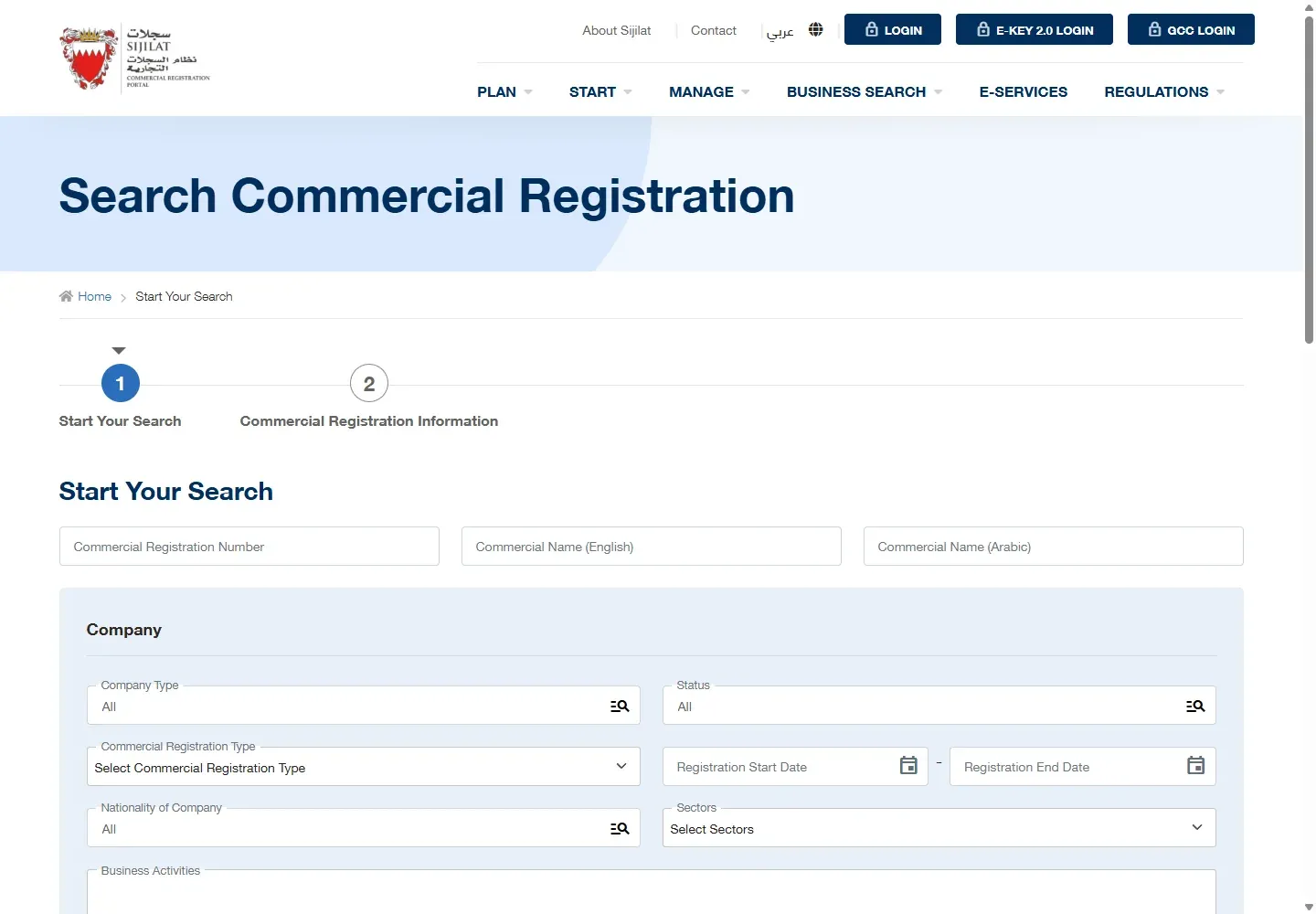
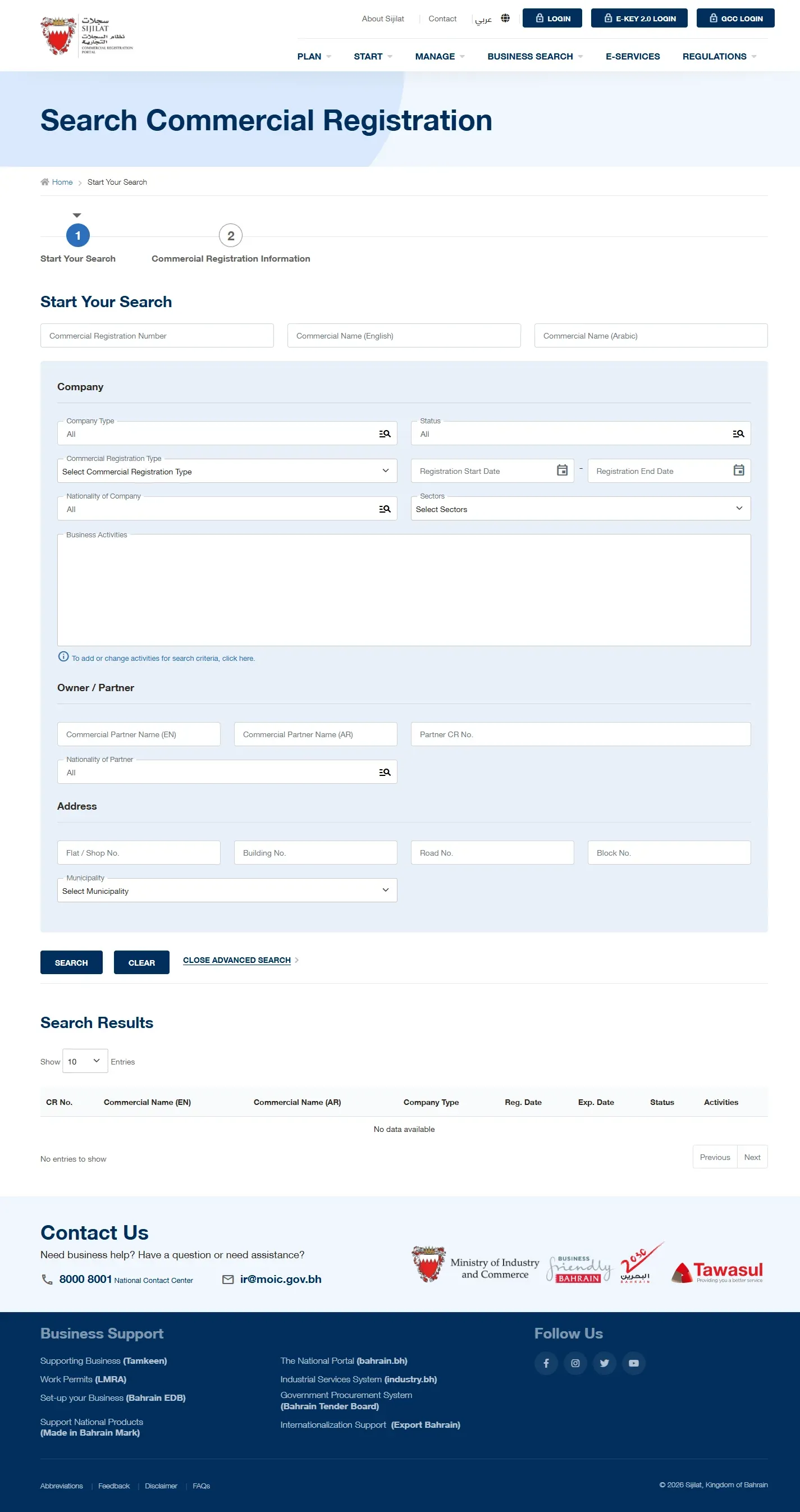
For a CR status check in Bahrain, open Sijilat's public Search Commercial Registration page, enter the CR number or commercial name, choose Search and read the Status and Expiry Date columns. The public search requires no login and shows no payment step.

01CR status check Bahrain: the public route
- Open Search Commercial Registration on Sijilat.
- Enter the Commercial Registration number. You can also search by English or Arabic commercial name.
- Choose Search.
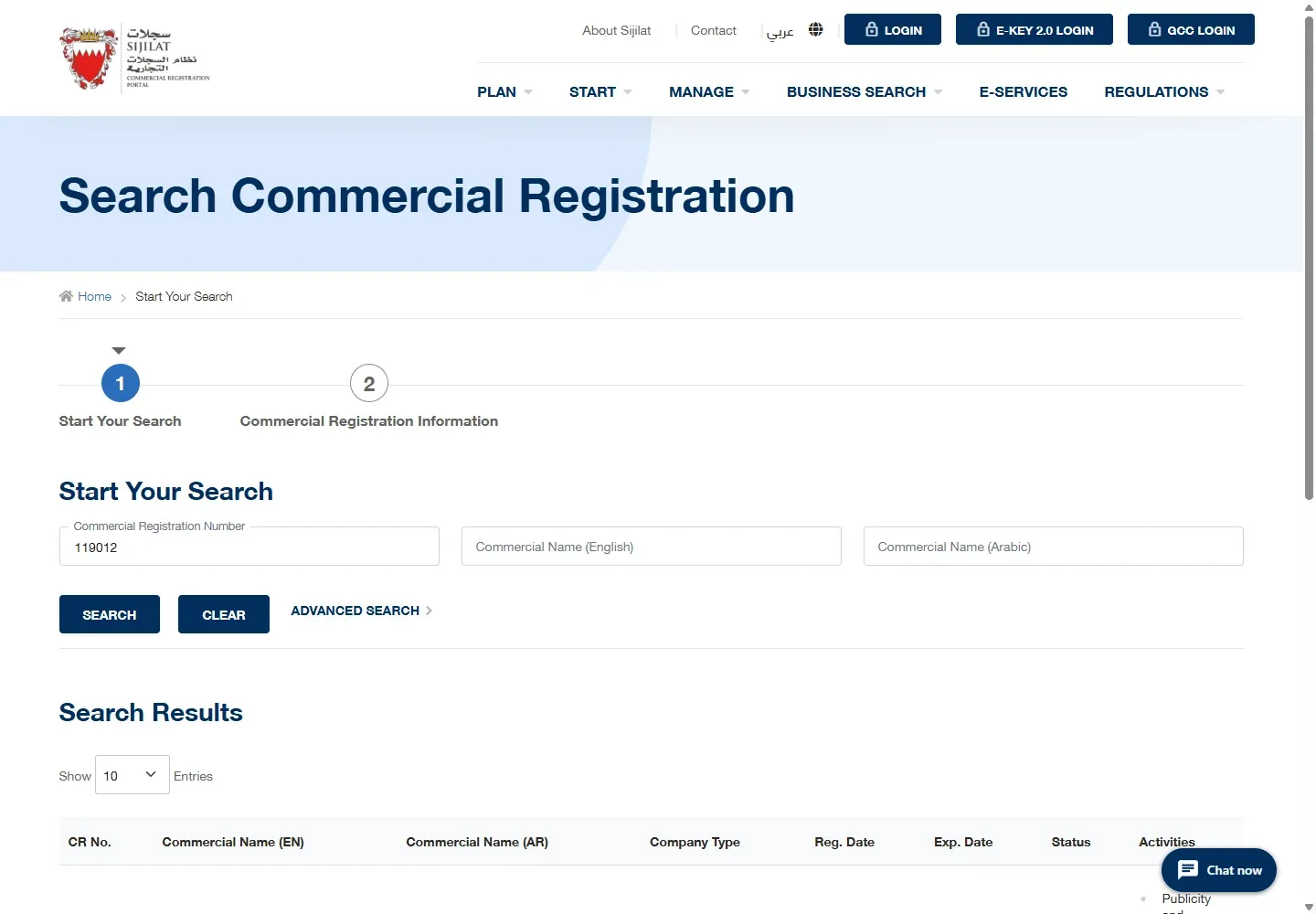
- Match the full CR and branch number, then read the status and expiry date.
- Open the record when you need to check its registered activities.
02Use the CR number when possible
A company name can return several businesses or branches. The CR number gives the cleanest match. Include the branch suffix when you have it, such as the final number after the hyphen. If you only know the name, try the exact English or Arabic spelling shown on the company's documents.
03Read status, expiry and activities
The results table identifies the CR number, commercial name, company type, registration date, expiry date, status and activities. Verify the branch row before relying on the status because one company can have more than one branch.
04Checking a CR application is different
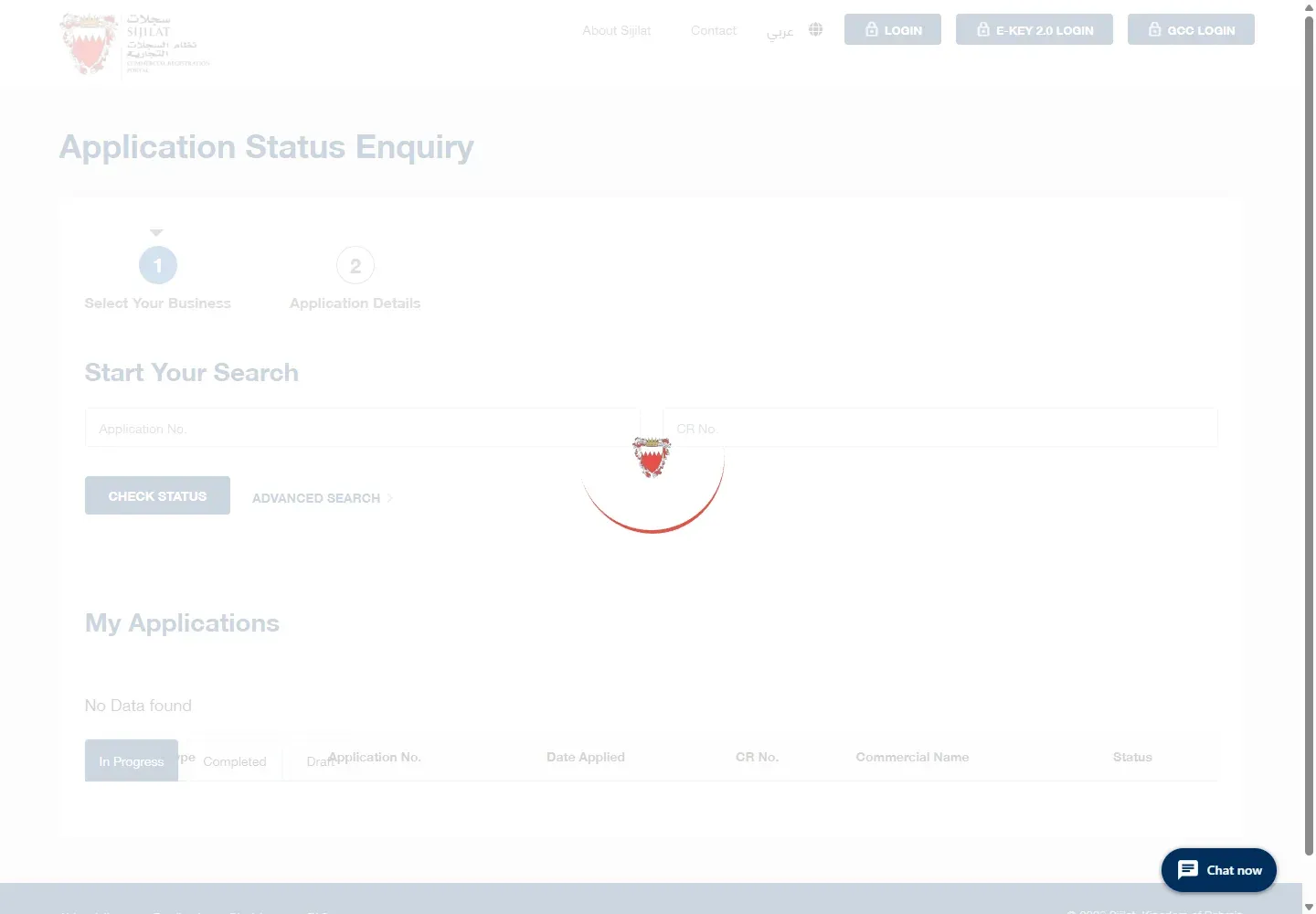
If you are waiting for an amendment, renewal, registration, or another submitted request, use Sijilat's Application Status Enquiry. Enter the application number and use Check Status. This tracks the transaction, while the public CR search checks the registration record.
05Fix common CR search problems
- No result: remove the branch suffix and search the main CR number, or try the exact commercial name.
- Several rows appear: match the full CR and branch number before reading the status.
- The company name changed: search by CR number because the old name may no longer be the best match.
- You are checking an application: use Application Status Enquiry rather than the public registration search.
- The CR is near expiry: follow the CR renewal guide.
06Bahrain company search questions
How do I search for a company in Bahrain?
Use Sijilat’s public Commercial Registration Search and enter the CR number when you have it. You can also search by the registered commercial name. Match the returned legal name, status and activities before relying on a listing.
What is a commercial registration in Bahrain?
A Commercial Registration, commonly called a CR, is the official registration record for a business. The Sijilat search can show public registration details, but it does not replace a downloaded CR certificate when a bank, customer or authority asks for the certificate itself.
Can I check a Bahrain CR without logging in?
Yes. The public CR search does not require eKey. Login is needed for owner actions such as applying, renewing or changing a registration.
Official help and related guides
For Sijilat help, call 8000 8001 or email [email protected].