Provider renewal guide
Arabia Insurance Bahrain Renewal: Official Route and Checklist
By Gaurav Agarwal · Checked 5 October 2026
Open Arabia Insurance Bahrain's official car page and use Motor Quick Renewal, or go to its official Client Space quick-renewal page. Retrieve the existing policy, review the vehicle, cover and dates, pay on the Arabia portal, and save the issued certificate. Vehicle-registration renewal is a separate government step.

01Use Arabia Insurance's official renewal route
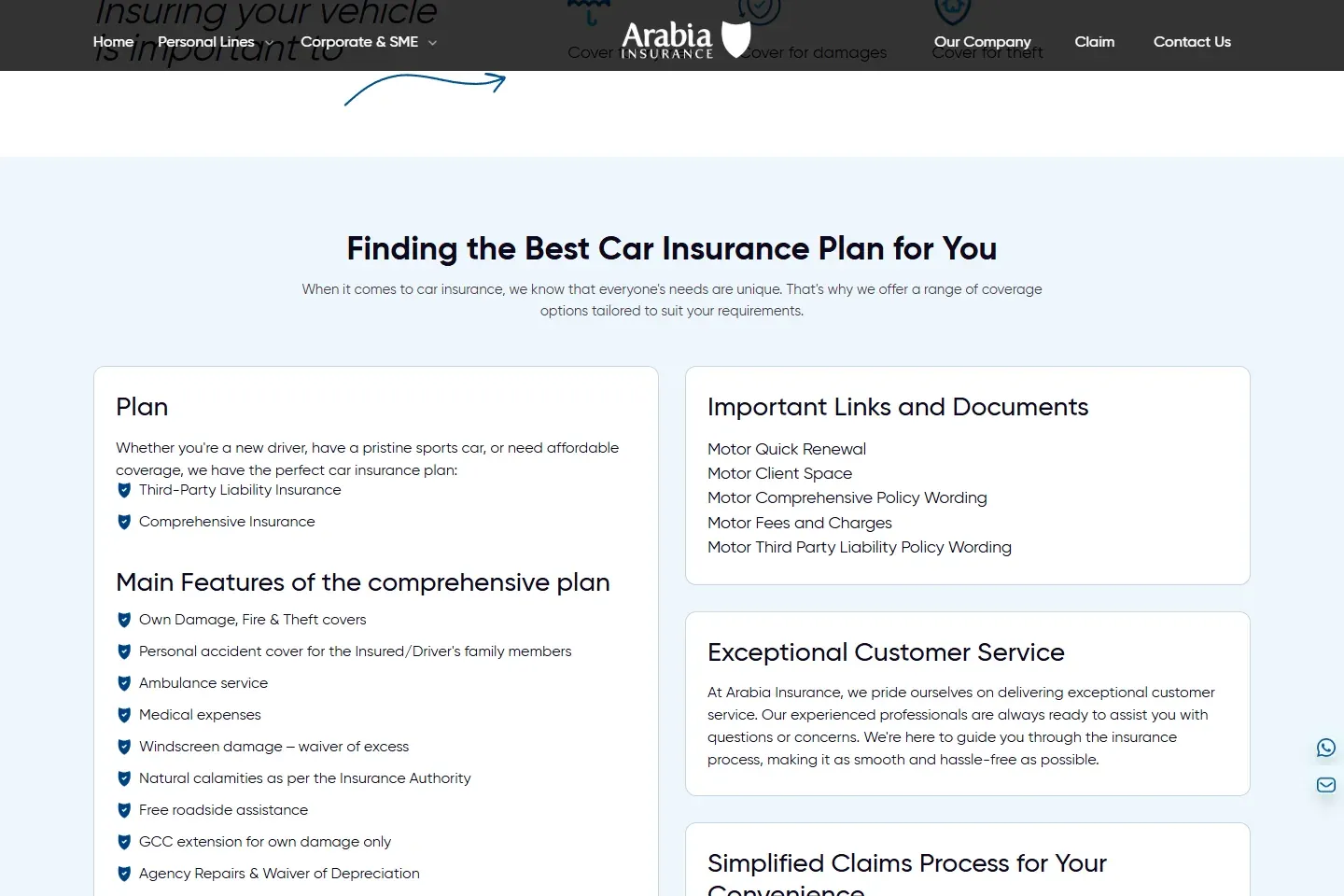
Start at Arabia Insurance Bahrain's car page. The page lists Motor Quick Renewal among the important links. Its link opens the public quick-renewal area in Arabia Insurance Client Space.
- Confirm the address is on bahrain.arabiainsurance.com or arabiaportals.arabiainsurance.com.
- Choose Motor Quick Renewal for the existing policy.
- Enter only the details the live provider form requests.
- Retrieve and inspect the renewal offer before opening payment.
- Stop if a copied advertisement or message sends you to an unrelated payment domain.
02Prepare the matching policy details
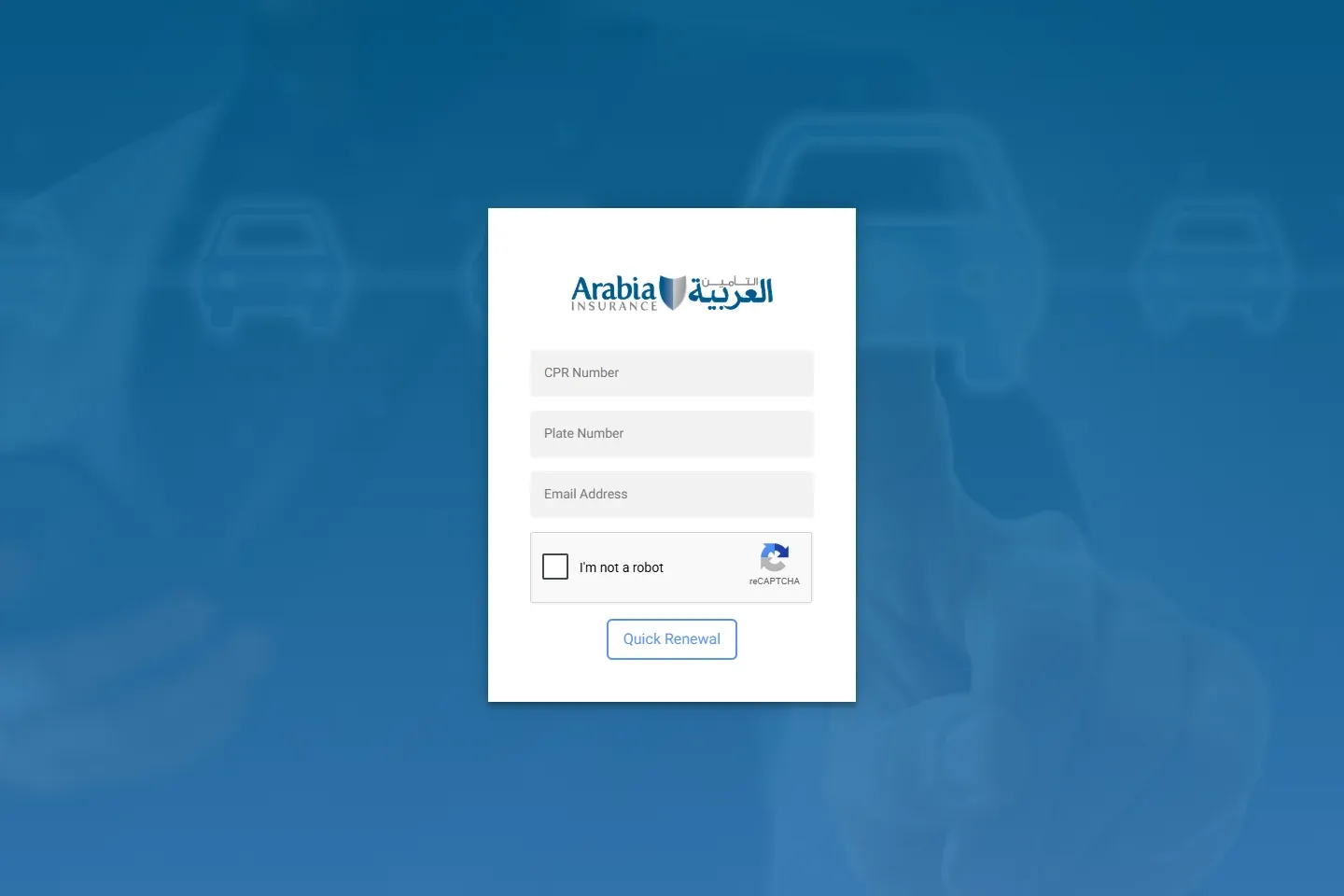
The public quick-renewal form currently asks for the CPR number, plate number and email address. Use the details connected to the existing policy. Keep the current certificate or schedule, vehicle registration and payment method ready as well.
Do not share these details through a social-media message or an unverified link. They identify the policyholder and vehicle. Enter them only on the provider portal. The live form is authoritative if its fields change after this guide's check date.
03Compare the renewed cover with the current policy
Check whether the offer is third-party or comprehensive. Then compare the insured value, compulsory and optional excesses, repair basis, territorial limit, driver restrictions, roadside help, replacement-car benefit and cover for flood or other natural perils. A lower price can reflect a different vehicle value, repair option or benefit set.
Arabia's product page links comprehensive and third-party policy wording and a fees-and-costs document. Read the wording that applies to the offered plan, then use the schedule and endorsements to confirm the exact cover. General website summaries do not override the issued contract.
If the owner, vehicle use, main driver, address or vehicle condition changed, disclose it before accepting the renewal. Ask for a written explanation when the offer has a new exclusion, deductible or material condition.
04Pay and verify the issued certificate
- Pay only through the checkout reached from Arabia Insurance Client Space.
- Save the receipt or transaction reference.
- Download the certificate, schedule and any endorsement after issuance.
- Check the legal insurer name, policy number, policyholder, plate, chassis or vehicle details, cover type and dates.
- Save the policy wording referenced by the schedule.
A payment confirmation is evidence of the transaction, but it is not a substitute for the certificate. If payment shows as pending, do not immediately pay a second time. Use the official contact route to reconcile the first transaction.
05Continue separately to vehicle registration
Motor-policy renewal and vehicle-registration renewal are different transactions. GDT requires at least third-party insurance valid for a full year from the registration month, along with any required inspection and cleared contraventions.
Use Imapro's vehicle-registration renewal guide after the policy is active. The inspection guide explains when an inspection is needed. For the complete insurer-to-Traffic sequence, use the general motor renewal guide.
06Fix a paid renewal that is not usable
- Confirm whether the portal issued a policy or only saved a quote or pending payment.
- Compare the certificate with the registered vehicle and owner record.
- Check that the policy start date has arrived and that the annual cover period is correct.
- Ask Arabia Insurance to confirm the active status and the vehicle data sent for registration.
- Keep the receipt and written answer while the transaction is reconciled.
There is no official guarantee that every insurer and government record updates within one fixed number of minutes. The car-insurance status guide shows how to separate insurer evidence from the government-facing registration condition.
07Verify the licence and use the complaint route
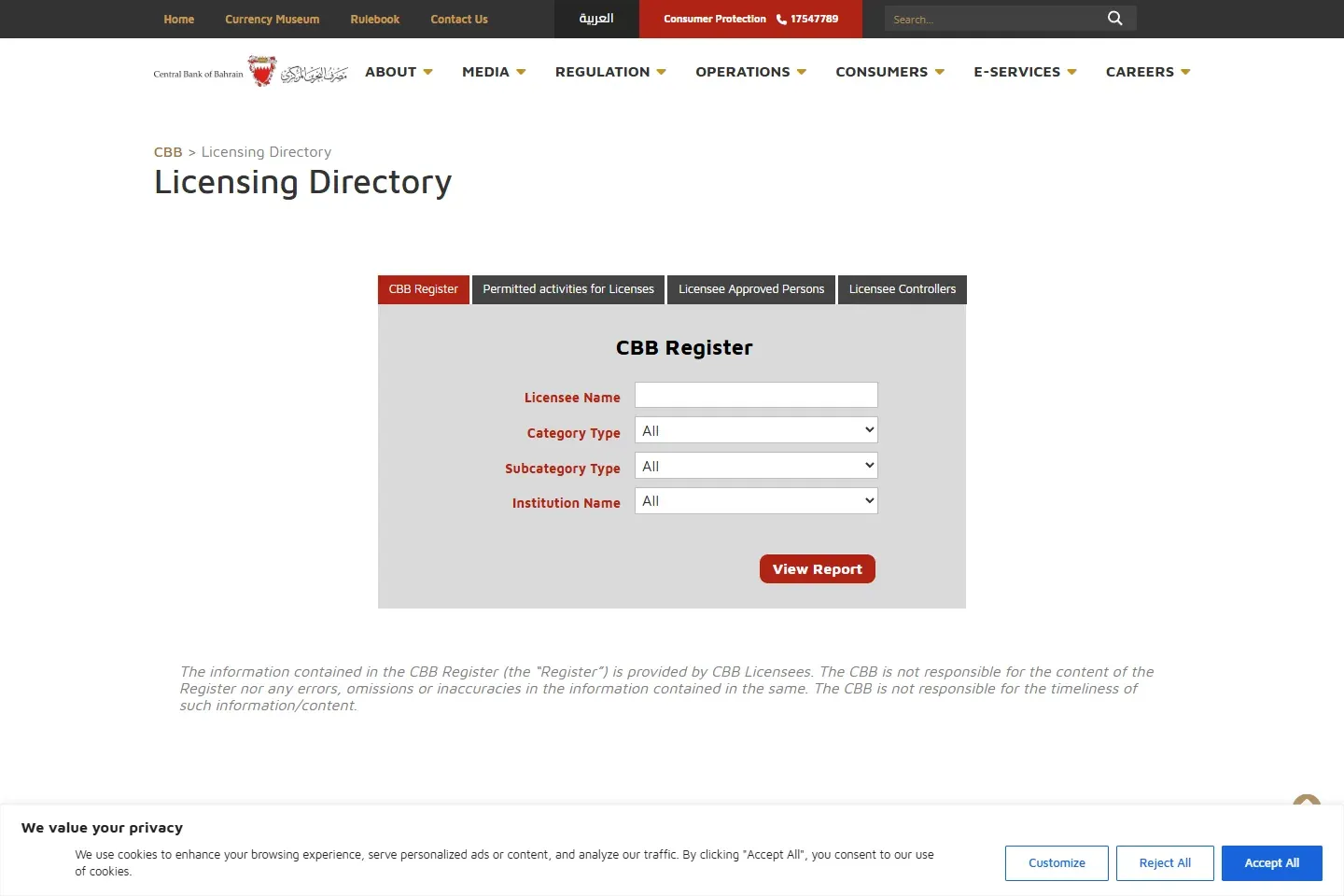
Arabia Insurance states that its Bahrain branch is licensed by CBB as an overseas insurance firm for general and life insurance. Verify the current legal entry in the CBB Licensing Directory rather than relying on a logo or reseller description.
For a renewal, service or claim problem, complain to Arabia Insurance in writing first and keep its response. If the result is unsatisfactory, follow Imapro's CBB insurance complaint guide.