Official portal guide
Sijilat Bahrain: CR Search, Login and Online Services
By Gaurav Agarwal · Checked 6 October 2026
A CR in Bahrain is the Commercial Registration record used to register and manage a business through Sijilat. Search a CR without logging in. Sign in with eKey 2.0 to renew a CR, download its certificate, change activities, update business details or track an application.

01Choose the right Sijilat route
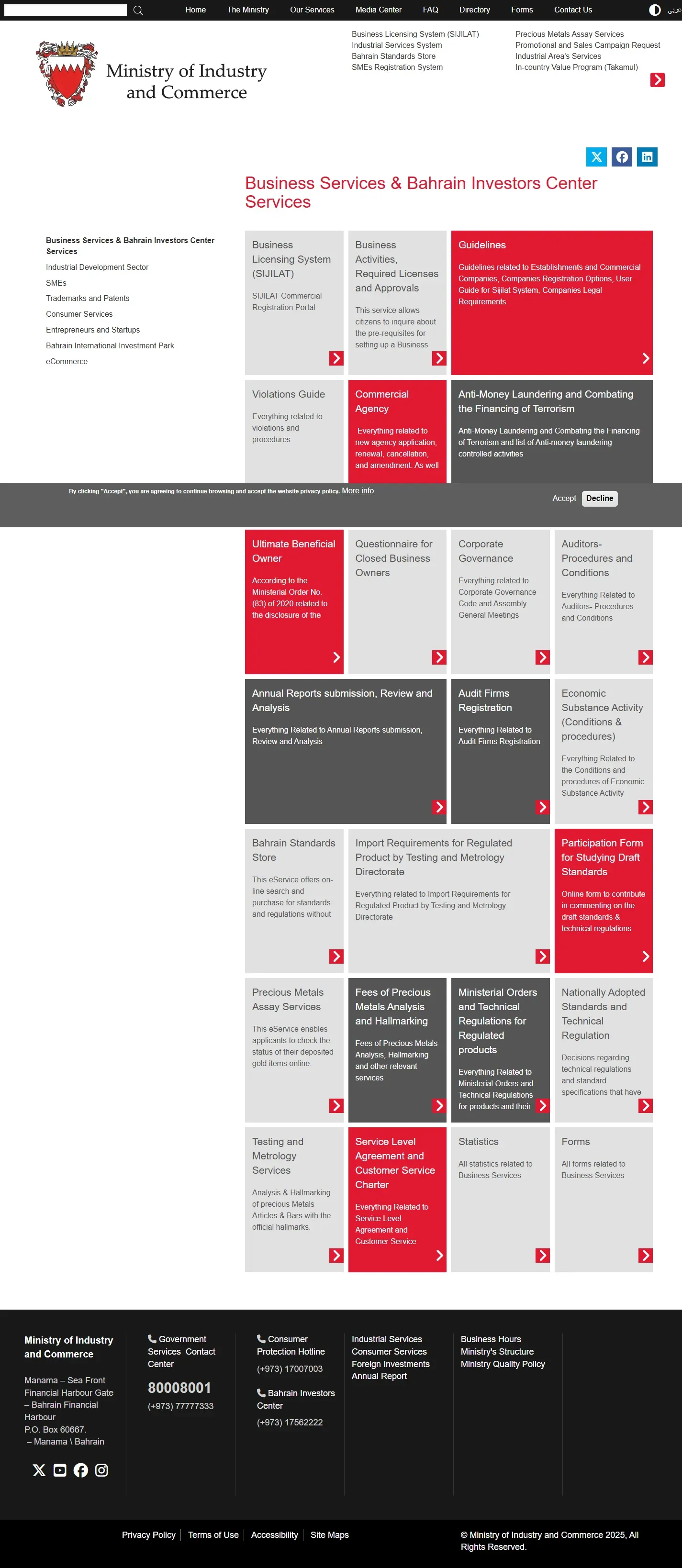
Start by deciding whether you need information about an existing Bahrain CR or a transaction on your own registration. Sijilat describes three broad business structures: an Individual CR, Sijili for eligible Bahraini entrepreneurs carrying out selected activities without a physical office, and a Company structure such as a W.L.L. or other company form. Use the official Set-up your Business guide and Business Advisor before applying because legal form, ownership, activity and premises rules differ.
- Check a company's CR status: use Business Search. No login is required.
- Download your CR certificate: sign in, open My Businesses and choose E-CERTIFICATE.
- Renew a CR: sign in and open E-Services, Renewals, Commercial Registration Renewal.
- Track an application: use Application Status Enquiry with the application number.
- Change activities, address, partners or branches: sign in and choose the matching E-Service.
02Search a Commercial Registration
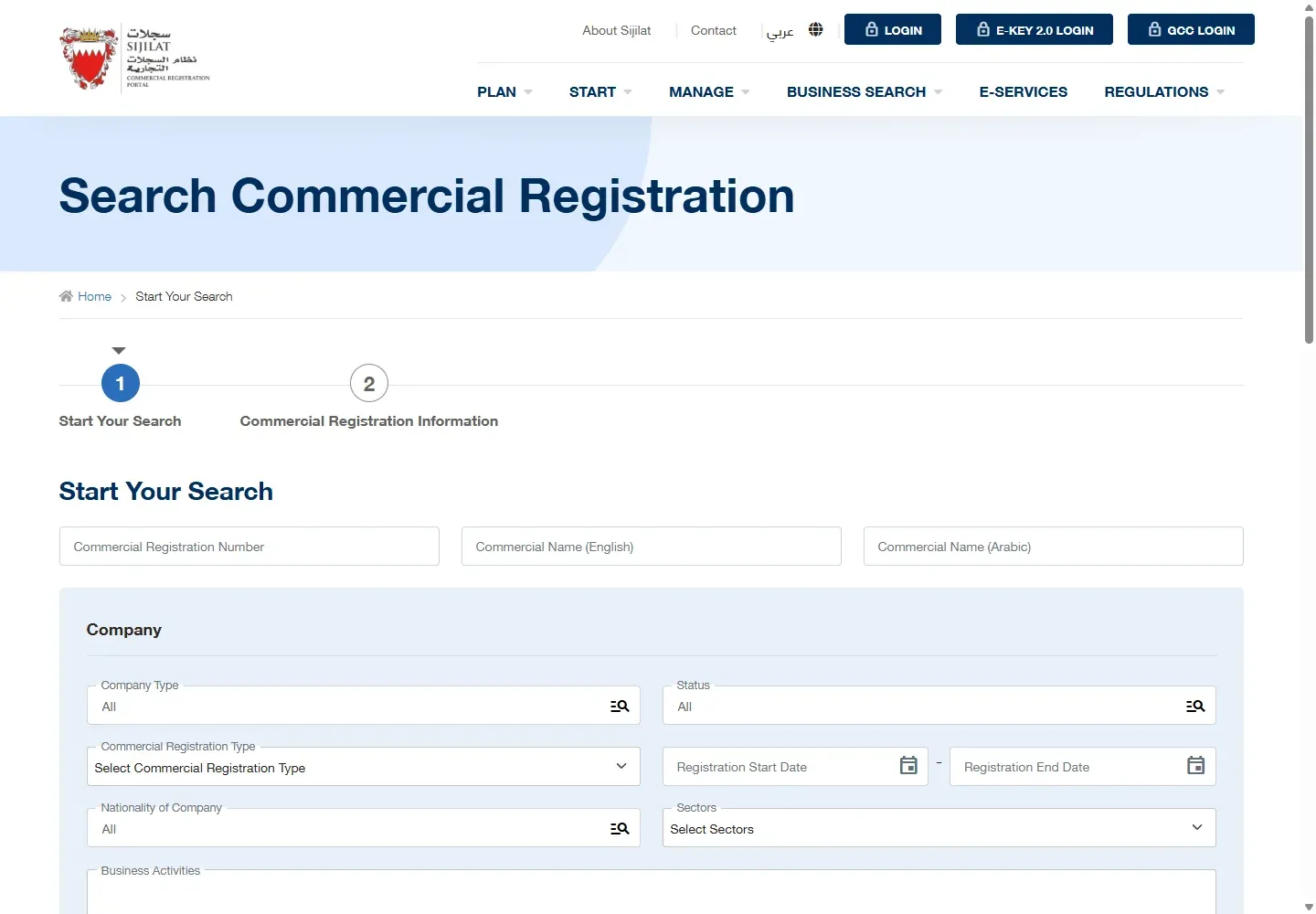
- Open the official Search Commercial Registration page.
- Enter the CR number or exact commercial name.
- Choose Search.
- Match the branch suffix, then read the status, expiry date and activities.
03Login to Sijilat with eKey 2.0
- Open sijilat.bh.
- Choose E-KEY 2.0 LOGIN.
- Enter the national ID requested by eKey.
- Approve the matching request in the eKey 2.0 app.
- Return to the browser and open Dashboard.

04Renew or download a CR
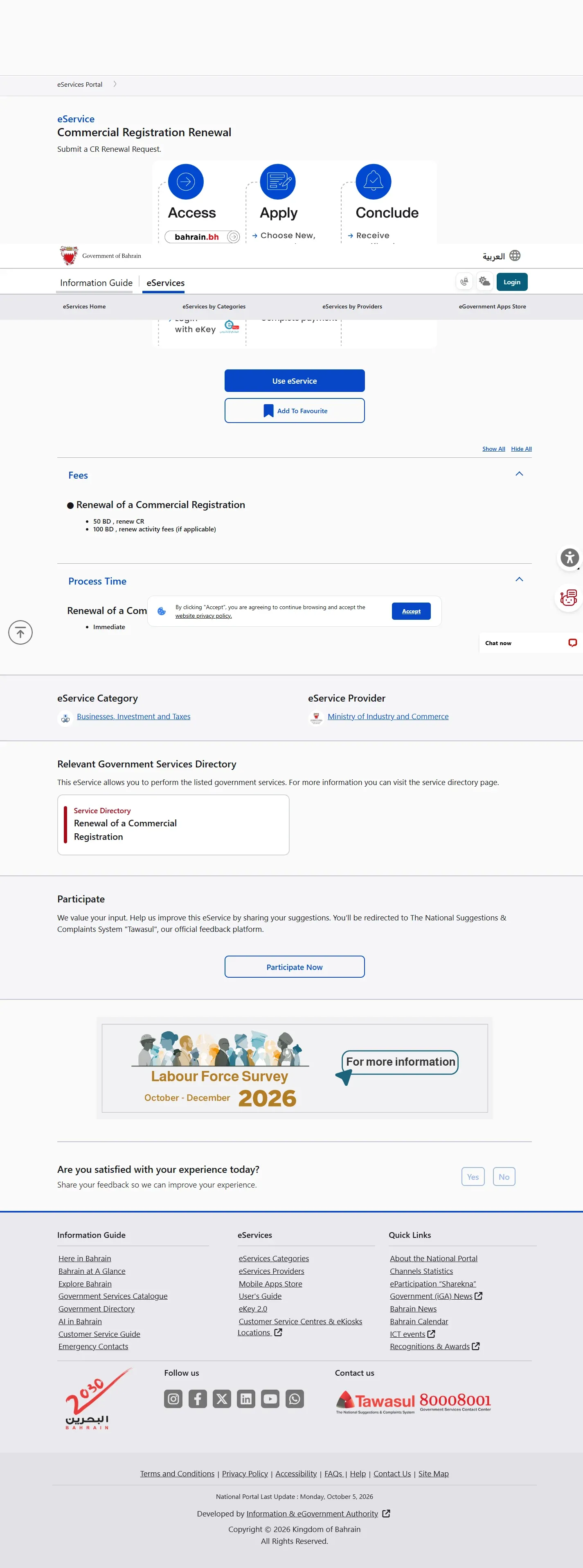
For renewal, open E-Services, Renewals, Commercial Registration Renewal. The official page lists BHD 50 for the CR and BHD 100 to renew activity fees when applicable. The published process time is immediate after payment.
For the digital certificate, open Dashboard, My Businesses, select the correct CR and choose E-CERTIFICATE. The live digital route does not show a separate payment step before the certificate button.
05Other Sijilat company changes
Use the named E-Service for the action you need. Sijilat lists services for managing activities, changing the commercial address, changing partners, registering branches, transferring ownership and closing a registration. Read the service's Before You Start page before creating an application because documents, approvals and fees depend on the legal form and activity.
Do not use a general CR amendment when Sijilat provides a more specific service. The named service gives the correct conditions and attachments for that transaction.
06Certificate and renewal fees
- CR renewal: BHD 50.
- Activity renewal: BHD 100 when applicable.
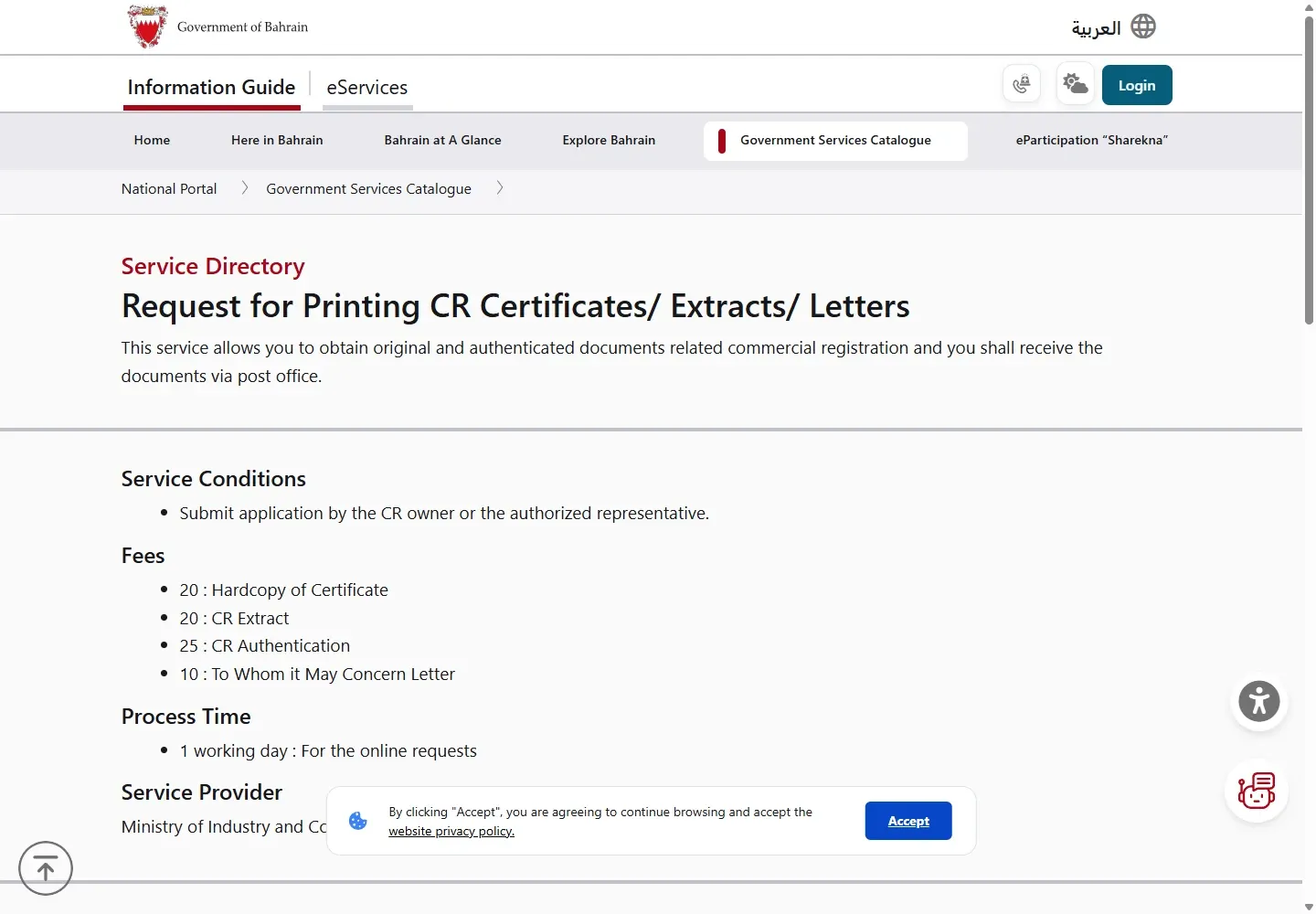
- Official paper CR certificate: BHD 20.
- CR extract: BHD 20.
- CR authentication: BHD 25.
- To Whom It May Concern letter: BHD 10.
For Sijilat help, call 8000 8001 or email [email protected]. Keep the full CR number and any application number ready.
07Step-by-step Sijilat guides
08CR Bahrain questions
What is a CR in Bahrain?
CR means Commercial Registration. It is the business record managed through the Ministry of Industry and Commerce Sijilat system.
Can I search a Bahrain CR without logging in?
Yes. Sijilat Business Search is public. Use the CR number or exact commercial name, then match the branch suffix, status, expiry date and activities.
Do I need eKey to manage a CR?
Yes. Actions on your own registration, including renewal, certificate download and business-detail changes, use the authenticated Sijilat dashboard and eKey 2.0.
Which CR type should I choose?
Choose based on the owner, legal form, liability, activity and premises requirements. Sijilat lists Individual, Sijili and several Company structures and provides a Business Advisor for the choice.
09Sijilat task chooser
| What you want to do | Shortest route | Login? |
|---|---|---|
| Find a CR, status, expiry or activities | Use Sijilat Business Search | No |
| Open your company dashboard | Open Sijilat and sign in with eKey 2.0 | Yes |
| Renew a CR | Choose renewal from the registered enterprise | Yes |
| Change activities, address, branches or ownership | Choose the applicable amendment service | Yes |
| Download or print a CR certificate | Open the registered enterprise and choose the certificate or print route shown | Yes |
| Check a submitted request | Use the official application follow-up service | Depends on the request |
Public CR search is free and does not require eKey. Charges for a company transaction depend on the legal form, activity and requested change. Read the official fee summary displayed before payment.
10Public search or eKey login?
Use public search when you only need to verify a commercial name, CR number, branch, status, expiry date or activity. Use eKey only when acting on a registration connected to your account.
- Open the official Sijilat portal.
- Choose the public search route for verification, or choose login for account actions.
- For a public search, enter the CR number or commercial name and match the branch suffix carefully.
- For an account action, approve eKey 2.0 and select the correct registered enterprise before opening a transaction.
- Review the official summary, fee and declarations before any submission or payment.
If eKey approval fails, use the eKey 2.0 setup guide. LMRA employer and work-permit tasks belong in LMRA EMS, while worker status checks use the public LMRA visa check.
11Common Sijilat problems
- No CR result: remove spaces or punctuation, try the exact commercial name, and check whether the CR has a branch suffix.
- Wrong branch: compare the branch number, activities, status and expiry date rather than relying on the name alone.
- eKey approval fails: confirm that the eKey account belongs to the authorized person and restart with one browser tab.
- The company is missing after login: the signed-in person may not be linked or authorized for that enterprise.
- Renewal is unavailable: check whether another application, violation or required approval is blocking the transaction.
- Certificate or receipt will not open: allow downloads and pop-ups for sijilat.bh, then retry from the completed transaction.
12Sijilat Bahrain FAQs
What is Sijilat in Bahrain?
Sijilat is the Ministry of Industry and Commerce portal for Commercial Registration information and company transactions.
Can I search a Bahrain CR without login?
Yes. The public business search does not require eKey. Search by CR number or commercial name and verify the correct branch.
Do I need eKey for Sijilat?
You need eKey 2.0 for authenticated company actions. Public CR search remains available without login.
Can I renew a CR through Sijilat?
Yes. Open the registered enterprise after login, choose the renewal service, review requirements and pay the fee shown for that transaction.
Can I change business activities in Sijilat?
Yes. Use the relevant amendment route. The activity may require external approval, premises or additional documents.
How much does Sijilat cost?
There is no fee for public CR search. Registration, renewal, amendment, certificate and activity fees vary, so use the official amount shown for the selected transaction.
Where do I get help with Sijilat?
The official service information lists Government Services Contact Centre 8000 8001, Ministry support 1756 2222 and international support 7777 7333.
13Official sources checked
Service routes and descriptions were checked on 6 October 2026.